


Best Wireless Gaming Mouse for MOBA in 2026: Ranked
Picking the best wireless gaming mouse for MOBA and RTS games in 2026 comes down to two things: how many buttons you need for macros, and whether wireless latency will bite you mid-teamfight.
- Wireless Gaming Mouse wins for MOBA players who want a no-fuss 2.4GHz upgrade in 2026.
- 2.4G Wireless Mouse with RGB and 6 buttons wins for RTS control-group macros and camera hotkeys.
- Wireless Car Mouse 2.4GHz Optical wins for travel setups and LAN trips.
- 2.4GHz RF wireless connections match wired latency for most ranked play in 2026 - Bluetooth is the one to skip for competitive queues.
Why this matters
MOBA and RTS games punish slow clicks. A missed skill combo or a late control-group order costs the fight, and the wrong mouse makes both more likely. Wired mice used to be the only safe pick for competitive play, but 2.4GHz RF wireless has closed that gap enough that most ranked players can't tell the difference anymore.
What still matters is button count and shape. RTS games lean on control groups, camera hotkeys, and build queues - a mouse with more programmable buttons pays off there. MOBA leans lighter on buttons but rewards a mouse that tracks cleanly at high cursor speed for skill-shots and minimap clicks. Gaming and More stocks a straightforward wireless gaming mouse built around a 2.4GHz connection for exactly this kind of ranked play, and it's the starting point for this guide.
What makes the best wireless mouse for MOBA and RTS
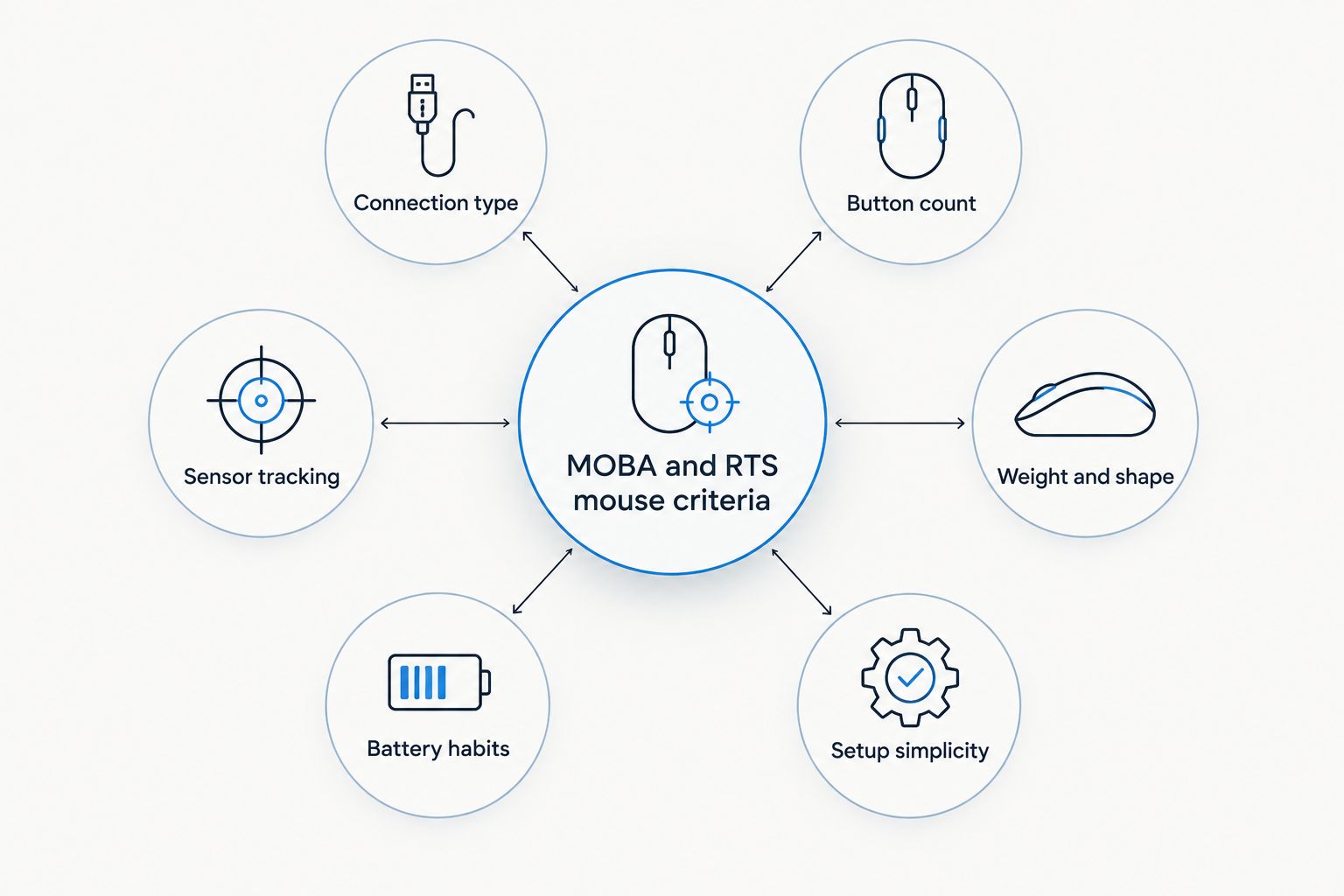
- Connection type - 2.4GHz RF over Bluetooth for lower, more consistent input lag
- Button count - more side buttons help RTS control groups and camera hotkeys; MOBA needs fewer
- Sensor tracking - clean tracking at fast cursor speed for skill-shots, minimap clicks, and unit selection
- Weight and shape - lighter and smaller travels well; bigger shapes suit long marathon sessions
- Battery habits - RGB lighting draws more power than a mouse without it
- Setup simplicity - plug-and-play beats a mouse that needs driver software just to work
At a glance
| Mouse | Best for | Standout feature | Key limitation |
|---|---|---|---|
| Wireless Gaming Mouse | MOBA, no learning curve | 2.4GHz wireless connection | Fewer dedicated macro buttons - check the current listing for exact count |
| 2.4G Wireless Mouse RGB 6-Button | RTS control groups and hotkeys | 6 programmable buttons with RGB backlighting | RGB lighting shortens battery runtime versus a mouse without it |
| Wireless Car Mouse 2.4GHz Optical | Travel and LAN setups | Compact optical sensor built for portability | Smaller shape cramps larger hands over long sessions |
1. Wireless Gaming Mouse: best wireless gaming mouse for MOBA and quick hero swaps
The Wireless Gaming Mouse runs on a 2.4GHz connection instead of Bluetooth, which is the detail that actually matters for ranked MOBA play - it keeps clicks landing when you need them, without pairing menus or dropout mid-fight. It's built as a general-purpose gaming mouse, not a macro-heavy specialist, which is exactly the point for MOBA players who mostly need clean clicks and fast target switches.
Wireless Gaming Mouse pros:
- 2.4GHz wireless connection cuts the lag risk that comes with Bluetooth
- No driver install required to get started
- Ships worldwide, so it's a straightforward pick regardless of location
Wireless Gaming Mouse cons:
- Fewer dedicated macro buttons than mice built for RTS control groups
- Check the current product listing for exact button layout before buying if you're set on a specific count
Best for: MOBA players who want a wireless upgrade without relearning a new button layout.
Verdict: Buy if you play mostly MOBA and want the simplest wireless switch.
2. 2.4G Wireless Mouse RGB 6-Button: best wireless gaming mouse for RTS control groups
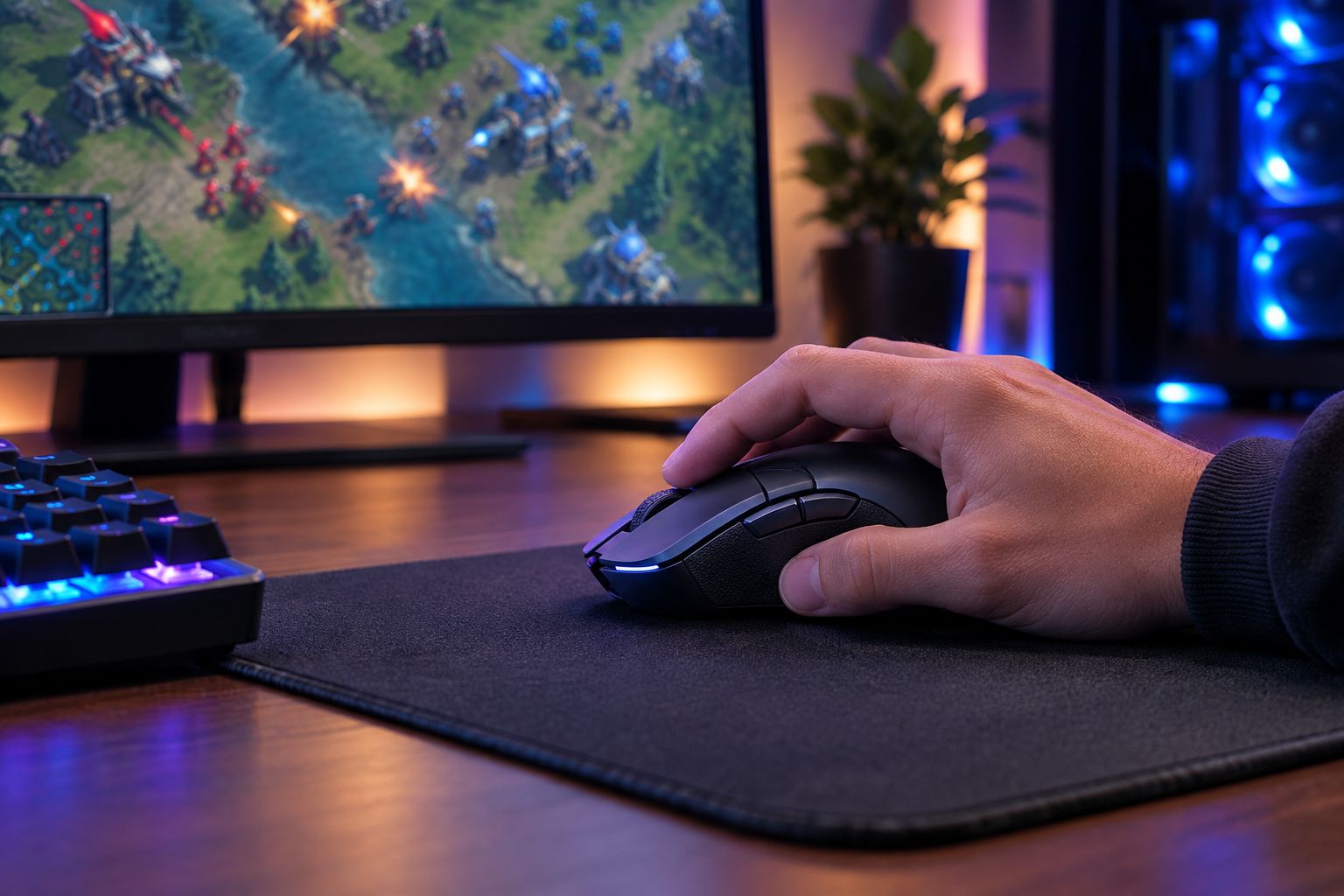
RTS games live and die on how fast you can jump between control groups, camera positions, and build orders. The 2.4G Wireless Mouse with RGB backlighting gives you six programmable buttons on a 2.4GHz connection, which is enough room to assign a couple of control groups and a camera hotkey without leaving the mouse.
2.4G Wireless Mouse RGB 6-Button pros:
- Six programmable buttons cover control groups and camera hotkeys
- RGB backlighting matches an existing RGB desk setup
- 2.4GHz wireless keeps input lag low compared to Bluetooth
2.4G Wireless Mouse RGB 6-Button cons:
- RGB lighting drains the battery faster than a mouse without it
- Six buttons take a session or two to memorize before they feel automatic
Best for: RTS players who assign control groups and camera positions and want that on a wireless mouse.
Verdict: Buy if RTS macros are your main use case - the button count is the whole reason to pick this over the plain wireless option.
3. Wireless Car Mouse 2.4GHz Optical: best wireless gaming mouse for travel and LAN setups
This is the compact pick. The Wireless Car Mouse pairs an optical sensor with a 2.4GHz wireless connection in a smaller shape built for laptops and travel bags rather than a full-size desktop rig. If you split time between a desktop and a laptop, or you're hauling gear to a LAN event, this is the one that fits the bag.
Wireless Car Mouse pros:
- Compact shape fits small bags and travel cases
- Optical sensor tracks reliably across most mouse pad surfaces
- 2.4GHz wireless skips the Bluetooth pairing hassle when switching devices
Wireless Car Mouse cons:
- Smaller shape can cramp larger hands during marathon sessions
- Fewer side buttons than the 6-button pick above, so heavy macro users should look elsewhere
Best for: players who travel to LAN events or move between a desktop and a laptop setup.
Verdict: Buy for travel use; Hold if you need a full-size grip for long ranked sessions at a fixed desk.
How we ranked these
Each pick ties back to the six criteria above: connection type first, because a dropped click loses a fight; button count second, because RTS and MOBA ask for different things from your hand; then sensor tracking, weight, battery habits, and setup simplicity. None of these three mice compete for the same slot - that's deliberate. A gaming mice comparison built for competitive FPS players applies a similar framework but weights sensor tracking heavier, since FPS punishes tracking errors that MOBA and RTS mostly don't.
Which wireless mouse should you choose?
If you're undecided, start with the use case, not the price tag. Pick the Wireless Gaming Mouse if you play mostly MOBA and want the simplest wireless switch with no new buttons to learn. Pick the 2.4G Wireless Mouse RGB 6-Button if RTS control groups and camera hotkeys are your main workflow - the extra buttons are the entire point. Pick the Wireless Car Mouse 2.4GHz Optical if you travel or split time between machines and want something that fits in a bag without giving up a 2.4GHz connection.
All three run on 2.4GHz RF, which as of 2026 is the wireless standard that most competitive players trust over Bluetooth for MOBA and RTS.
FAQ
What's the best wireless gaming mouse for MOBA in 2026?
The Wireless Gaming Mouse is the best pick for most MOBA players in 2026 because it runs on a 2.4GHz connection and needs no extra buttons to learn. RTS players who rely on control groups should look at the 6-button RGB option instead.
Is a 6-button mouse better than a 2-button mouse for RTS games?
Yes, for RTS games a 6-button mouse is better because control groups, camera hotkeys, and build queues all benefit from extra programmable buttons. MOBA games rely less on button count and more on clean click response.
Does wireless lag behind wired mice for competitive MOBA and RTS?
Modern 2.4GHz RF wireless mice match wired latency closely enough that most ranked players won't notice a difference. Bluetooth mice are the connection type to avoid for competitive MOBA or RTS play.
How many buttons do I need for RTS control groups?
Most RTS players get real value from 5-6 programmable buttons, covering two or three control groups plus a camera hotkey. Fewer buttons still work, they just mean more keyboard-only shortcuts.
Is a compact car-style mouse good for MOBA?
A compact wireless mouse works fine for MOBA since the genre leans on click accuracy over button count. It's a stronger fit for players who travel or use a laptop than for a dedicated desktop battlestation.
Does RGB lighting affect wireless mouse battery life?
Yes, RGB backlighting draws more power than a mouse without it, so battery runtime drops when lighting is on. Turning off RGB during long ranked sessions is the simplest fix if runtime matters more than looks.
Can I use the same wireless mouse for MOBA and RTS?
You can, but a mouse with more programmable buttons serves RTS better while a simpler layout serves MOBA better. If you play both seriously, the 6-button option covers more ground than the plain wireless pick.
Should I pick Bluetooth or 2.4GHz for competitive play?
Pick 2.4GHz RF for competitive MOBA or RTS play. Bluetooth adds pairing overhead and inconsistent latency that RF wireless avoids.
One last thing
The button count decision matters more than most players expect going into 2026 - a MOBA player who buys the 6-button RGB mouse for the buttons alone usually just leaves four of them unmapped, while an RTS player on the plain Wireless Gaming Mouse ends up cramming control groups onto keyboard modifiers instead. Match the mouse to the genre you play most, not the one with the most buttons on the box.


