


Mini Gaming PC for Small Business: 2026 Buying Guide
Small business offices shopping for a mini gaming pc need a compact desktop built on gaming-grade parts that fits on a shelf instead of taking over a shared desk. The category trades raw frame rates for quiet fans, low per-seat cost and specs that survive real multitasking, not benchmark runs. Offices buying for five desks or fifty care about consistency and support more than one flagship build.
- The best mini gaming pc for small business offices in 2026 skips a discrete GPU for most seats.
- 16GB RAM is the realistic minimum per seat; 32GB pays off with multiple monitors and heavy spreadsheets.
- A Ryzen 7 5700G build handles office multitasking and light gaming through integrated graphics alone.
- True mini form factor units save desk space; small form factor towers keep more upgrade room.
- Standardizing on one model across desks cuts support time when a machine breaks.
Why a mini gaming PC matters for small business offices in 2026
Office IT budgets in 2026 sit squeezed between rising software subscriptions and hardware refresh cycles that can't wait forever. A mini gaming pc for small business use solves a specific problem: enough CPU and RAM headroom to run ten browser tabs, a video call and a spreadsheet full of macros at once, inside a case small enough to clear off a desk. Gaming and More stocks compact desktops built around exactly this trade-off, and the gap between a budget mini PC and an $800-class Ryzen build usually comes down to one question: does anyone in the office actually need a discrete GPU.
Full towers built for competitive gaming solve a problem most offices don't have. Small business buyers need quiet operation in shared rooms, predictable specs across multiple units, and a case that doesn't dictate the desk layout. That's a different shopping list than a rig built for one enthusiast at home.
Map the real workload before you shop
Most office purchase decisions skip this step and regret it within a year.
- Count concurrent apps per seat: browser tabs, video calls, CRM, spreadsheets with macros
- Flag anyone who edits video, runs CAD files, or games during lunch breaks
- Note if a unit doubles as a lobby display, kiosk or point-of-sale terminal
- Mark noise-sensitive rooms where a loud fan under load becomes a distraction
Choose a case size that fits the desk plan
Case size decides desk layout more than any spec sheet.
- True mini form factor units sit on a shelf or mount behind a monitor, freeing the desk entirely
- Small form factor (SFF) towers run slightly bigger but keep more room for upgrades later
- Mini-tower builds use full-size components with the most expansion room and the biggest footprint
- Under-desk or wall-mount options work well in shared or client-facing spaces where a visible tower looks cluttered
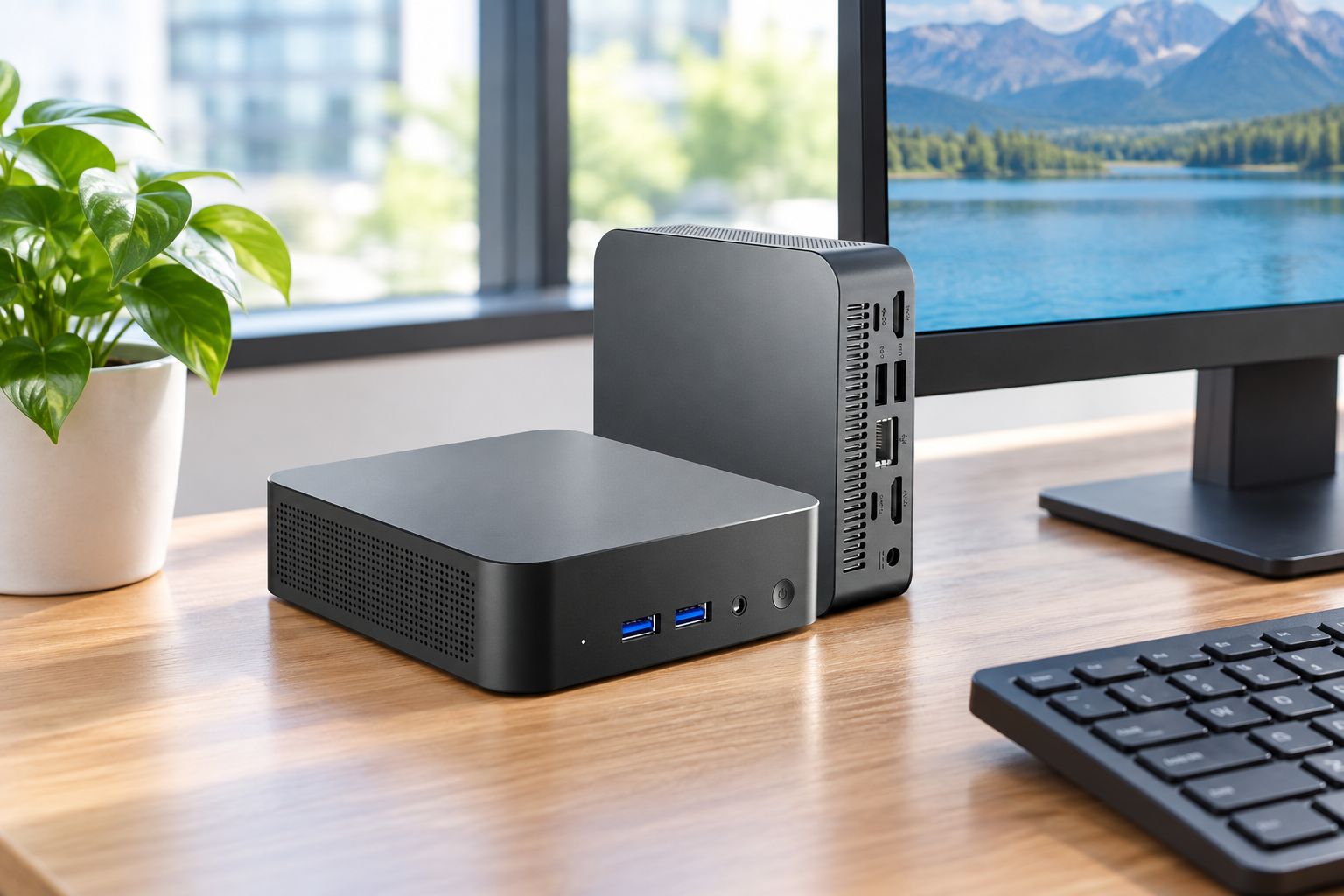
Match CPU and RAM to multitasking, not benchmarks
Benchmark charts built for gamers don't answer the office question: can this machine run eight things at once without stuttering.
- Eight or more browser tabs plus a video call chew through 8GB fast — 16GB is the realistic minimum per seat in 2026
- Multiple monitors and spreadsheets with heavy macros benefit from 32GB, especially on shared accounting or ops machines
- RAM speed matters less than capacity for office work; a kit like 16GB DDR4 at 3000MHz covers non-gaming seats without overspending
- CPU core count matters more than peak clock speed once background sync apps and calls stack up
Decide whether you need a discrete GPU at all
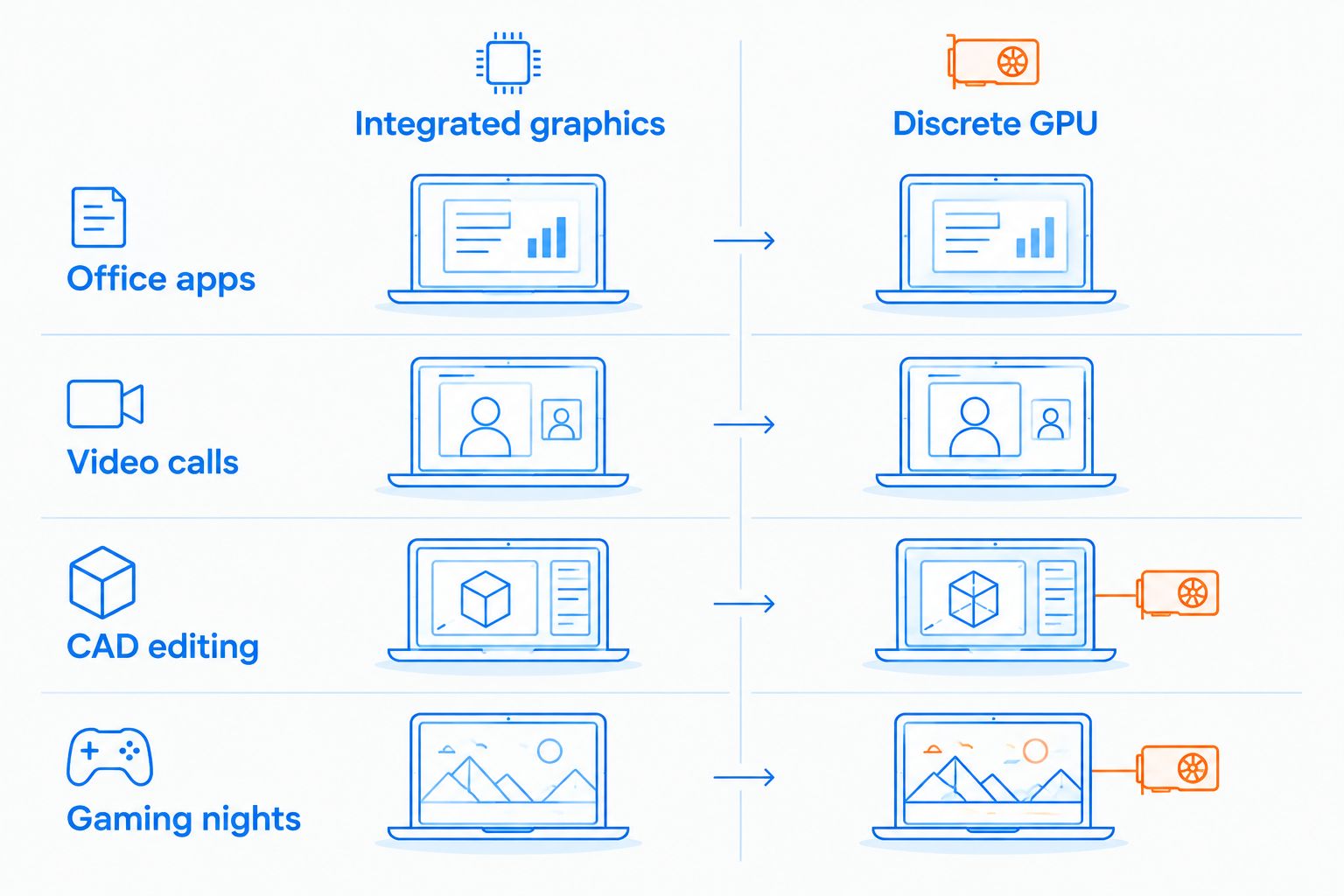
This is the single biggest cost driver in a mini gaming pc for small business purchase, and most offices get the answer wrong.
- Most office seats never need a discrete GPU — a chip like the AMD Ryzen 7 5700G desktop runs its own integrated Radeon graphics and handles office apps and multiple monitors without a separate card
- Add a discrete GPU only when someone does CAD work, video editing, or after-hours gaming on the same machine
- Discrete GPUs raise noise and power draw, both worse in open or shared offices
- iGPU-only desktops run quieter and pull less power sitting idle most of the workday
Plan storage for shared files, not just the OS
Storage planning gets skipped until someone runs out of space mid-quarter.
- A 1TB SSD covers the OS, apps and a year or two of local files for one seat
- Teams outgrow local storage fast; route shared files to network storage or a dedicated external drive instead of one desktop
- NVMe SSDs boot noticeably faster than SATA SSDs, worth it when replacing an aging laptop fleet
- Keep a spare external drive on hand for point-in-time backups before major OS updates
Standardize peripherals across every desk
Mixed peripherals across desks turn small IT problems into repeat tickets.
- Wireless mice and keyboards cut cable clutter across multiple workstations
- Pick a mouse with adjustable DPI so one model works for both precision tasks and the occasional lunch-break game
- Standardize on one monitor size and input type office-wide to simplify support and spares
- Compact keyboards free up desk space next to a mini form factor PC
Set a per-seat budget before you compare specs
Spec sheets lie about total cost if the budget stops at the box.
- Price the whole seat: monitor, mouse, keyboard, mount — not just the PC
- Buying identical units across desks simplifies support and spare-parts stock
- Factor in shipping and lead time when outfitting more than a handful of desks at once
- Weigh return windows before committing to a bulk order of the same model
Mini gaming PC options for small business offices in 2026
| Option | Best for | Key limitation |
|---|---|---|
| True mini PC (integrated graphics) | Single-seat office work: browsers, calls, light editing | No headroom for CAD, rendering or serious gaming |
| Compact desktop with Ryzen APU | Office work plus occasional after-hours gaming | Bigger case than a true mini PC |
| Full mini-tower gaming desktop | Teams that also render video or run CAD | More desk and airflow space needed, louder under load |
| Business laptop | Hybrid or hot-desk teams that move machines | Smaller screen real estate, less upgrade room |
A true mini PC with integrated graphics is the right call for most single-purpose office seats in 2026; step up to a Ryzen APU build only when someone on that desk games or edits after hours.


Common mistakes small business offices make buying a mini gaming PC
- Buying five different models across five desks — support headaches, no spare parts cross-fit
- Chasing the cheapest sticker price and landing at 8GB RAM, then regretting it within a year as multitasking demands grow
- Choosing a loud discrete-GPU tower for an open or client-facing room where noise matters
- Forgetting the desk plan and ordering a mini-tower too big for the furniture already in place
- No backup plan for shared files stored locally on individual mini PCs instead of network storage
FAQ
What's the best mini gaming pc for small business offices in 2026?
For most single-purpose office seats, a true mini PC with integrated graphics covers the workload without the cost or noise of a discrete GPU. Step up to a Ryzen APU build only when someone on that desk also games or edits video after hours.
Is a mini PC powerful enough for daily office work and light gaming?
Yes, for browser-based work, video calls, spreadsheets and casual gaming, a mini PC with 16GB RAM and integrated graphics handles the load fine. Heavier gaming or video rendering needs a discrete GPU instead.
Do I need a discrete GPU for office use?
Most office seats don't. Integrated graphics on chips like the AMD Ryzen 7 5700G run multiple monitors and everyday apps without a separate card, saving on noise and power draw.
How much RAM does a small business office PC need in 2026?
16GB is the realistic minimum for a single office seat running browsers, calls and spreadsheets at once. Seats juggling multiple monitors or heavy macros benefit from 32GB.
Are mini PCs quieter than full towers?
Generally yes, because most mini PCs skip a discrete GPU and run smaller fans at lower loads. A full tower with a discrete GPU under sustained load runs louder and hotter.
Can a mini gaming pc replace a laptop for hybrid teams?
It can for desks that stay put, but hybrid or hot-desk teams that move machines between locations are usually better served by a laptop. A mini PC works best as a fixed office workstation.
How many mini PCs should I buy at once for an office?
Buy in matched batches rather than one at a time. Standardizing on a single model across every desk simplifies support and keeps spare parts interchangeable.
What's the difference between a mini PC and a small form factor desktop?
A true mini PC is smaller and sits on a shelf or mounts behind a monitor, while a small form factor (SFF) desktop is slightly bigger with more room for upgrades. Both are more compact than a full mini-tower.
One last thing
The integrated graphics on a chip like the AMD Ryzen 7 5700G handle multiple monitors and everyday office apps without a discrete card — most small offices buying towers with dedicated GPUs in 2026 are paying for gaming headroom nobody at that desk will ever use. Check what each seat actually does before the GPU line item gets added to the order.


