


Prebuilt Gaming PC for Game Developers: 2026 Guide
A prebuilt gaming PC for game developers is a desktop configured with enough CPU cores, RAM, and GPU headroom to compile builds, run the engine editor, and playtest at target frame rates without stalling your workflow. Someone buying a rig just to play games optimizes for benchmark scores; a developer optimizes for compile time, editor responsiveness, and how many windows can stay open at once.
- A prebuilt gaming pc for game developers needs 8+ CPU cores, 32GB RAM for Unreal Engine 5, and a real ray-tracing GPU if you use Lumen or Nanite.
- 16GB RAM covers Godot and small Unity projects in 2026, but Unreal Engine 5 projects push past that fast.
- Buying prebuilt saves setup time versus a custom build, but check RAM and storage headroom before you order.
- Skip integrated graphics for anything beyond text-based or pixel-art prototyping.
Why this matters for game developers
Game development workflows are different from gaming workflows. You run the engine editor, a browser with documentation open, a terminal for version control, and often a build target running in a separate window, all at once in 2026. A machine that plays the latest release fine can still choke on an Unreal Engine 5 shader compile or a Unity asset re-import.
Compile time is the number that actually costs you money as a developer: every full rebuild is time you're not making the game. CPU core count and RAM headroom fix that faster than a GPU upgrade ever will, which flips the usual gaming-PC shopping logic on its head.
“If your build takes more than five minutes, more CPU cores fixes it faster than a clock speed bump.”
Build the spine: what to check before you buy
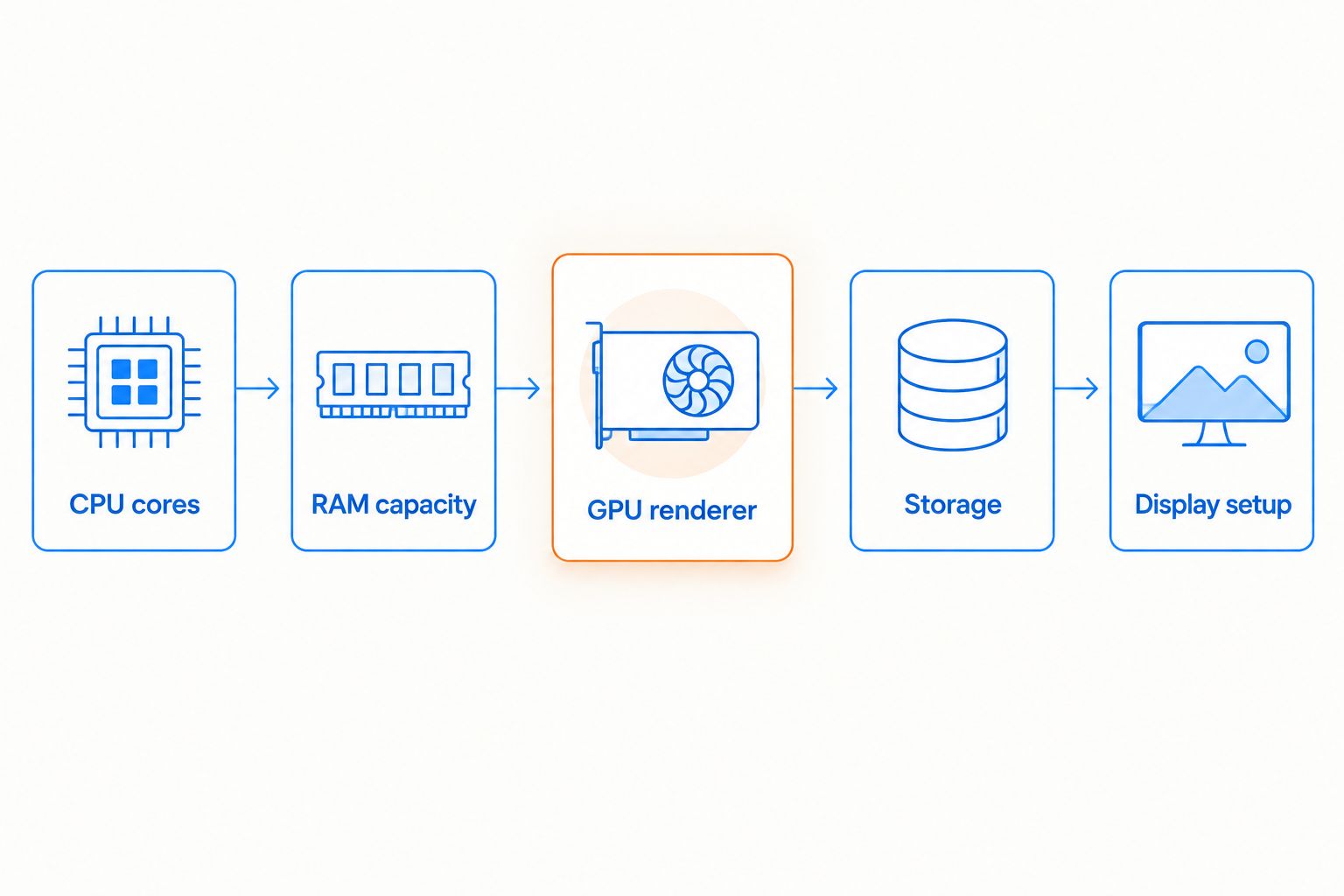
Match your CPU core count to your build times
Time your current full rebuild before you shop. That number tells you more than any spec sheet.
- Aim for at least 8 cores / 16 threads if you compile C++ or run Unreal Engine 5 shader passes regularly.
- Unity and Godot projects using C# or GDScript need fewer cores; 6 cores handles most 2D and mid-size 3D projects fine.
- AMD's X3D chips trade some multi-core throughput for extra cache that speeds up editor responsiveness during iteration, not batch lighting bakes.
- Check whether your engine's lightmap or Nanite build step is multi-threaded before paying for cores it can't use.
- If your team runs CI builds on a shared server, your local machine only needs to handle interactive editing, not full pipeline compiles.
Size your RAM for the engine you actually run
Open Task Manager or Activity Monitor during a normal session and note peak RAM use with the engine, a browser, and Discord running together.
- 16GB covers Godot and small Unity projects comfortably in 2026.
- 32GB is the realistic floor for Unreal Engine 5 projects running Lumen and Nanite.
- If your prebuilt shipped with only 8GB, adding a 16GB DDR4 RAM kit is the cheapest performance fix available.
- Match RAM speed to what your motherboard supports; a mismatched kit downclocks the whole set, not just the new sticks.
- Watch for disk swapping during long editor sessions. That's your signal you're already past your RAM ceiling.
Choose a GPU that matches your engine's renderer
Test your project's editor viewport frame rate at the resolution you actually work at, not the resolution from a marketing screenshot.
- Unreal Engine 5's Lumen and Nanite need real ray-tracing hardware, not just a high shader count.
- A GPU in the RTX 4060 class or above handles most solo-dev Unreal Engine 5 projects without dropping below 30fps in the editor.
- For 2D engines like GameMaker or Godot's 2D renderer, a mid-range GPU is overkill; the CPU is your actual bottleneck.
- If you're shipping to a specific console, pick a GPU tier close to that console so in-editor performance previews stay honest.
- A dedicated GPU also speeds up video export if you're capturing gameplay footage for a trailer or Steam page.
Plan storage for asset libraries and version control
Engine caches and Git history eat SSD space faster than most new developers expect.
- Separate your OS drive from your project drive if the build allows it.
- Budget at least 1TB of SSD for a single mid-size Unreal Engine 5 or Unity project with source art included.
- Move finished builds, screen captures, and old project backups off your fast SSD before it fills up.
- A 4TB portable external drive holds years of build archives without competing with your project SSD for speed.
- If your team uses Perforce or Git LFS, budget extra local cache space; both duplicate large binary assets on disk.
Set up your display for multitasking across editor windows
Running the engine editor, documentation, and a terminal side by side on one 24-inch screen means constant window switching.
- A curved 24-inch gaming monitor at a high refresh rate works for judging frame pacing while leaving room to dock a second window beside the viewport.
- A second monitor for reference material and bug trackers frees your primary screen for the editor viewport alone.
- Match refresh rate to what you're actually testing. 60Hz is fine for a turn-based game; it tells you nothing useful about how a fighting game feels.
- Color accuracy matters more than refresh rate if you're also doing art or lighting work on the same rig.
Protect your setup for travel and game jams
Game jams and conventions move gear fast, and a cracked screen shouldn't cost you a build.
- Back up your project to cloud storage or an external drive before any trip, not after.
- Bring your engine installer on a USB drive; convention wifi rarely handles a multi-gigabyte redownload.
- A padded hard case built for a 17-inch gaming laptop protects a travel rig far better than a generic backpack sleeve.
- Keep a compact wireless mouse in your bag as a backup input device if your main one dies mid-jam.
Compare your options
| Option | Best for | Key limitation |
|---|---|---|
| Element Pro Gaming PC (Ryzen 7 7800X3D, RTX 5070, 16GB DDR5) | Unreal Engine 5 devs running Lumen and Nanite | Overkill for small 2D or mid-size Unity projects |
| iBUYPOWER Element MR 202i (i7-11700F, GTX 1660, 16GB RAM) | Unity or Godot devs on a leaner GPU budget | GTX 1660 starts to strain with ray-traced previews |
| Skytech Blaze4 Mini (Ryzen 5 5500, RTX 5060 Ti, 16GB RAM) | Devs who want a compact desktop without losing GPU headroom | Mini form factor limits future GPU upgrades |
| AMD Ryzen 7 5700G Gaming Desktop (integrated graphics) | Text-based or early-stage script prototyping | Integrated graphics can't handle real-time lighting previews |
Verdict: the Element Pro Gaming PC wins for developers running Unreal Engine 5 in 2026 — the 7800X3D handles editor responsiveness and the RTX 5070 covers Lumen and Nanite previews without dropping frames. Developers on Unity or Godot don't need that much GPU and should look at the iBUYPOWER Element MR 202i or the Skytech Blaze4 Mini instead.


Common mistakes game developers make when buying a prebuilt
- Buying for frame rate instead of compile time. A developer's daily pain point is usually rebuild speed, not in-game FPS. Shop for cores and RAM first.
- Assuming a gaming build handles Unreal Engine 5 the same as playing a game built on it. Running the editor with Lumen and Nanite enabled is heavier than playing the finished game.
- Skipping storage planning until the SSD is full. Engine caches, Git history, and video captures fill a 512GB drive fast; plan for at least 1TB up front.
- Ignoring RAM headroom because the GPU spec looks impressive. A strong GPU paired with 8GB of RAM still stutters during import and compile.
- Traveling to a jam with no backup plan. A single laptop with no case and no cloud backup is one bad bump away from losing a weekend's work.
FAQ
What's the best prebuilt gaming PC for game developers in 2026?
The Element Pro Gaming PC with a Ryzen 7 7800X3D and RTX 5070 is the strongest 2026 pick for Unreal Engine 5 work because it handles both compile speed and Lumen/Nanite previews. Developers on Unity or Godot can go lighter with something like the iBUYPOWER Element MR 202i.
Is a prebuilt gaming PC good enough for Unreal Engine 5 development?
Yes, as long as it has at least 32GB of RAM, 8+ CPU cores, and a GPU with real ray-tracing hardware. Anything less and Lumen or Nanite previews will stutter in the editor.
How much RAM do I need for Unity or Godot development?
16GB is comfortable for most Unity and Godot projects in 2026. Larger 3D projects with heavy asset streaming benefit from 32GB.
Should game developers buy a laptop or desktop?
A desktop gives more CPU and GPU headroom per dollar for the same footprint, which matters most during long compile sessions. A laptop makes sense if you regularly travel to jams or conventions and need a protective case for transit.
Is a gaming GPU necessary for 2D game development?
Not really. 2D engines like GameMaker or Godot's 2D renderer are CPU-bound, so a mid-range GPU is more than enough and a high-end card won't speed anything up.
How does a prebuilt PC compare to building your own for game dev?
A prebuilt gaming PC for game developers gets you working faster since there's no assembly or driver troubleshooting. A custom build can hit a better price-to-spec ratio if you're comfortable sourcing parts yourself.
How much SSD storage do game developers need?
Budget at least 1TB for a single mid-size project once source art, engine caches, and version control history are included. Teams using Perforce or Git LFS should add more for local cache.
Do game developers need a high refresh rate monitor?
Only if the genre you're building depends on frame pacing feel, like a fighting game or shooter. For turn-based or narrative projects, a standard 60Hz-class monitor is fine and color accuracy matters more.
One last thing
If you can only upgrade one part after buying a prebuilt, add RAM before a GPU. Engine background processes like asset cooking and shader caching eat RAM long before they ever touch the GPU, and a RAM bottleneck shows up as editor stutter that looks like a GPU problem but isn't. Fix that first in 2026, then decide if the GPU actually needs an upgrade.


