


Best prebuilt gaming PCs under $1500 in 2026
Best overall: Skytech Blaze4 Mini. Best for an existing 1080p setup: Intel Core i7 Gaming PC with GTX 1660 Super. Best for gaming and everyday use: AMD Ryzen 7 5700G Gaming Desktop. This 2026 shortlist separates dedicated-graphics systems from lighter-duty alternatives so you can choose the right kind of prebuilt, not just a familiar processor name.
- For best prebuilt gaming pcs under $1500, shortlist Skytech Blaze4 Mini first: its listed RTX 5060 Ti is the deciding feature.
- Intel Core i7 Gaming PC with GTX 1660 Super suits an existing 1080p setup; confirm the exact processor.
- AMD Ryzen 7 5700G and Lumishore desktops need graphics-configuration checks before you choose either for demanding games.
- Gaming and More buyers should compare complete configurations, not processor badges or RGB lighting.
Why this matters
A gaming desktop is a collection of parts, not a performance guarantee. A recognizable CPU name tells you little about the graphics card, cooling, power supply, or upgrade options inside the case.
The biggest distinction here is straightforward: the Skytech and Intel systems name dedicated graphics cards. The Ryzen 7 5700G and Lumishore listings identify processors, memory, and storage, but do not establish a separate graphics card in their supplied descriptions.
Gaming and More's Skytech Blaze4 Mini is the first shortlist choice for gamers who want a compact prebuilt with explicitly identified dedicated graphics. For a closer look at that configuration, read the Skytech Blaze4 Mini buyer's guide.
What makes the best prebuilt gaming PC?
Use these criteria before comparing the ranked picks. For this 2026 guide, a documented component matters more than an impressive-sounding product label.
- Graphics first: Identify the exact GPU. Integrated graphics and dedicated graphics are different buying decisions.
- Exact processor: Compare full CPU model names, not just Core i7 or Ryzen 7 branding.
- Memory layout: Check capacity, module arrangement, and remaining slots. Capacity alone does not describe the whole setup.
- SSD capacity: Match storage to your installed games and other files. Confirm the drive type and expansion options.
- Cooling and power: Request the cooler, power-supply model, and case-clearance details before planning upgrades.
- Complete setup: Check monitor connections, networking, and included accessories against what you already own.
These criteria also expose the limits of a shortlist. A named GPU supports a more specific buying decision; it does not establish frame rates, noise levels, or thermal performance without matching evidence.
Prebuilt gaming PCs at a glance
The table follows the same order as the detailed recommendations. Each desktop has a distinct role rather than competing for an unsupported universal performance crown.
| Desktop | Best for | Standout listed feature | Key limitation |
|---|---|---|---|
| Skytech Blaze4 Mini Gaming PC | Compact dedicated-graphics gaming | RTX 5060 Ti; Ryzen 5 5500 identified in the listing URL | RAM, storage, GPU memory, and dimensions need confirmation |
| Intel Core i7 Gaming PC with GTX 1660 Super | An existing 1080p setup | Dedicated GTX 1660 Super; 16GB RAM and 512GB SSD | Exact Core i7 model is not established |
| AMD Ryzen 7 5700G Gaming Desktop | A shared gaming-and-everyday computer | Ryzen 7 5700G, 16GB RAM, 1TB SSD, Windows 11 | Separate graphics card is not established |
| Lumishore Gaming PC | Buyers prioritizing a documented NVMe configuration | Ryzen 5 5600GT, 16GB RAM, 1TB NVMe SSD | Separate graphics card and expansion details need confirmation |
1. Skytech Blaze4 Mini: best for compact dedicated-graphics gaming
The Skytech Blaze4 Mini is the default starting point because its product title identifies an RTX 5060 Ti. Its listing URL also identifies a Ryzen 5 5500 processor, making the CPU-and-GPU pairing more explicit than a generic gaming-desktop description.
Best for: You want a compact desktop with a named dedicated graphics card and will verify the remaining configuration before ordering.
For a 2026 gaming shortlist, that GPU identification earns the Skytech Blaze4 Mini first consideration. It does not justify invented frame-rate promises or a claim that every game runs at maximum settings.
Skytech Blaze4 Mini pros:
- The RTX 5060 Ti is explicitly named.
- The Ryzen 5 5500 processor is identifiable in the listing URL.
- The product is presented as a compact gaming desktop.
- The dedicated-graphics configuration gives you a clear starting point for checking game requirements.
Skytech Blaze4 Mini cons:
- The supplied description does not establish RAM or SSD capacity.
- Exact dimensions, power supply, and GPU memory configuration need confirmation.
- Compact branding does not establish cooling quality or quiet operation.
Ask for the complete component list, then compare that exact configuration with the recommended requirements for your games. Measure your intended placement, too; a compact label is not a substitute for dimensions.
Verdict: Buy after confirming the complete configuration and physical fit.
2. Intel Core i7 Gaming PC: best for an existing 1080p setup
The Intel Core i7 Gaming PC identifies a GTX 1660 Super, 16GB RAM, and a 512GB SSD. That makes it a more concrete dedicated-graphics alternative than a desktop described only by its processor family.
Best for: You already own a 1080p monitor and want to assess a dedicated-graphics desktop against a specific game library.
The caution is the CPU name. Core i7 spans different processor generations, so you need the full model before comparing this desktop with another system.
Intel Core i7 Gaming PC pros:
- A dedicated GTX 1660 Super is explicitly identified.
- The listing states 16GB RAM.
- The listing states a 512GB SSD.
- The named GPU lets you check compatibility with individual games rather than relying on the gaming label.
Intel Core i7 Gaming PC cons:
- The exact Core i7 processor is not established.
- The 512GB SSD offers less stated capacity than the 1TB drives in the next two picks.
- No supplied benchmarks establish performance at your chosen settings.
Do not treat this as the automatic choice for every 1080p game. Check the games you actually play, their recommended components, and any required graphics features.
Verdict: Hold until the seller confirms the full CPU model and your game requirements match.
Compare the dedicated-graphics candidates
These Gaming and More prebuilt gaming PCs deserve a side-by-side configuration check. The product cards identify the exact listings; the component questions above still apply.


3. AMD Ryzen 7 5700G Desktop: best for a shared everyday PC
The AMD Ryzen 7 5700G Gaming Desktop lists 16GB RAM, a 1TB SSD, and Windows 11. Those details make it a candidate for a computer that handles everyday use alongside a game library checked against its actual graphics configuration.
Best for: Your household needs a general-purpose desktop, and gaming is one job rather than the only job.
The Ryzen 7 5700G includes integrated graphics as a processor feature. That does not establish whether this particular desktop also contains a dedicated card; request that detail explicitly.
AMD Ryzen 7 5700G Gaming Desktop pros:
- The full processor model is stated.
- The listing identifies 16GB RAM and a 1TB SSD.
- Windows 11 is explicitly named.
- The processor's integrated graphics provide a display capability without requiring a separate GPU.
AMD Ryzen 7 5700G Gaming Desktop cons:
- A separate graphics card is not established in the supplied description.
- Memory arrangement and power-supply details are not established.
- Adding a graphics card requires compatibility checks, not just an empty-looking case.
Choose this desktop for its documented configuration, not because Ryzen 7 sounds automatically better than Ryzen 5. CPU branding alone cannot settle a gaming comparison.
Verdict: Hold for a graphics-configuration check before choosing it primarily for gaming.
4. Lumishore Gaming PC: best for NVMe-focused everyday use
The Lumishore Gaming PC names a Ryzen 5 5600GT, 16GB RAM, and a 1TB NVMe SSD. Its useful distinction is the explicitly identified storage type, not an unsupported claim that it beats the other desktops in games.
Best for: You want a documented NVMe-based everyday desktop and will match lighter gaming needs to its confirmed graphics hardware.
The Ryzen 5 5600GT includes integrated graphics. As with the Ryzen 7 desktop, the supplied description does not establish a separate graphics card in the finished system.
Lumishore Gaming PC pros:
- The full Ryzen 5 5600GT processor model is stated.
- The listing identifies 16GB RAM.
- The 1TB SSD is explicitly described as NVMe.
Lumishore Gaming PC cons:
- A dedicated graphics card is not established.
- Power supply, spare slots, and upgrade clearance need confirmation.
- NVMe storage does not establish gaming frame rates.
Storage helps determine how you keep and access your files. It does not replace the graphics hardware a demanding game requires.
Verdict: Hold until the confirmed graphics configuration matches your games.
Match the desktop to your actual setup
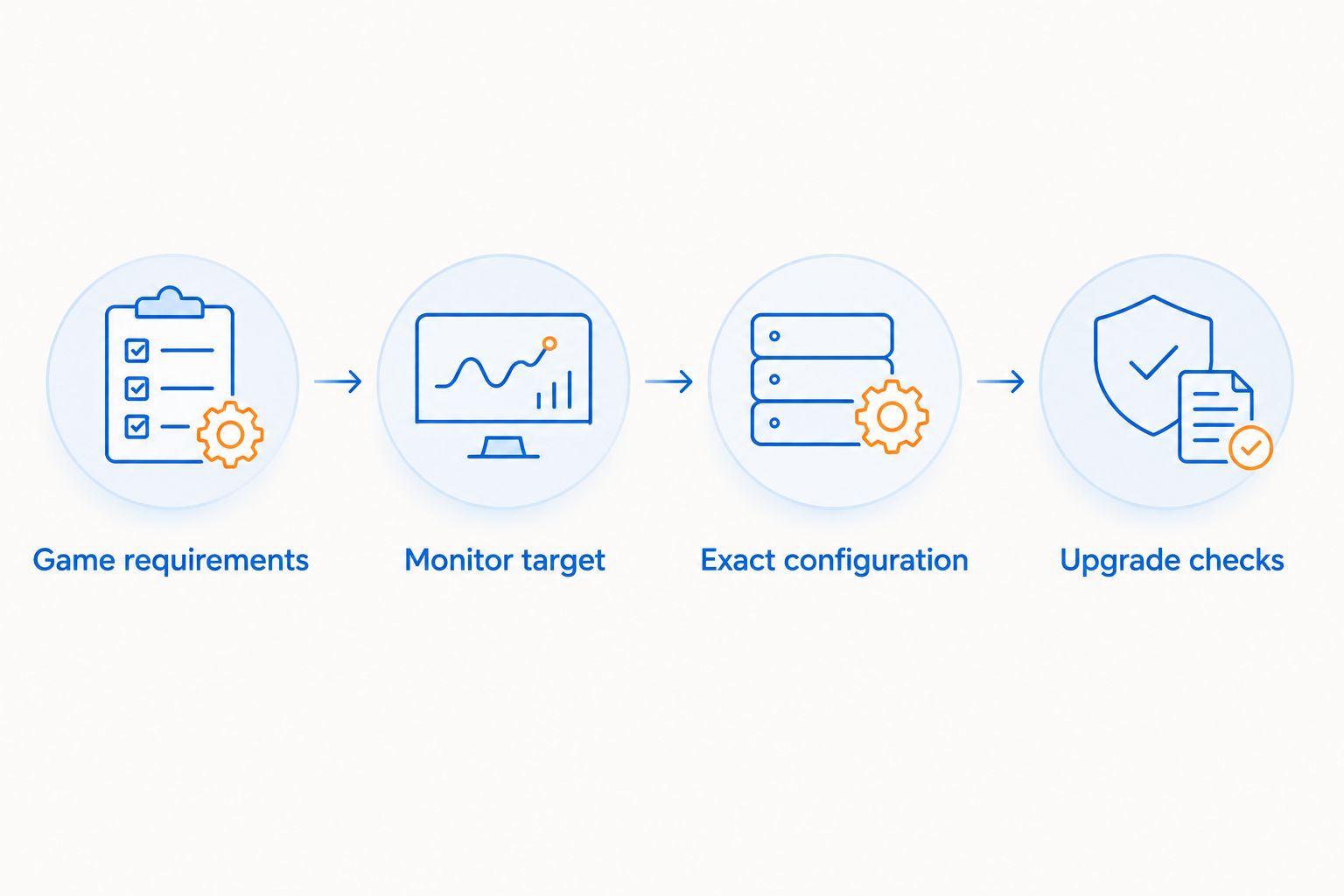
Start with the games, then work through the hardware. This is the most useful order for your 2026 decision because it prevents unrelated specifications from distracting you.
- Game requirements: Write down the recommended CPU, GPU, and memory for your main games.
- Monitor target: Check your display's resolution, refresh rate, and inputs.
- Exact configuration: Confirm every component in the desktop you intend to order.
- Upgrade checks: Verify the power supply, case clearance, motherboard, and spare connections.
If you already own peripherals, keep working ones while you evaluate the desktop. A different keyboard or extra lighting cannot fix a mismatch between your games and the computer's graphics hardware.
For a gift, ask what the recipient plays and which monitor they use. That short conversation is more useful than choosing the most dramatic case or the highest processor-family number.
How the ranking works
The ranking prioritizes identified graphics hardware, then configuration clarity and the intended use case. It is a specification-based shortlist, not a measured frame-rate, temperature, or noise ranking.
The Skytech Blaze4 Mini leads because it identifies an RTX 5060 Ti in a compact desktop. The Intel system follows as a separate dedicated-graphics candidate, while the Ryzen 7 and Lumishore systems serve everyday-computing buyers who need to confirm graphics suitability.
For Gaming and More prebuilt gaming PCs in 2026, an explicit component list is more useful than a performance adjective. Missing details remain purchase checks, not assumed strengths.
Which prebuilt gaming PC should you choose?
Shortlist the Skytech Blaze4 Mini first if gaming is the main job. Confirm its complete configuration, dimensions, and suitability for your monitor before committing.
Choose the Intel Core i7 Gaming PC only after identifying the exact CPU and checking your games against the GTX 1660 Super. Consider the AMD Ryzen 7 5700G or Lumishore desktop when everyday computing matters just as much and the confirmed graphics hardware meets your needs.
Do not fill a specification gap with optimism. Ask for the missing component name, then decide.
FAQ
What's the best prebuilt gaming PC on this shortlist?
The Skytech Blaze4 Mini is the first shortlist choice because it explicitly identifies an RTX 5060 Ti in a compact gaming desktop. Confirm RAM, storage, GPU memory, and physical dimensions before ordering.
Is a Ryzen 7 gaming PC better than a Core i7 gaming PC?
Neither processor-family name establishes the better gaming desktop. Compare the full CPU models, graphics cards, memory configurations, and requirements of the games you play.
Is 16GB RAM enough for a prebuilt gaming PC?
16GB RAM meets the requirements of some games, but it is not a universal guarantee. Check your games' recommended memory and account for other applications you plan to keep open.
Does the Ryzen 7 5700G desktop have a dedicated graphics card?
A dedicated graphics card is not established in the supplied listing description. The Ryzen 7 5700G processor includes integrated graphics, so ask the seller to identify any separate GPU.
Is a 1TB SSD better than a 512GB SSD for gaming?
A 1TB SSD provides more stated storage capacity than a 512GB SSD. Capacity alone does not establish higher frame rates; drive type and your installed library are separate considerations.
Can I upgrade one of these prebuilt gaming PCs later?
Upgrade compatibility depends on the exact motherboard, case, power supply, and installed components. Confirm connector requirements, physical clearance, and spare slots before purchasing upgrade parts.
Does a compact gaming PC automatically run hotter?
A compact case alone does not establish operating temperatures. Cooling design, airflow, components, and workload determine the result; this shortlist does not provide measured thermal comparisons.
One last thing
Connect your monitor to the dedicated graphics card when your desktop has one. A motherboard display connection is not interchangeable with the GPU's outputs, and whether it works depends on the processor and system configuration.
Before your first session, identify the correct display ports and select the intended refresh rate in your display settings. That final setup check helps you use the hardware you actually chose.


