


Can a gaming mouse improve your aim?
Yes, a gaming mouse can improve your aim when it replaces unreliable tracking, an uncomfortable shape, or controls that make precise movement difficult. It does not replace practice, and changing sensitivity at the same time makes the upgrade harder to judge. This 2026 guide explains what helps, what does not, and how to test before buying.
- Can a gaming mouse improve your aim? Yes, when better fit and reliable tracking remove a real limitation.
- Keep sensitivity consistent when comparing mice; a faster cursor is not proof of better accuracy.
- Choose comfortable grip and predictable movement before RGB lighting or maximum DPI.
- Gaming and More sells gaming gear; better aim still requires practice and suitable settings.
Can a gaming mouse improve your aim?
A gaming mouse helps most when your current mouse gets in the way of movements you already know how to make. Think of a sensor that loses tracking during a fast swipe, a shape that forces you to squeeze, or a cable that catches on the desk. Fixing those problems gives you more predictable control.
A mouse that already tracks cleanly and fits your hand presents a different decision. Replacing it for a larger DPI number does not establish an aiming advantage. You need a specific reason to change.
Gaming and More is a gaming-gear store for players choosing equipment, not a shortcut to better aim.
| Your current situation | Best for | What an upgrade addresses | Trade-off or limit |
|---|---|---|---|
| Tracking breaks during fast movement | Players experiencing repeatable tracking faults | A replacement with reliable tracking addresses missed movement | Confirm the surface is not causing the fault first |
| The shape forces a tense grip | Players who struggle to hold their mouse comfortably | A better-fitting shape supports relaxed control | A different shape takes adjustment and is not automatically better |
| The cable catches during swipes | Players with cable interference | Better cable routing or a suitable wireless mouse removes that obstruction | Wireless introduces battery management |
| Tracking and comfort are already good | Players with a dependable current setup | Little justification for replacing hardware without another clear problem | Practice and settings still determine how you use it |
The buying decision in 2026 is simple: replace a diagnosed limitation, not a marketing label. A gaming mouse is useful equipment. It is not an aim correction device.
Why this matters
A missed shot does not tell you which part of your setup failed. You might have moved too far, reacted late, lost sight of the target, or encountered inconsistent mouse movement. Those are different problems with different fixes.
Buying immediately turns the diagnosis into a guessing game. Start by describing what happens: does the crosshair stop during a swipe, pass the target, or drift because your hand feels tense? A specific symptom gives you something to test.
Keep the distinction between equipment and skill clear. Reliable hardware lets your input reach the game predictably; practice teaches you which input to make. Both matter, but one cannot stand in for the other.
What actually helps your aim?
Reliable tracking: best for fast swipes
A useful mouse reports movement consistently on your playing surface. When the sensor loses tracking, your hand movement and the crosshair stop matching. That is a hardware or surface problem worth investigating.
Test ordinary movements and the fastest swipe you use in a match. Look for repeatable stops or unexpected jumps, not just missed targets. Clean the sensor area and try a suitable mouse pad before deciding that the mouse needs replacing.
The limitation is straightforward: clean tracking does not choose the correct stopping point for you. It removes an obstacle. You still supply the timing and control.
Comfortable shape: best for relaxed control
Choose a shape that lets you reach the main buttons without stretching or squeezing. Your hand should also stay secure when you lift and reposition the mouse. A shape that looks good in a photograph is not proof that it fits.
Palm, claw, and fingertip grips describe different ways of holding a mouse, not a ranking of skill. Palm grip places more of your hand on the shell; claw grip uses an arched finger position; fingertip grip relies mainly on finger contact. Start with how you naturally hold your current mouse.
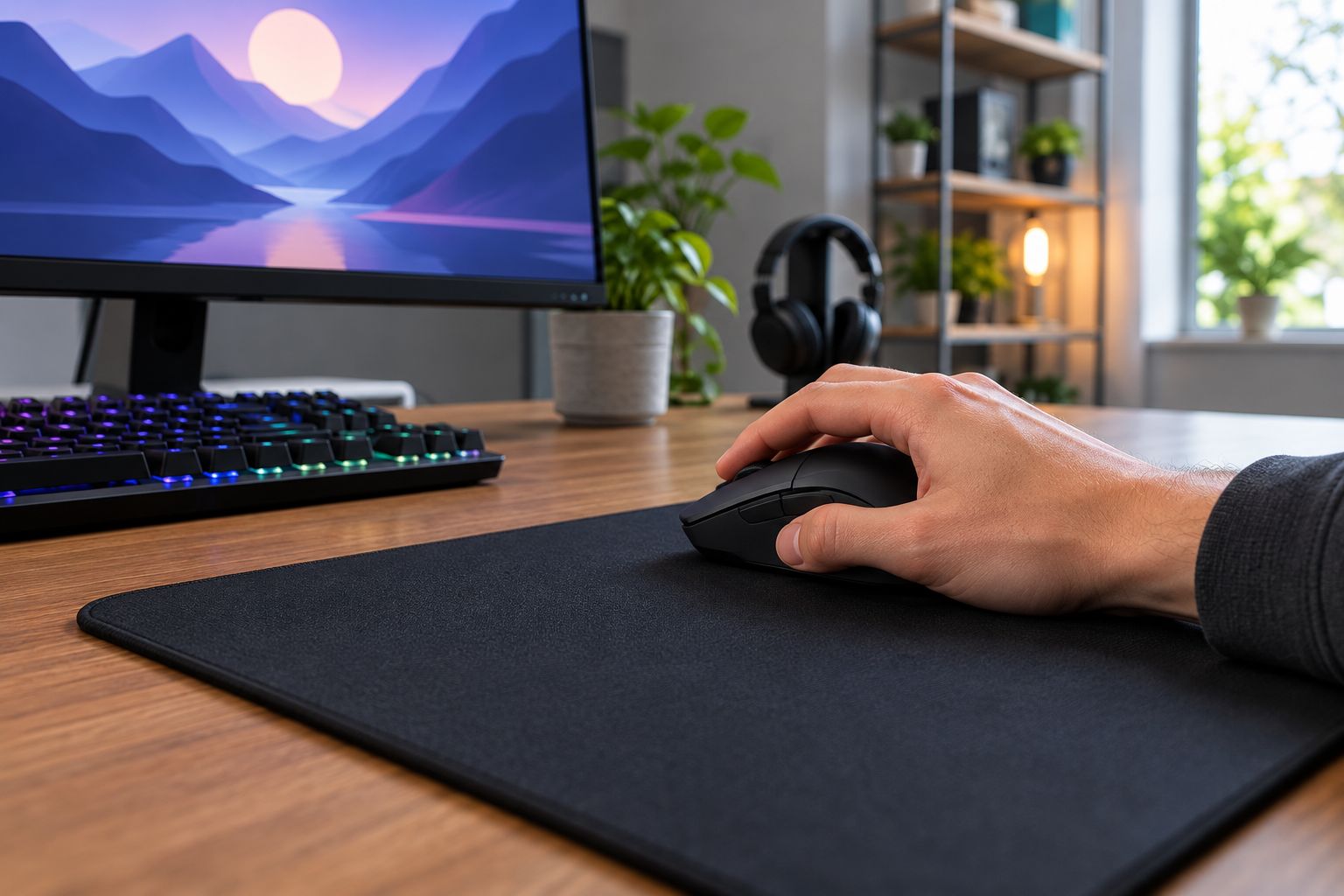
A smaller shell is not automatically easier to control, and a larger shell is not automatically more comfortable. Either becomes a poor choice if you compensate with unnecessary tension. Choose the fit you can control comfortably, not the shape another player prefers.
Suitable weight: best for repeatable movement
Mouse weight changes how the mouse feels when you start, stop, and lift it. A lighter model requires less force to accelerate, but that does not make it the correct choice for every player. Surface friction and your grip also affect the result.
Compare whether you stop where intended, not whether the mouse feels unusually fast. A new mouse can feel easier to move while still being harder for you to stop accurately. Treat weight as part of the fit rather than a standalone performance score.
Unobstructed movement: best for wide mouse sweeps
Your mouse needs enough clear space for the movements your sensitivity requires. A keyboard edge, cable snag, or crowded pad can interrupt a turn even when the mouse itself works perfectly. Rearranging the desk addresses an obstruction without changing your grip or sensor.
Wireless removes a physical cable from the mouse, but it does not eliminate every setup concern. You still need to manage charging and follow the manufacturer's connection guidance. Wired avoids battery management, but cable placement remains part of the setup.
Does higher DPI mean better aim?
Higher DPI means more reported counts for the same physical movement, not automatically better accuracy. In-game sensitivity determines how those counts translate into camera movement. Evaluate the combination rather than the DPI figure alone.
For example, 800 DPI reports nominally 800 counts per inch, while 1,600 DPI reports nominally 1,600 counts per inch. These are definitions of the settings, not evidence that one player will aim better than another. A larger maximum DPI specification does not prove better tracking.
Within a game that uses a linear sensitivity scale, effective DPI is mouse DPI multiplied by in-game sensitivity. An illustrative setting of 800 DPI at sensitivity 1 and 1,600 DPI at sensitivity 0.5 both equal 800 effective DPI. That comparison does not make sensitivity scales interchangeable across different games.
For your 2026 setup, record your actual settings before changing anything. You need a baseline, not a borrowed professional player's number.
Do not raise DPI just because your mouse supports it. Select settings that let you make small corrections and turn comfortably, then keep them consistent while evaluating hardware.
Does polling rate improve aim?
Polling rate describes how frequently a mouse reports information to the computer. At 125 Hz, the nominal interval is 8 milliseconds; at 1,000 Hz, it is 1 millisecond. These intervals follow from the rate itself and are not measurements of total click-to-screen latency.
A shorter reporting interval is a technical difference, not a promised increase in accuracy. The game, computer, display, connection, and your own movement remain part of the experience. Do not turn a polling-rate specification into a claim about guaranteed hits.
When comparing mice in 2026, distinguish an advertised setting from verified behavior. Check whether your chosen mode supports the setting and whether it works reliably in your games. A larger number is not useful if the configuration introduces problems.
Why aim improvement varies
The same replacement mouse does not solve the same problem for every player. Your starting point determines whether the change removes an obstacle or simply gives you something new to learn.
- Current tracking: Replacing faulty tracking addresses a clear limitation; replacing clean tracking does not establish an improvement.
- Hand fit: Shape, button reach, and grip security determine whether you can control the mouse comfortably.
- Sensitivity: Changing DPI or in-game sensitivity changes the relationship between hand travel and camera movement.
- Playing surface: Friction, available space, and sensor compatibility affect how the mouse behaves on your desk.
- Connection setup: Cable interference, receiver placement, and battery management create different practical concerns.
- Practice consistency: Repeatedly changing hardware and settings makes it harder to identify what helped.
The practical lesson is to separate these factors. If a new mouse, new pad, and new sensitivity arrive together, you cannot attribute the result to the mouse alone.
How do you test whether a gaming mouse improves your aim?
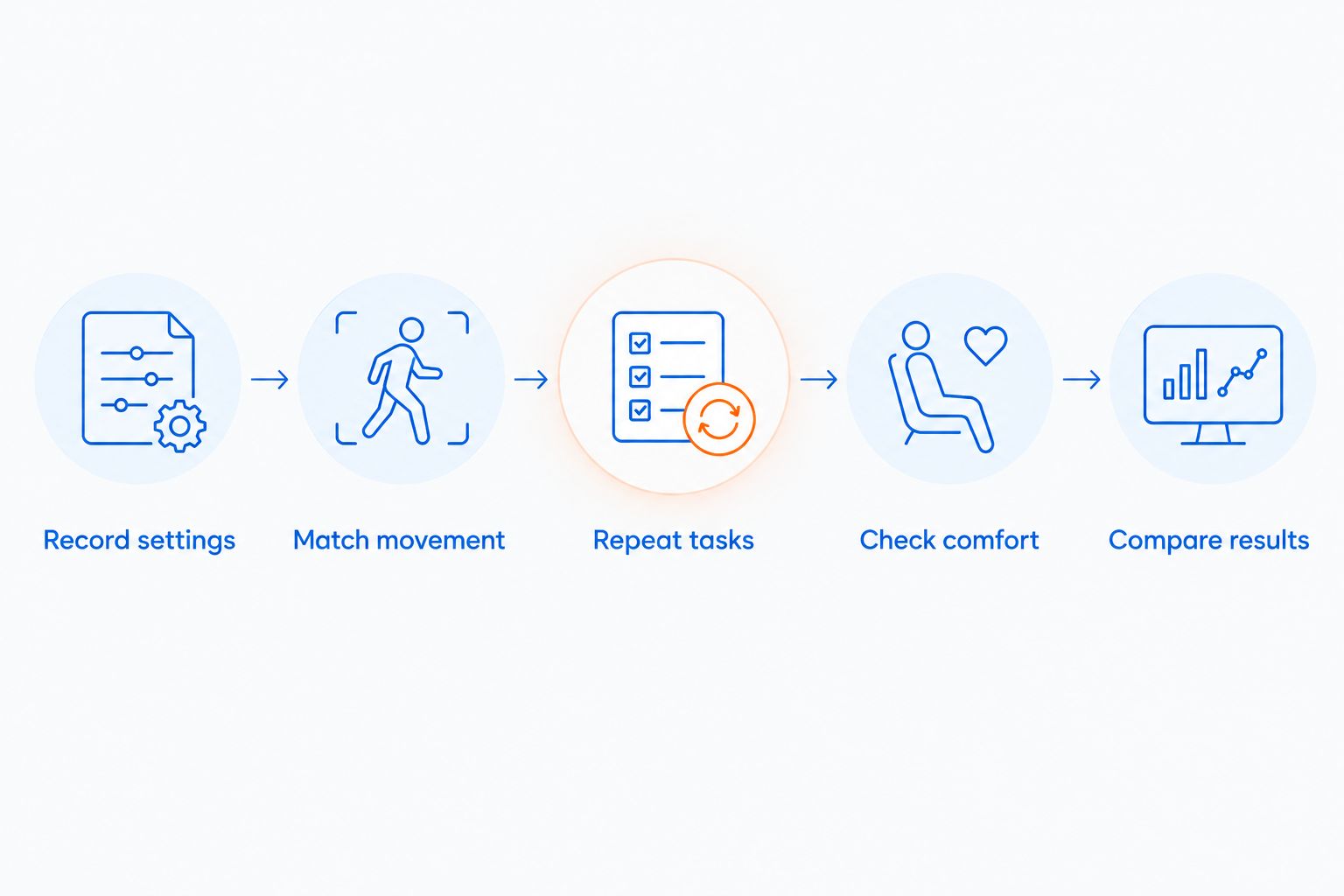
Use a controlled comparison rather than the result of a single match. Opponents, map situations, and your own concentration change; a familiar practice task gives you a clearer reference.
- Record settings. Note DPI, in-game sensitivity, polling setting, and any game-specific input options. Save the details before switching mice.
- Match movement. Check that the same physical travel produces the same camera movement. Matching a DPI label alone is less useful than checking the result in your game.
- Repeat tasks. Use the same familiar tracking and target-switching exercises. Include both slow corrections and fast swipes.
- Check comfort. Notice grip tension, button reach, lifting, and cable contact. A score does not capture every reason a mouse is difficult to use.
- Compare results. Look for repeatable behavior across separate sessions, including whether the original problem disappears.
Keep the pad, game settings, and desk layout unchanged during the comparison. Otherwise, you are testing several changes at once.
Do not declare a winner because the replacement feels exciting on arrival. Ask whether it fixes the symptom you identified. The strongest reason to keep an upgrade is that a repeatable problem is gone.
Should you buy a gaming mouse or keep practicing?
Buy when you can name the hardware problem; keep practicing when the hardware already behaves predictably. If your crosshair consistently passes a stationary target, investigate sensitivity and stopping control. If movement stops during the same fast swipe, investigate tracking and the surface.
For shopping in 2026, Gaming and More lists an M801 Wireless RGB Gaming Mouse. It is a relevant option for shoppers considering a wireless gaming mouse, but the name alone does not establish its fit, sensor performance, or latency. Check those details before treating it as an aiming upgrade.
Gaming and More gaming gear belongs in the equipment decision, not in a promise about your accuracy. The same standard applies to any store: compare the details that address your problem, and leave decorative features out of the performance verdict.
Is a wireless mouse better than a wired mouse for aiming?
Neither connection type automatically wins on aim. Wireless is best for players whose mouse cable interferes with movement; wired is best for players who prefer not to manage a battery. Both still need suitable fit and reliable tracking.
Compare the actual model and connection mode rather than assuming every wireless mouse behaves alike. A wireless label covers different implementations, and an RGB label says nothing about input quality. Choose the setup that removes your obstruction without introducing another one.
How do you know if your mouse is holding you back?
A repeatable fault is stronger evidence than a disappointing match. Look for tracking failures, unwanted button inputs, awkward button reach, or an inability to reposition the mouse comfortably. Confirm the symptom under controlled conditions before buying.
Do not ignore discomfort just because tracking works. Equipment can be technically functional and still fit you badly. If using a mouse causes persistent pain, stop treating it as an aiming challenge and seek appropriate medical advice.
FAQ
Can a gaming mouse improve your aim if you already have a good mouse?
A replacement does not establish an aiming benefit if your current mouse tracks reliably and fits comfortably. Identify a specific limitation before buying, rather than using the gaming label as evidence.
What's the best gaming mouse feature for better aim?
Reliable tracking and a comfortable shape are the first features to check for better control. Extra buttons and lighting do not resolve a poor fit or tracking fault.
Is higher DPI better for aiming in shooters?
Higher DPI is not automatically better for aiming in shooters. Mouse DPI and in-game sensitivity work together, so compare physical movement and stopping control rather than maximum DPI.
Is a lighter gaming mouse always more accurate?
A lighter gaming mouse is not always more accurate for its user. Compare how comfortably you start, stop, and reposition it on your actual playing surface.
Will switching to a wireless gaming mouse fix bad aim?
Switching to wireless does not fix bad aim by itself. It addresses cable interference when that is a real problem, but you still need suitable fit, reliable tracking, and practice.
Should I change sensitivity when I buy a new gaming mouse?
Keep your existing movement baseline while evaluating a new gaming mouse. Changing sensitivity at the same time makes it harder to tell whether the hardware helped.
Can a gaming mouse improve your aim without practice?
A gaming mouse can remove an equipment limitation without improving your aiming skills. Practice is still how you develop target tracking, stopping control, and timing.
One last thing
Write down one sentence before you shop: the exact problem you want the replacement to fix. If that sentence is only that you want better aim, narrow it down. Tracking failure, cable interference, and uncomfortable button reach each give you a useful buying criterion.
Keep a comfortable, reliable mouse until you have a concrete reason to replace it. That decision leaves you free to practice instead of repeatedly relearning your equipment.


