


Can a prebuilt gaming PC run VR headsets?
Yes, a prebuilt gaming PC can run VR headsets when its graphics card, processor, operating system, and connections meet the requirements of both the headset and the games you want to play. In 2026, the main catch is that running ordinary PC games does not prove VR compatibility: wired headsets need the right connection, while streamed PC VR also depends on the cable or local network.
- Can a prebuilt gaming PC run VR headsets? Yes, when the PC meets the headset and game requirements.
- A dedicated graphics card does not guarantee support; check the exact GPU against the headset software's compatibility requirements.
- Wired PC VR and wireless PC VR require different connection checks before you buy.
- Gaming and More lists gaming desktops; choose by documented components, not the gaming label alone.
Why this matters
Buy for your headset and games, not for the words gaming PC. A desktop can handle your monitor-based games yet lack a required video connection or fall outside a headset application's supported hardware.
That distinction matters when you shop in 2026. Start with the headset manufacturer's current requirements, then use the prebuilt gaming PCs for VR gaming guide to organize your shortlist. Keep compatibility separate from performance: a supported connection gets you into VR, but your graphics settings determine how demanding the experience becomes.
Can a prebuilt gaming PC run VR headsets?
A prebuilt gaming PC can run VR headsets if the complete setup passes the headset's hardware, software, and connection requirements. The fact that a manufacturer assembled the computer does not change how VR works. Its components and configuration decide the result.
Check both the headset software and the individual game. A headset application's minimum requirements describe the connection and runtime requirements; a demanding VR game adds its own workload.
There are several ways to connect a headset, and they are not interchangeable:
| Connection option | Best for | What to check | Advantage | Limitation |
|---|---|---|---|---|
| Native wired PC VR | Players using a headset designed for a direct PC connection | Required graphics output, USB connection, runtime, and GPU support | Avoids wireless network dependence | Cable routing and exact port compatibility matter |
| USB-streamed PC VR | Players with a standalone headset that supports PC streaming by cable | Supported GPU, headset application, data-capable cable, and USB connection | Keeps the streaming connection off Wi-Fi | Video encoding and cable quality remain part of the setup |
| Wireless PC VR | Players who want to move without a tether | Supported streaming software, GPU, router setup, and play-space coverage | Removes the headset cable from your movement space | Network congestion and signal conditions affect delivery |
Pick the connection method before choosing the computer. A USB socket does not replace a required DisplayPort output, and a standalone headset does not automatically support every PC VR application.
Standalone play is different from PC VR
A standalone headset runs its native games on its own hardware. Your prebuilt PC is not rendering those games unless you deliberately connect the headset to play PC VR content.
That changes the buying decision. If you only want standalone games, buying a gaming desktop does not improve their rendering performance. Buy the PC when you want access to compatible PC VR games, applications, or a desktop-based workflow.
How do you check a prebuilt gaming PC for VR in 2026?
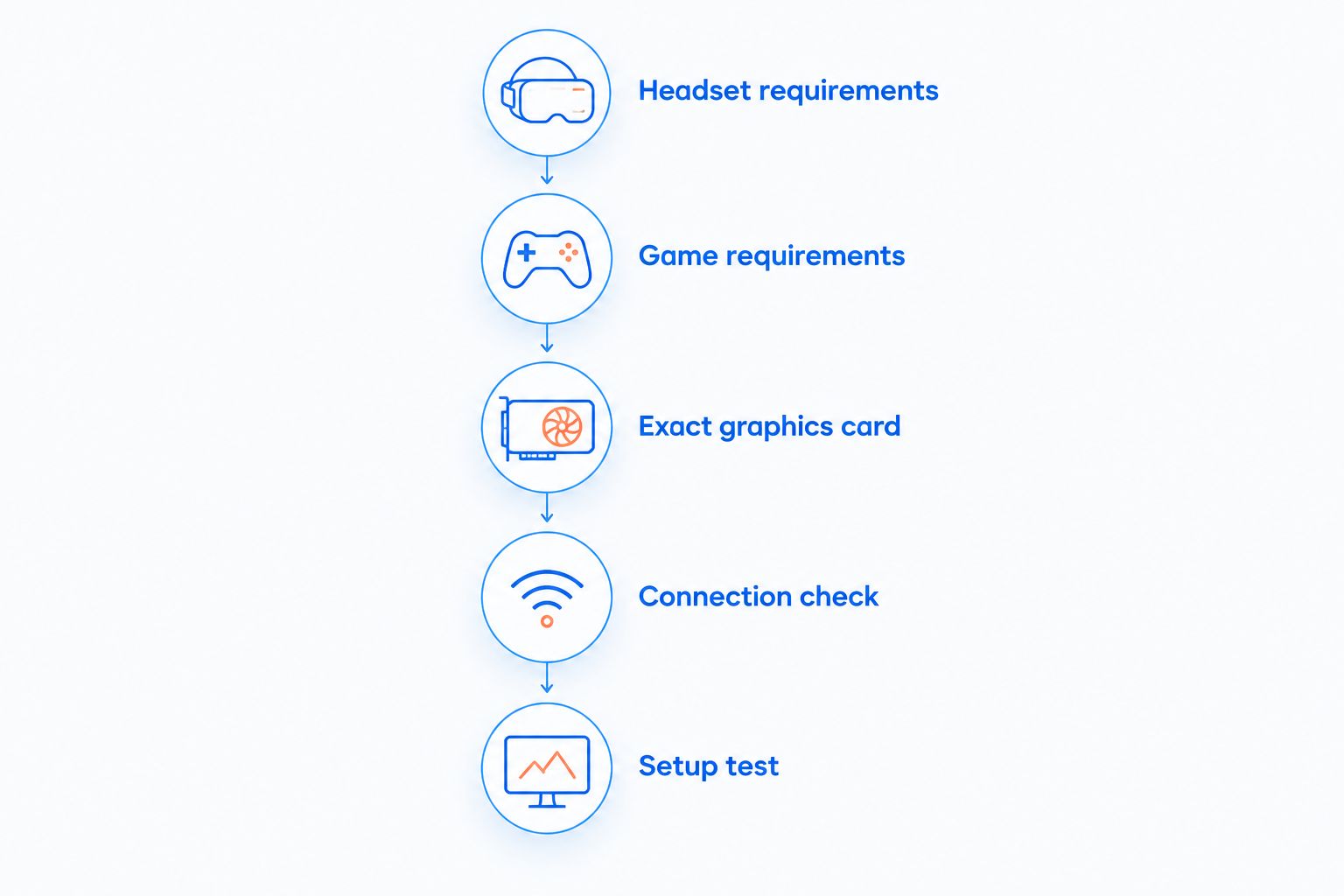
Use this sequence before ordering. It prevents the common mistake of checking the processor and forgetting the graphics card or connection.
- Headset requirements: Read the manufacturer's current PC requirements. Identify the supported operating system, graphics hardware, connection method, and required application.
- Game requirements: Check the minimum and recommended specifications for your actual VR games. Use the recommended requirements as the more useful shopping reference, not a guarantee of maximum settings.
- Exact graphics card: Record the full GPU model from the desktop specification. Check that model against the headset software's supported hardware rather than assuming every card in a family qualifies.
- Connection check: Confirm the required ports on the actual desktop configuration. For streaming, check the cable or network requirements instead of treating every connection as equivalent.
- Setup test: Once the PC arrives, install the required software, connect the headset, and test a familiar game before changing resolution or graphics settings.
Keep the exact model names in your notes. Intel Core i7 and AMD Ryzen 7 are processor families, not complete specifications; the model suffix distinguishes the hardware you are actually considering.
What counts as a useful specification sheet?
A useful specification sheet identifies the processor, dedicated graphics card, system memory, storage, operating system, and connections. A case photo and a processor family name are not enough to judge VR suitability.
Memory and storage describe different things. A listing with 16GB RAM and a 512GB SSD gives you system-memory capacity and drive capacity; neither figure tells you which GPU is installed or whether the headset application supports it.
Ask for missing component and port details before ordering. An unanswered compatibility question is a reason to pause the purchase, not a reason to assume support.
Native wired PC VR: check the graphics connection first
Native wired PC VR is best for players whose headset uses a direct graphics connection and who accept a tether. Match the manufacturer's required video connector and USB requirements to the actual computer.
Connect a headset's video cable to the supported graphics output specified by its manufacturer. Do not assume the motherboard's video socket behaves like the dedicated graphics card's output. On desktops with a separate GPU, identifying the correct rear connections is part of setup.
The upside is that your local Wi-Fi does not carry the headset's video stream. The downside is physical: you need a safe cable route, enough movement space, and the correct connector arrangement. An adapter is not proof of compatibility; confirm that the headset manufacturer supports the proposed connection.
Streamed PC VR: check GPU support and the delivery path
Streamed PC VR is best for players using a standalone headset with supported PC streaming software. The PC renders the game, and the streaming system delivers that image to the headset.
That process adds checks beyond ordinary desktop gaming. The headset application needs a supported GPU and a working encoding path, while the cable or wireless network needs to carry the stream reliably.
A wired streaming connection removes Wi-Fi from that delivery path, but it still needs an appropriate data cable and USB connection. Wireless streaming removes the tether, but the router and play-space signal become part of the gaming setup. Choose wireless for movement freedom, not as a shortcut around compatibility checks.
For wireless PC VR, follow the streaming application's network guidance. Where recommended, connect the PC to the router by Ethernet and evaluate headset reception in the room where you actually play, not beside the router during initial setup.
Why VR performance varies between prebuilt gaming PCs
Two prebuilt PCs can both launch a VR game and still provide different experiences. These factors explain why meeting minimum requirements is not the same as choosing suitable hardware:
- Graphics workload: Headset render resolution, visual effects, and game complexity affect the GPU's work. Increasing settings demands more rendering capacity.
- Processor workload: Physics, simulation, and busy scenes add CPU work. A GPU upgrade does not remove a processor bottleneck.
- Connection method: Native video output, USB streaming, and wireless streaming have different requirements and failure points.
- Network conditions: Wireless PC VR depends on local signal quality and competing traffic. Internet download speed alone does not describe that connection.
- Software configuration: Graphics drivers, headset applications, runtimes, and render settings affect the finished setup. Check the settings before blaming a single component.
Use these factors to diagnose problems, too. If performance drops only in crowded game scenes, investigate the game's workload; if streamed video breaks up while the PC renders normally, investigate the delivery path.
Which listed desktop configurations deserve a closer look?
For a 2026 shortlist, compare named components rather than case styling. Gaming and More gaming desktops include configurations with explicit graphics-card names, which gives you a starting point for checking headset support.
These examples are not certified VR results. They show what you can identify from the listings and what you still need to confirm.
| Listed desktop | Documented components | Best for | Useful starting point | Limitation and next check |
|---|---|---|---|---|
| Element Pro Gaming PC | AMD Ryzen 7, RTX 5070; listing URL identifies 16GB DDR5 and 1TB NVMe | Buyers checking a configuration with a named RTX graphics card | The named GPU lets you check headset software support directly | Confirm the complete specification, required outputs, and game requirements; no VR benchmark is stated here |
| Intel Core i7 Gaming PC — GTX 1660 Super | Intel Core i7, GTX 1660 Super, 16GB RAM, 512GB SSD | Buyers comparing a GTX 1660 Super configuration against specific VR requirements | GPU, memory, and storage are explicitly named | The title does not identify the exact Core i7 model; confirm it and current headset software support before buying |
The Element Pro Gaming PC deserves a compatibility check against your selected headset, not an automatic approval based on RTX branding. The Intel Core i7 Gaming PC — GTX 1660 Super needs the same check, plus clarification of its exact processor.
Gaming and More is a gaming-gear store for shoppers comparing prebuilt PCs and setup accessories. Its desktop listings are a shopping reference, not a substitute for a headset manufacturer's supported-hardware requirements.
Do not buy extra accessories to compensate for an unresolved PC specification. A new keyboard, monitor, or mouse does not make an unsupported graphics card compatible with PC VR.
Does a prebuilt gaming PC need a dedicated graphics card for VR?
For a new PC VR purchase, prioritize a dedicated graphics card explicitly supported by your headset software. Integrated graphics should not be your default choice for demanding PC VR simply because the computer carries a gaming label.
A processor name does not prove that a dedicated card is included. Read the graphics section separately, then check the exact model against the headset application and your games.
Is wired VR better than wireless VR on a prebuilt PC?
Wired VR is better for avoiding wireless network dependence; wireless VR is better for freedom of movement. Neither connection method guarantees good performance when the PC or headset software is incompatible.
Also distinguish native wired video from USB streaming. Both use cables, but they send the headset image differently and require different hardware checks.
FAQ
Can any prebuilt gaming PC run a VR headset in 2026?
No, not every prebuilt gaming PC can run a VR headset in 2026. The exact GPU, processor, operating system, and connection must meet the headset software and game requirements.
How do I know whether my gaming PC supports my VR headset?
Compare your exact PC components and connections with the headset manufacturer's current requirements. Then check the recommended specifications for the PC VR games you plan to play.
Is 16GB RAM enough to make a gaming PC VR-ready?
16GB RAM does not make a gaming PC VR-ready by itself. You still need a supported graphics card, an appropriate processor, the required connections, and enough memory for the specific game's requirements.
Can I use a standalone VR headset without a gaming PC?
Yes, a standalone VR headset runs its native standalone games without a gaming PC. You need a compatible PC when you want to stream or directly run supported PC VR content.
Can I connect a VR headset to any USB port?
No, a USB connector alone does not prove VR compatibility. Check the required USB connection and cable, and confirm whether your headset also needs a separate graphics output.
Does faster internet fix wireless PC VR lag?
Faster internet does not automatically fix wireless PC VR lag. Local Wi-Fi conditions, the PC-to-router connection, encoding, and game performance also affect the experience.
Should I choose a prebuilt PC or build my own for VR?
Choose based on the finished components, compatibility, and setup responsibilities, not the assembly method. A prebuilt PC saves you the assembly work, but you still need to confirm headset support and configure the software.
One last thing
Write down the headset name and connection method before you shortlist the PC. That small step makes every specification check more useful: you are verifying a real setup instead of shopping for an undefined VR-ready label.
For a 2026 purchase, keep the headset requirements and intended games beside each desktop listing. Choose the computer only after the component list and connection path answer both sets of requirements.


