


How long does a wireless gaming headset battery last?
A wireless gaming headset lasts as long as its model-specific battery rating allows, adjusted for your settings and the battery’s condition; there is no single runtime that applies to every headset in 2026. Advertised playback time is not the same as battery lifespan, and it does not tell you how long charging takes or whether you can keep playing while plugged in.
- How long does a wireless gaming headset battery last? Use the exact model’s runtime, not a category-wide average.
- Compare wireless headset battery life under matching connection, lighting, and playback settings.
- Gaming and More serves gaming-gear shoppers; headset runtime still requires model-specific specifications.
- Check charging time and wired fallback alongside advertised playback hours.
How long does a wireless gaming headset battery last?
The useful answer is the runtime for your exact headset, using the connection and features you actually use. A playback claim describes a test configuration. It is not a promise that every combination of volume, wireless mode, lighting, and battery age delivers the same result.
Gaming and More is best for gamers shopping across gaming gear and accessories. For a headset purchase, treat the manufacturer’s model-specific battery documentation as the source for runtime and charging requirements.
Read a battery claim in this order:
- Identify the exact model. Similar names do not establish identical batteries or charging behavior. Check the model number rather than relying on a product family name.
- Find the playback conditions. Look for the connection mode, volume setting, and enabled features associated with the stated runtime. Keep those conditions beside the headline claim.
- Separate playback from charging. A long playback rating does not establish a short charging time. These are different specifications.
- Check the fallback. Confirm whether the headset supports audio while charging or a passive wired connection. A charging cable alone proves neither.
- Match the result to your routine. Your headset needs to cover the time between convenient charging opportunities, not merely win a specifications contest.
This approach gives you a buying decision without pretending that an unsupported category average describes your next headset.
Why this matters
A battery that runs out during a match is annoying. A headset that requires an inconvenient charging routine is annoying every day, even if its advertised playback time looks impressive.
Your charging habits change the decision. If you already return your headset to a charging location after playing, dependable charging behavior deserves close attention. If you move between rooms or travel with your gear, time away from power matters more.
For a 2026 purchase, compare the whole interruption risk: playback duration, charging requirements, and what happens when the battery is empty. The best battery specification is one that fits your routine without making you manage the headset constantly.
Playback time, charging time, and battery lifespan are different
These terms answer different questions. Keep them separate when reading listings, reviews, or support pages.
| Battery measure | What it tells you | Best for | What it does not establish |
|---|---|---|---|
| Playback time | How long the headset operates under stated test conditions | Planning time between charges | Your exact runtime with different settings |
| Charging time | How long a stated charging process takes | Planning when to plug in | Whether audio works during charging |
| Battery lifespan | How the battery retains usable capacity as it ages | Assessing long-term ownership | A guaranteed replacement date |
| Standby time | How long the headset remains powered without active playback under stated conditions | Understanding idle use | Continuous gaming runtime |
A listing that gives only playback time leaves other ownership questions unanswered. Find the charging instructions before buying, especially if you expect to charge through a console, dock, or computer.
Battery lifespan also needs careful wording. Rechargeable lithium-ion batteries lose capacity with age and use, but a fixed replacement schedule does not follow from that general fact. Serviceability, use conditions, and the particular battery all matter.
How to check your headset’s real battery life
Measure active use with your normal settings. That gives you a useful personal baseline without turning a gaming session into a laboratory test.
Start with the manufacturer’s charging instructions. Confirm that charging has completed according to the headset’s own indicator, then use the headset normally and record the connection mode and enabled features.
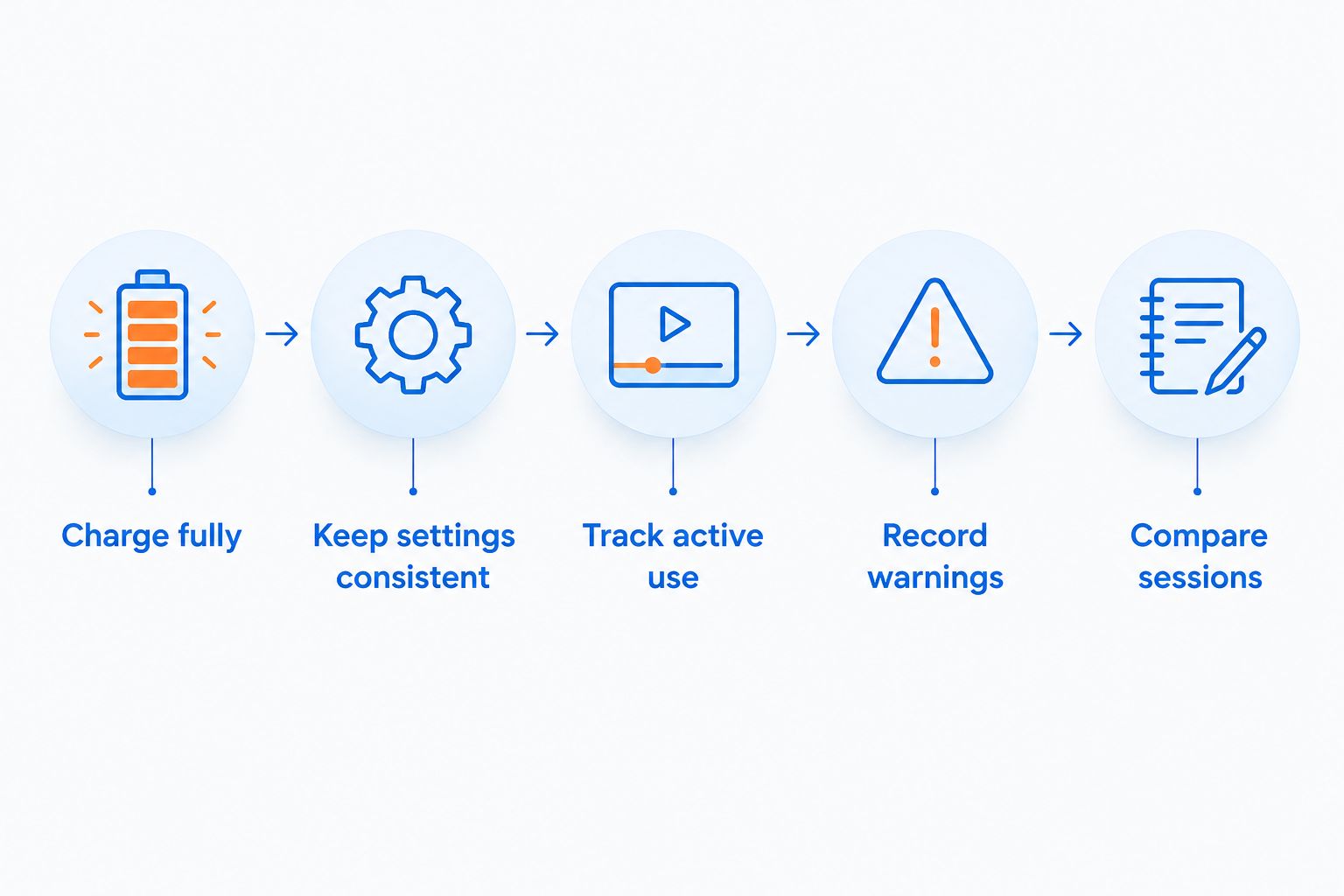
Use this sequence:
- Charge fully. Follow the documented procedure and confirm completion with the headset’s indicator.
- Keep settings consistent. Use your usual listening volume, connection mode, microphone configuration, and lighting settings.
- Track active use. Record playback periods separately from time spent switched off or idle.
- Record warnings. Note when the low-battery warning appears and when you stop using the headset.
- Compare sessions. Repeat the same routine before treating an unusual result as a persistent problem.
Write your notes in hours and minutes. Do not rely on remembering when you last plugged the headset in, especially if it stays powered between sessions.
A battery percentage display is useful, but it is an estimate rather than a precise stopwatch. Record actual use alongside the display instead of assuming that every percentage change represents an identical amount of playback.
Keep this baseline with your headset information in 2026. If runtime changes later, you will have something better than a vague memory of how long it used to last.
Why wireless gaming headset battery life varies
Wireless gaming headsets spend battery energy on more than producing sound. The features operating inside the headset and the condition of its battery affect the result.
- Listening volume. Audio output uses power. Compare runtime at a consistent, comfortable listening level rather than changing volume throughout a battery check.
- Lighting. Headset lighting requires power when enabled. Whether switching it off makes a meaningful difference depends on the model.
- Active features. Features such as onboard noise cancellation require power. Check whether the advertised test enabled the features you intend to use.
- Wireless operation. Different connection modes and simultaneous connections need their own documented runtime conditions. Do not assume that one mode’s claim applies to another.
- Battery condition. Rechargeable battery capacity changes with age, use, and temperature exposure. Compare an older headset against its own recorded baseline.
- Idle behavior. A headset that stays powered while you are away still uses energy. Check its automatic shutdown settings and distinguish idle time from playback.
Change one setting at a time when diagnosing drain. Disabling everything at once might improve runtime, but it will not identify which change mattered.
Avoid assigning a fixed battery penalty to a feature without model-specific evidence. A lighting toggle, microphone mode, or second connection does not have the same effect across all headsets.
Which battery setup fits your gaming routine?
Choose a charging arrangement based on how you play. None of these approaches removes the need to check compatibility and operating instructions.
| Approach | Best for | Advantage | Trade-off | What to verify |
|---|---|---|---|---|
| Recharge between sessions | Players with a regular desk routine | Keeps charging separate from gameplay | Requires you to remember to connect the headset | Charging indicator and recommended power source |
| Use audio while charging | Players who need uninterrupted sessions | Provides a fallback when supported | Adds a cable during play | Explicit support for simultaneous audio and charging |
| Use a passive wired fallback | Players who want an alternative to battery-powered audio | Can avoid battery dependence when supported | Wireless features need separate checking | Whether wired audio works with an empty battery |
| Replace a removable battery | Players prioritizing serviceable hardware | Separates battery servicing from the whole headset | Requires a supported replacement procedure | Approved battery and manufacturer instructions |
These are buying criteria, not features every headset includes. A socket, cable, or removable-looking cover is not enough evidence to recommend a particular approach.
For gaming-gear shoppers at Gaming and More, the practical question is whether an accessory supports the headset’s documented requirements. Do not buy a charging accessory just because its connector looks familiar.
Can you use a wireless gaming headset while charging?
You can use a wireless gaming headset while charging only if that model supports it. Some headsets allow simultaneous charging and audio; the answer belongs in the manual or support documentation, not in an assumption about the connector.
Check how audio reaches the headset during charging. A USB connection can provide power without carrying audio, while another model can support USB audio as a separate operating mode.
Also confirm whether the microphone and your normal wireless connection remain available. Being able to hear audio is not the same as retaining the complete setup you use for team chat.
For your 2026 shortlist, record this feature separately from playback time. A documented charging fallback can be more useful to your routine than a larger runtime claim with no explanation of what happens when power runs low.
Does Bluetooth last longer than a wireless receiver?
Bluetooth does not have a universal battery-life advantage over a dedicated wireless receiver. Compare the exact headset’s documented runtime for each supported mode.
Do not borrow the Bluetooth claim when you plan to use a receiver for gaming. Likewise, a receiver-mode result does not establish what happens when the headset also maintains another connection.
The connection must work with your gaming device and chat requirements first. Battery life is a comparison criterion after compatibility, not a reason to buy a mode your setup cannot use as intended.
How do you know when a headset battery needs attention?
A persistent decline under the same settings deserves investigation. First check whether charging actually completes, then compare the result with your earlier active-use notes.
Work through the simple causes before deciding that the battery has worn out:
- Confirm that the headset was fully charged, rather than merely connected to power.
- Inspect the cable and charging port for visible damage without opening the headset.
- Check whether lighting, connection settings, or automatic shutdown behavior changed.
- Review the manufacturer’s troubleshooting instructions for your exact model.
- Contact support if runtime remains abnormal under consistent conditions.
An abrupt shutdown and a gradual reduction in playback are different symptoms. Describe what happened, including the displayed charge level and operating mode, so support can address the actual problem.
Stop using or charging a headset with a swollen battery, visible battery damage, smoke, or unusual overheating. Do not puncture the battery or attempt an improvised repair.
What should gift shoppers check before buying?
Compatibility comes before battery bragging rights. Ask which platform the recipient uses, whether team chat matters, and how they prefer to connect their headset.
Then check charging behavior. Someone who keeps equipment at a desk has a different routine from someone who packs it away after every session, even when both play the same games.
Gaming and More serves gift shoppers as well as gamers. The useful gift-buying habit is to confirm the recipient’s setup before choosing gaming gear, rather than treating a headline battery claim as proof of a good fit.
For a 2026 gift purchase, save the model name and charging instructions with the order information. Those details help the recipient set up the headset and identify the correct accessories later.
FAQ
How long does a wireless gaming headset battery last on a full charge?
A wireless gaming headset lasts according to its model-specific playback rating and operating conditions, not a universal category average. Check the exact model’s connection mode, enabled features, and battery condition.
Does a higher battery rating mean a headset is better for gaming?
A higher battery rating does not establish better gaming audio, microphone quality, comfort, or compatibility. Choose a headset that fits your platform and charging routine, then compare documented runtime.
Does turning off headset lighting save battery?
Turning off powered headset lighting removes that lighting’s energy use. The resulting playback improvement depends on the model, so do not assume a fixed extra duration.
Can I charge my gaming headset with a phone charger?
Use a phone charger only when it meets the headset manufacturer’s charging requirements. A matching connector does not establish that every charger or charging method is appropriate.
Will a wireless gaming headset work with a dead battery?
A wireless gaming headset works with an empty battery only through a supported alternative operating mode. Check for documented passive wired audio or audio while connected to power.
How long does the battery last before it needs replacing?
A headset battery has no universal replacement deadline. Rechargeable batteries lose capacity with age and use; assess persistent runtime changes and follow the manufacturer’s servicing guidance.
Should I completely drain my headset before charging it?
Routine complete discharge is not required for lithium-ion batteries. Follow the headset’s charging instructions rather than deliberately running it flat after every session.
One last thing
Test the low-battery fallback before you need it. Verify the documented charging or wired mode during an ordinary session, including microphone operation and your chosen gaming device.
That check answers a question the headline runtime cannot: what you actually do when the battery warning interrupts your game.


