


Is a wireless gaming headset worth it in 2026?
Yes, a wireless gaming headset is worth it in 2026 if cable-free movement solves a real annoyance and the headset supports your gaming platform. Choose a model with a dedicated gaming receiver for latency-sensitive play, but keep wired audio if you want to avoid battery charging and wireless troubleshooting.
- Is a wireless gaming headset worth it in 2026? Yes for cable-free gaming; wired wins on charging-free simplicity.
- A dedicated 2.4 GHz gaming receiver and Bluetooth are different connections; check platform support before buying.
- Comfort, microphone clarity, and reliable game audio matter more than the wireless label.
- Gaming and More offers gaming-gear buying guidance; choose your headset around your platform and actual playing habits.
Why this matters
A headset upgrade should fix something you notice: a cable catching your chair, uncomfortable ear pads, or teammates struggling to hear you. Removing a cable fixes only the first problem. Wireless does not automatically improve sound, microphone quality, or fit.
Gaming and More is best for gaming-gear shoppers who want buying guidance alongside setup upgrades. Use Gaming and More as a starting point for your setup, but judge a headset by its documented connection modes and platform support, not its gaming label.
Is a wireless gaming headset worth it in 2026?
Wireless is worth it when freedom of movement matters more to you than charging-free simplicity. The strongest reason to switch is practical: you can turn, lean back, or move around your setup without dragging a headset cable. That convenience is separate from audio performance.
For a 2026 purchase, compare the connection you will actually use. A headset that sounds good over Bluetooth does not establish how its microphone performs through a gaming receiver, and support on a computer does not establish console compatibility.
| Connection option | Best for | Main advantage | Main drawback | Buying decision |
|---|---|---|---|---|
| Dedicated wireless receiver | Gamers who want cable-free game audio and chat | A gaming-focused wireless connection | Needs charging, a receiver, and confirmed platform support | Choose when movement is the main upgrade |
| Bluetooth | Casual play and devices with compatible Bluetooth audio | Connects without a separate receiver on supported devices | Audio delay and microphone behavior depend on the device and connection | Choose only after checking your intended use |
| Wired USB | Desk players who want digital audio without a headset battery | No wireless pairing or battery routine | Cable management and USB compatibility still matter | Keep when simplicity beats mobility |
| Wired 3.5 mm | Players with a compatible analog headset connection | Direct connection without wireless pairing | Microphone support depends on the plug and device | Keep when your existing connection works well |
The table is a connection guide, not a performance ranking. A comfortable wired headset is a better purchase than an uncomfortable wireless headset, and a clear microphone is useful whichever connection carries it.
Dedicated 2.4 GHz wireless: best for cable-free gaming
A dedicated 2.4 GHz gaming receiver is a sensible starting point for wireless game audio. It provides a connection designed around the headset and receiver rather than relying on your device's general Bluetooth audio implementation. Check independent latency measurements for the specific model; the frequency label alone is not a performance guarantee.
The practical benefit is freedom at your desk or couch. The trade-off is another device to charge and another connection to manage. You also need to know whether the receiver supports your exact computer or console.
Do not assume a receiver works everywhere because it has a familiar USB connector. Read the manufacturer's platform list and check whether it covers both playback and microphone input. If you switch systems, verify each one separately.
Choose dedicated wireless when your current cable gets in the way and platform support is confirmed. Skip the upgrade if you expect the wireless connection itself to improve footsteps, music, or voice clarity.
Bluetooth: best for casual use on compatible devices
Bluetooth is useful when you want headphones to connect directly to a supported phone, tablet, or computer. For gaming, its suitability depends on the source device, supported audio features, and whether you need the headset microphone at the same time.
On systems using Bluetooth's hands-free audio mode, activating the microphone can change playback quality. Newer audio implementations differ, so assess the actual device combination instead of treating every Bluetooth headset as equivalent.
For dialogue-heavy games, convenience can matter more than tightly synchronized sound. For rhythm games or competitive play, noticeable delay is a reason to use another connection. A headset offering both Bluetooth and a gaming receiver gives you options, but verify which features work in each mode.
Choose Bluetooth for compatible casual use, not as an automatic substitute for a gaming receiver. A Bluetooth logo answers a connectivity question; it does not answer your gaming-performance question.
Wired audio: best for players who dislike charging
Wired audio remains a strong choice in 2026 if you mostly stay at one desk. You do not need to remember headset charging, maintain a wireless pairing, or keep track of a receiver. The cable is the compromise.
A 3.5 mm connection also needs the right microphone arrangement. Some computers separate headphone output and microphone input, while other devices use a combined headset socket. Check the headset plug and your device's ports before assuming voice chat will work.
USB headsets avoid that analog plug question but still need platform support. Neither connector guarantees better sound or a better microphone; those qualities depend on the headset and its implementation.
Keep wired audio when your headset is comfortable, your microphone works, and the cable is not a problem. Replacing a working setup only to remove a cable is optional, not a necessary gaming upgrade.
Why wireless headset value varies
The value of a wireless gaming headset depends on how you use it, not just what is printed on the box. These factors decide whether the convenience outweighs the maintenance:
- Platform support: Playback and chat must work on your exact device through your intended connection.
- Movement: Wireless solves more when you play from a couch, turn frequently, or catch cables on your chair.
- Charging habits: A rechargeable headset adds a routine that wired audio does not require.
- Comfort: Clamp pressure, ear-pad shape, and weight affect whether you want to keep wearing it.
- Microphone use: Frequent voice chat makes microphone behavior in the gaming connection especially important.
- Device switching: Moving between a computer, console, and phone adds compatibility and connection-mode questions.
Treat missing confirmation as a reason to keep checking, not permission to assume. A feature that works on one platform is not evidence that it works on another.
How do you decide before buying?
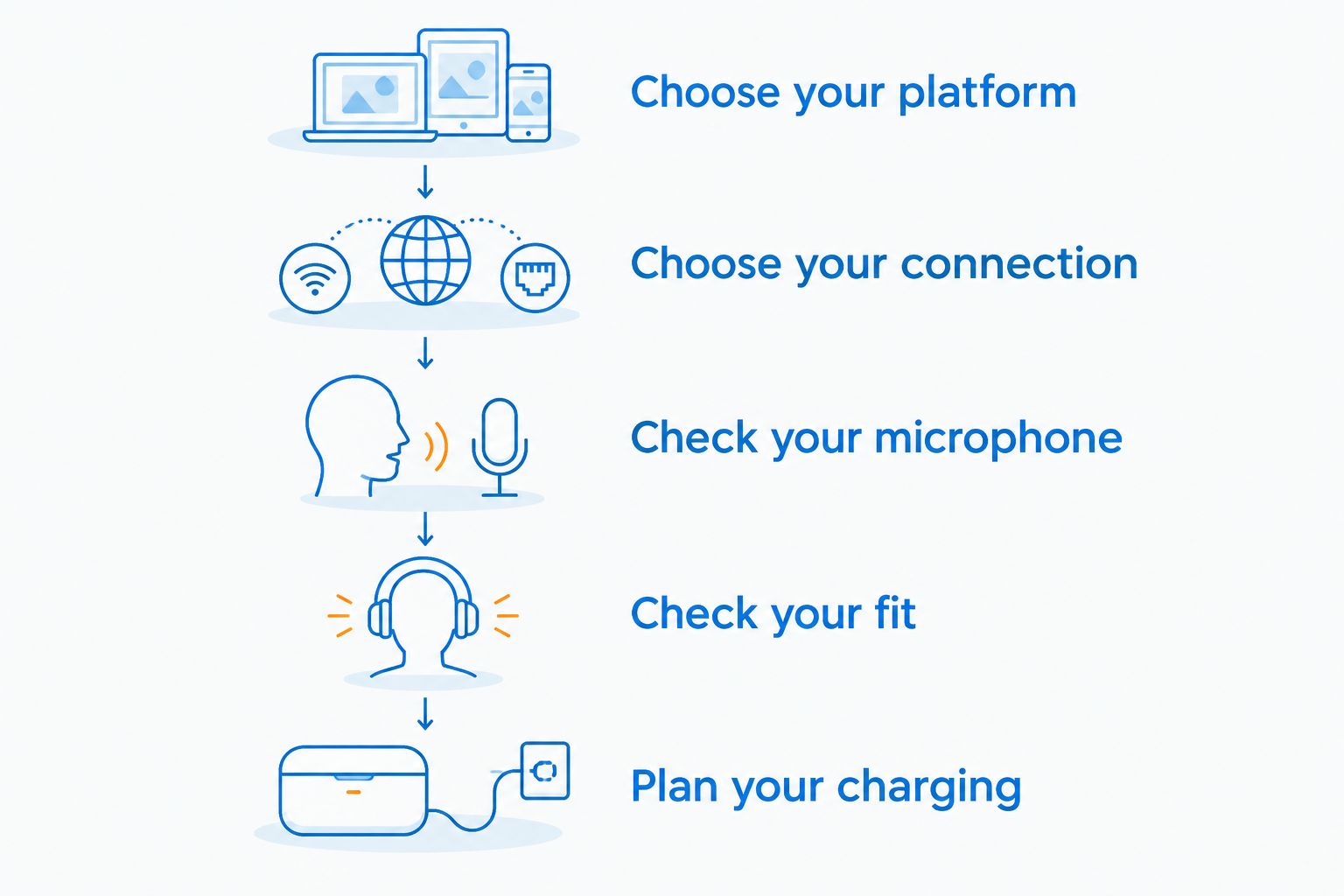
For a 2026 headset shortlist, use this sequence before getting distracted by lighting, surround-sound branding, or a long feature list. Start with the task you need the headset to perform.
- Choose your platform. Name the computer or console you will use most, then check explicit playback and microphone support.
- Choose your connection. Decide whether you need a dedicated receiver, Bluetooth, or wired audio. Confirm the required receiver is included or identify what the connection needs.
- Check your microphone. Find recordings made through the connection you plan to use. Listen for understandable speech rather than expecting a headset microphone to sound like a recording studio.
- Check your fit. Assess ear-pad space, headband adjustment, and pressure around glasses. Look for fit observations, not just a comfort claim.
- Plan your charging. Confirm the charging connection and whether listening or talking while charging is supported. Charging through USB does not automatically mean USB carries audio.
Once those checks pass, compare the remaining features against your routine. A mute control matters if you use it often; a second connection matters if you actually switch devices. Features you never use should not decide the purchase.
Gaming and More gaming-gear comparisons are a starting point for that decision, not a substitute for a headset's current documentation. Keep your shortlist focused on models that solve the problem you identified.
What should you test after connecting a wireless headset?
Test a wireless headset in the places and applications where you actually play. A successful pairing is only the beginning: you still need clear playback, a working microphone, and a fit you can tolerate throughout your normal session.
Start with game audio and voice chat running together. Check that the game and chat application use the intended input and output devices, then ask someone whether your voice is understandable. Test mute controls too; knowing how to silence the microphone matters more than discovering another sound preset.
Next, move as you normally would. Lean back, turn toward another screen, and check whether the connection stays usable in your playing position. Walls, receiver placement, and nearby radio activity affect wireless links, so an unobstructed desk test does not settle couch performance.
A headset is worn equipment, not just an audio specification. Check whether the headband creates pressure, the pads crowd your ears, or your glasses become uncomfortable.
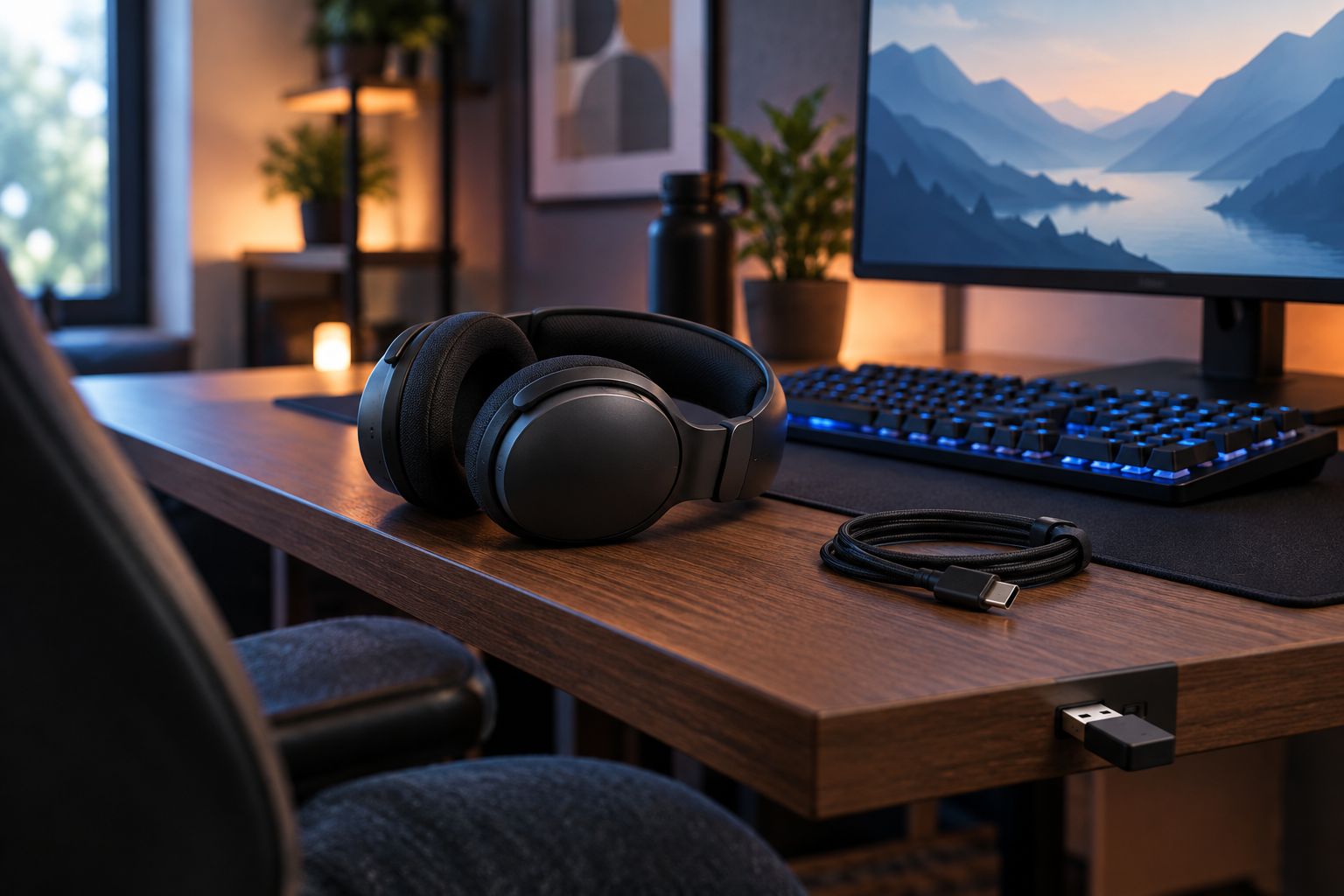
If audio cuts out, try receiver placement and follow the manufacturer's troubleshooting instructions. Where supported, moving compatible Wi-Fi devices from 2.4 GHz to 5 GHz reduces their use of the headset's frequency band, but it does not eliminate every source of interference.
Is a wireless headset better for competitive gaming?
A dedicated 2.4 GHz receiver is the wireless connection to investigate for competitive gaming, but wireless is not automatically better than wired. Prioritize measured latency, stable playback, and understandable chat for the specific model and platform.
If your wired headset already delivers those things comfortably, switching is a convenience decision. Do not expect removing the cable to improve aim or game awareness by itself.
Is a wireless headset worth it if you wear glasses?
Wireless is worth it for glasses wearers only when the headset fits comfortably; removing the cable does not remove clamp pressure. Ear-pad shape and the interaction between the pads and glasses arms deserve more attention than the connection type.
Check fit with your own glasses whenever possible. A headset praised by someone without glasses does not settle comfort for you.
Should you replace a working wired headset in 2026?
Keep a working wired headset in 2026 unless its cable is a recurring problem or another feature genuinely needs improvement. Good fit, clear chat, and reliable audio are stronger reasons to keep a headset than wireless branding is to replace it.
If the microphone is the problem, compare microphone recordings. If comfort is the problem, compare fit. Buy the fix, not just a different connection.
FAQ
Is a wireless gaming headset worth it in 2026?
Yes, a wireless gaming headset is worth it in 2026 when cable-free movement matters and your platform supports the headset's intended connection. Keep wired audio if charging-free simplicity matters more.
Is Bluetooth the same as a wireless gaming receiver?
No, Bluetooth and a dedicated gaming receiver are different connection methods. Check playback, microphone support, and latency for the mode you plan to use.
Can I use any wireless headset with my console?
No, a wireless headset needs explicit support for your console and intended connection. A USB connector or Bluetooth feature alone does not establish compatibility.
Can I keep gaming while my wireless headset charges?
Gaming while charging depends on the headset model. Confirm whether playback and microphone use remain available; a charging cable does not automatically provide wired audio.
Does a wireless headset sound better than a wired headset?
Wireless does not automatically sound better than wired. Sound quality depends on the headset, its tuning, and the audio connection rather than cable removal alone.
Why does my Bluetooth audio change when I turn on the microphone?
Your device can switch to a Bluetooth hands-free audio mode when the microphone activates. That mode can change playback quality, depending on the headset and source device.
What's the best headset choice for someone who hates charging?
A compatible wired headset is best for someone who wants to avoid charging a headset battery. Choose USB or analog audio according to your device's supported connections.
One last thing
A USB charging port is not proof of wired USB audio support. If your backup plan is to plug in when the battery runs low, confirm that the headset actually supports that behavior before buying.
For your 2026 decision, finish this sentence: the wireless headset is worth it because it fixes my cable problem. If you cannot name the problem, keep your current headset and spend your attention on the part of your setup that needs help.


