


Best curved gaming monitors for console gaming in 2026
Best overall shortlist pick: the KOORUI 27-inch Curved Gaming Monitor for a midsize console desk. Best for a shared PC-and-console setup: the KTC 32-inch Curved Gaming Monitor. Best basic option: the Sceptre C248W-1920RN for casual play. These are buying recommendations by screen size and listed features—not guarantees of console-specific HDMI modes.
- The best curved gaming monitors for console gaming need confirmed HDMI compatibility, not just high refresh rates.
- KOORUI’s 27-inch curved monitor is the default shortlist pick for a midsize console desk.
- KTC’s 32-inch, 240Hz monitor suits a shared PC-and-console setup; consoles cannot use its full refresh rate.
- Sceptre C248W-1920RN suits casual play, but its 75Hz ceiling rules out 120Hz output.
Why this matters
A curved monitor can fit your console desk without being the right monitor for your console. The catch is the connection: a headline refresh rate does not establish which resolutions and refresh rates the HDMI input accepts.
For a 2026 purchase, settle the console output question before choosing screen size. Gaming and More’s guide to connecting a curved gaming monitor to a PS5 for 120Hz output covers that setup decision separately.
Gaming and More’s curved gaming monitor shortlist is best for console players choosing between compact, midsize, and larger desk screens. If confirmed 120Hz support is non-negotiable, treat that as a purchase requirement rather than assuming every shortlisted monitor qualifies.
What makes the best curved gaming monitors for console gaming?
Use these criteria before comparing the models. The order matters: a comfortable screen with the wrong input support still misses your goal.
- HDMI compatibility: Confirm the exact resolution and refresh rate accepted through HDMI on your console.
- Screen size: Match the diagonal to your desk and seating position, not the biggest screen you can fit through the door.
- Resolution: Judge resolution alongside size. Full HD spreads the same pixels across a larger area on a larger screen.
- Motion handling: Separate refresh rate, advertised response time, and input lag. They describe different things.
- Console features: Check variable refresh rate and HDR compatibility separately; a feature label alone does not establish console support.
- Everyday connections: Check audio routing, input count, and stand adjustment before committing to the setup.
A curved screen is a preference, not a substitute for any of these checks. Choose the curve because you like the viewing experience from your usual seat—not because it promises more frames.
Curved console gaming monitors at a glance
This 2026 shortlist compares the listed specifications that distinguish each option. The limitations column identifies the trade-off you should resolve before buying.
| Monitor | Best for | Listed standout feature | Key limitation |
|---|---|---|---|
| KOORUI 27-inch Curved Gaming Monitor | Midsize console desks | 180Hz FHD display with Adaptive-Sync | Console-specific HDMI modes need confirmation |
| KTC 32-inch Curved Gaming Monitor | Shared PC-and-console setups | 240Hz, 1080P curved display | Console output cannot use the full 240Hz ceiling |
| 24-Inch Curved Gaming Monitor | Compact desk setups | 24-inch curved Full HD display | Console HDMI timing and connection details need confirmation |
| Sceptre C248W-1920RN curved monitor | Casual play without a 120Hz requirement | 24-inch, 1920×1080 display with HDMI and VGA | 75Hz maximum refresh rate excludes 120Hz output |
No monitor earns confirmed console VRR support from this table alone. Adaptive-Sync and FreeSync are relevant features to investigate, but neither label replaces a console-specific compatibility check.
1. KOORUI 27-inch: best curved monitor for a midsize console desk
The KOORUI 27-inch Curved Gaming Monitor lists an FHD panel, a 180Hz refresh rate, 99% sRGB coverage, and Adaptive-Sync. Its size puts it between the compact 24-inch choices and the larger KTC screen.
That makes the KOORUI the default shortlist pick when you want a desk display without immediately choosing the largest option. The deciding question remains its accepted HDMI modes: 180Hz in the listing does not prove 120Hz operation with your console.
KOORUI 27-inch pros:
- The 27-inch size offers a middle option within this shortlist.
- The listed 180Hz ceiling leaves room for high-refresh PC use alongside console play.
- Adaptive-Sync is listed for buyers investigating variable-refresh support.
KOORUI 27-inch cons:
- FHD resolution gives lower pixel density here than on a 24-inch FHD screen.
- Console-specific HDMI timing and VRR compatibility require confirmation.
Best for: You want a midsize screen for a console desk, with possible PC use later.
For your 2026 buying decision, choose the KOORUI for its size and listed feature mix—not for an assumed console performance result. Ask for confirmation of your intended HDMI mode before ordering.
Verdict: Hold until the KOORUI’s HDMI support matches your console requirements; then choose it as the default midsize option.
2. KTC 32-inch: best curved monitor for shared PC-and-console use
The KTC 32-inch Curved Gaming Monitor lists 240Hz, 1ms response time, 1080P resolution, 125% sRGB, and FreeSync. Its clearest distinction is the combination of a larger screen and a higher refresh-rate ceiling.
PS5 and Xbox Series X support output up to 120Hz, so a 240Hz display does not deliver 240Hz console gaming. The extra refresh-rate headroom has a clearer purpose when you also connect a PC capable of using it.
KTC 32-inch pros:
- The 32-inch diagonal is the largest screen in this shortlist.
- The listed 240Hz refresh rate gives a shared gaming PC another reason to use this display.
- FreeSync is listed for buyers checking compatible variable-refresh setups.
KTC 32-inch cons:
- A console alone cannot use the full 240Hz refresh-rate ceiling.
- The 1080P image has lower pixel density than the smaller FHD options here.
- FreeSync branding does not establish PS5 VRR compatibility.
Best for: You want one larger desk monitor for both a gaming PC and a console.
Sit at your normal playing position before deciding that bigger is better. A 32-inch 1080P screen deserves particular attention to text clarity if you also use it for desktop work.
Verdict: Hold for confirmed console HDMI support; skip the KTC if 240Hz is your only reason to choose it for console-only play.
Gaming and More carries both the midsize and larger options below. Compare the current product details against your console requirements before making the final choice.


3. 24-Inch Curved Gaming Monitor: best for a compact desk
The 24-Inch Curved Gaming Monitor is listed as a curved Full HD display. It offers a smaller screen-size option than either the KOORUI or KTC.
Choose this model for a compact desk shortlist rather than assuming a particular console refresh mode. Confirm the HDMI input, accepted timings, and audio connections before treating it as a complete console setup.
24-Inch Curved Gaming Monitor pros:
- The 24-inch diagonal suits buyers specifically seeking a smaller screen.
- Full HD offers greater pixel density at this size than at 27 or 32 inches.
- The curved panel provides an alternative to a flat compact display.
24-Inch Curved Gaming Monitor cons:
- The smaller picture is a trade-off for anyone playing farther from the desk.
- Console connection details and supported HDMI modes need confirmation.
Best for: You sit at a compact desk and prioritize screen size over a larger picture.
Measure usable desk depth as well as width. The screen diagonal does not tell you how much room its stand leaves for your controller, keyboard, or speakers.
Verdict: Hold until the connection details are confirmed; choose it when compact size is the deciding requirement.
4. Sceptre C248W-1920RN: best for casual console play
The Sceptre C248W-1920RN lists a 24-inch curved screen, 1920×1080 resolution, HDMI and VGA inputs, a 75Hz refresh rate, and an 8ms response time. Its role is straightforward: casual console play without a 120Hz requirement.
The HDMI connection is relevant to a console setup. VGA is not a reason to choose this model for a modern console, and the 75Hz ceiling makes it the wrong shortlist entry for 120Hz gaming.
Sceptre C248W-1920RN pros:
- HDMI is explicitly listed.
- The 24-inch Full HD format offers a compact viewing option.
- The listed resolution, refresh rate, and response time make its basic specification easy to compare.
Sceptre C248W-1920RN cons:
- The 75Hz ceiling rules out 120Hz output.
- Its advertised 8ms response time is not an input-lag measurement.
Best for: You play casually and do not need a 120Hz display.
Verdict: Buy for a confirmed compatible casual-play setup; skip the Sceptre if 120Hz is on your requirements list.
Check console compatibility before choosing the curve
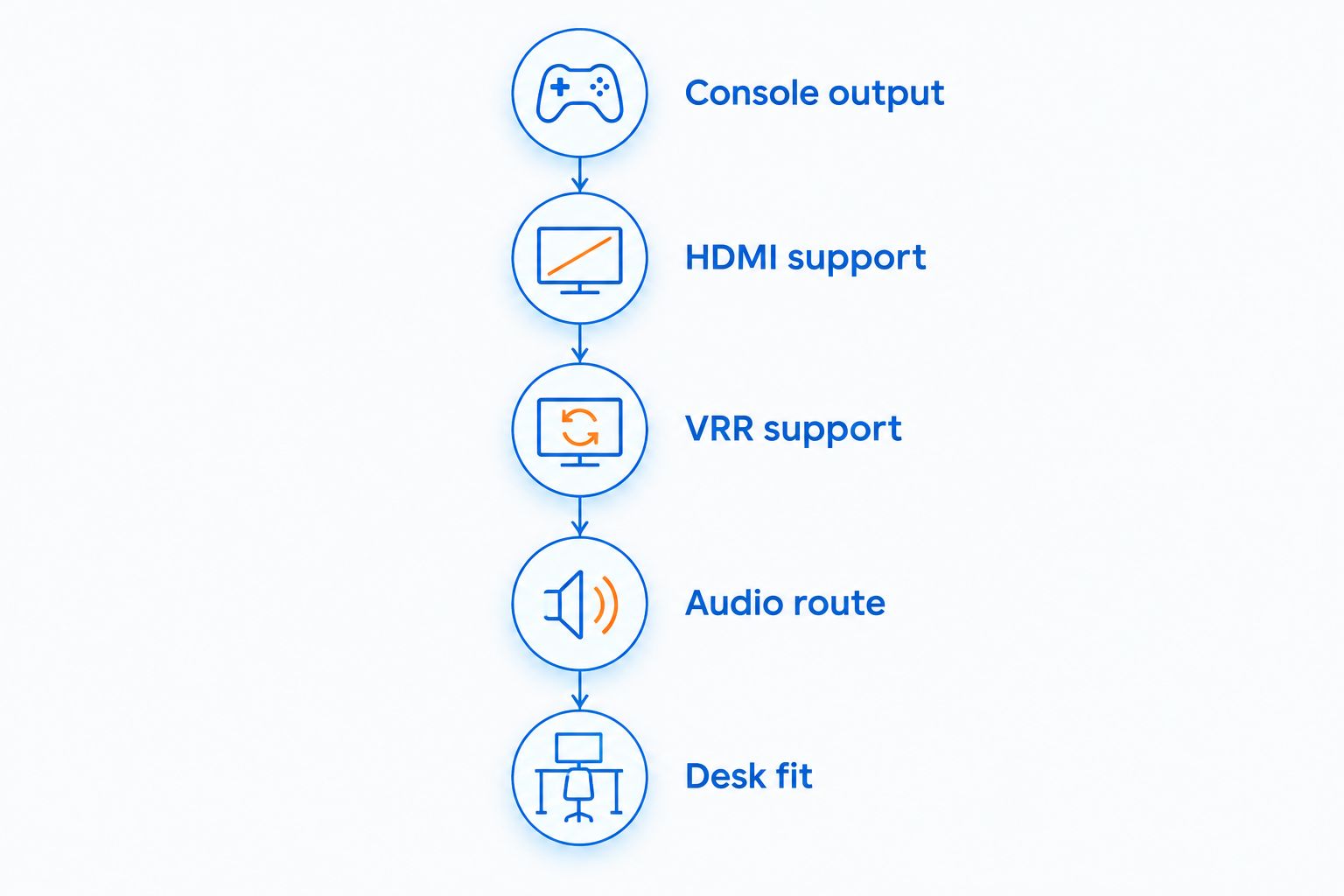
For a 2026 console setup, run these checks in order. They prevent a monitor’s PC-focused specification from making the buying decision for you.
- Console output: Decide which resolution and refresh rate you actually want from your console and games.
- HDMI support: Confirm that the exact monitor model accepts that combination through HDMI, not only through DisplayPort.
- VRR support: Check your console’s variable-refresh requirements against the monitor’s supported HDMI features.
- Audio route: Decide whether sound will go through a headset, speakers, or a supported monitor output.
- Desk fit: Check the stand footprint and your seated viewing position before ordering.
A high refresh-rate number does not answer every item on that checklist. Likewise, an advertised 1ms response time does not establish low input lag or clean motion across every setting.
If you are buying a gift, ask which console the recipient uses and whether 120Hz matters. That answer is more useful than choosing a screen because its refresh-rate number is the largest.
How the ranking works
This ranking prioritizes distinct buying needs: midsize desk use, shared PC-and-console use, compact setups, and casual play. It compares listed specifications rather than claiming measured input lag, motion testing, or verified console compatibility.
The KOORUI leads as the midsize option. The KTC has a separate role for PC owners, while the Sceptre has a clear limitation that makes it easier to accept or reject. No listed specification overrides the HDMI compatibility check.
Which curved console monitor should you choose?
Start with the KOORUI 27-inch for a midsize desk, then confirm your console’s HDMI mode. Choose the KTC 32-inch when a larger picture and shared PC use justify its trade-offs.
Choose the 24-Inch Curved Gaming Monitor when compact size comes first. Choose the Sceptre C248W-1920RN when casual play is enough and you explicitly do not need 120Hz.
For 2026, the safest decision rule is simple: eliminate incompatible displays first, then compare size and features. Do not reverse that order because a monitor looks good on the desk.
FAQ
What’s the best curved gaming monitor for console gaming on this shortlist?
The KOORUI 27-inch Curved Gaming Monitor is the default midsize shortlist pick. Confirm that its HDMI input supports your intended console resolution and refresh rate before buying.
Will a 240Hz curved monitor make my PS5 run at 240Hz?
No, PS5 output is limited to a maximum of 120Hz. A 240Hz monitor’s additional refresh-rate headroom is relevant to a compatible PC, not extra PS5 output.
Is a 32-inch 1080P monitor sharper than a 24-inch 1080P monitor?
No, a 32-inch 1080P monitor has lower pixel density than a 24-inch 1080P monitor. Both spread the same pixel count across different screen areas, so viewing distance matters.
Does FreeSync mean a curved monitor supports PS5 VRR?
No, FreeSync branding alone does not establish PS5 VRR compatibility. Check the exact monitor model’s HDMI VRR support against the console’s requirements.
Can the Sceptre C248W-1920RN display 120Hz console output?
No, the listed 75Hz maximum refresh rate rules out 120Hz display output. Choose the Sceptre for casual play without a 120Hz requirement.
Does a 1ms response time mean 1ms input lag?
No, response time and input lag describe different parts of display behavior. An advertised response-time figure does not establish how quickly your controller action appears on screen.
Should I choose a curved monitor just for console gaming?
Choose a curved monitor if you prefer its shape from your normal playing position. Prioritize confirmed HDMI support, suitable screen size, and audio connections before the curve.
One last thing
Before replacing your existing display, check its actual console output settings. If it already supports your preferred mode, a new curve alone is not a reason to expect smoother gameplay.
Gaming and More’s curved gaming monitor recommendation is to buy for a specific improvement: better desk fit, a larger picture, or confirmed support for the output you want. Name that improvement before choosing the screen.


