


Best mini gaming PCs for retro emulation in 2026
Best overall for a classic-retro setup: Intel N150 Mini PC. Best for retro plus modern PC games: Skytech Blaze4 Mini Gaming PC. Best for a built-in-screen setup: Ultra-Portable Mini PC. These are the strongest use-case matches in Gaming and More’s mini gaming PC selection for 2026; emulator compatibility still needs checking game by game.
- Among the best mini gaming pcs for retro emulation, choose Intel N150 Mini PC for a classic-retro shortlist.
- Skytech Blaze4 Mini Gaming PC adds dedicated RTX 5060 Ti graphics for a mixed gaming setup.
- Ultra-Portable Mini PC includes a 5.7-inch touchscreen, but it is not a handheld console.
- Choose your target games and emulator before choosing RAM, storage, or graphics upgrades.
Why this matters
A retro gaming box and a modern gaming desktop solve different problems. Buying extra graphics hardware does not automatically fix emulator compatibility, controller mapping, or inaccurate game settings.
Gaming and More’s Intel N150 Mini PC is the default shortlist pick for buyers building a classic-retro station, not an all-console replacement. Its listed 32GB RAM and 1TB SSD give you a clearly specified starting configuration. They are not proof that a particular emulator runs well.
Plan the software work alongside the hardware purchase. The mini gaming PC setup guide covers the broader setup topic; your emulator installation, controller profiles, and game-file organization belong on that checklist too.
What makes the best mini gaming PCs for retro emulation?
Use these criteria to judge a 2026 shortlist. They matter more than a gaming label on the box.
- Target-game compatibility: Start with the systems and individual games you actually want to play. Read the emulator’s compatibility information before buying.
- Exact processor: Compare the full CPU model, not just an Intel or Ryzen family name. Emulator requirements differ.
- Graphics requirements: Separate basic rendering from higher internal resolutions, demanding shaders, and modern PC gaming.
- Clear configuration: Confirm installed RAM, SSD capacity, and the selected processor variant. An “up to” specification is not your order configuration.
- Physical setup: Check dimensions, ventilation clearance, display connections, and controller connections before choosing a shelf or desk position.
- Software fit: Confirm operating-system support for your emulator and any controller software you need. Do not assume every PC arrives ready for retro gaming.
Mini gaming PCs at a glance
The order below follows buying use cases, not measured emulator performance. No frame-rate results are attached to these configurations.
| Pick | Best for | Standout listed feature | Key limitation |
|---|---|---|---|
| Intel N150 Mini PC | A dedicated classic-retro station | 32GB RAM and 1TB SSD | Triple 4K display support does not establish emulation performance |
| Skytech Blaze4 Mini Gaming PC | Retro games alongside modern PC games | RTX 5060 Ti graphics | A dedicated GPU is unnecessary for some classic-retro workloads |
| Ultra-Portable Mini PC | A compact setup with an integrated screen | 5.7-inch touchscreen | Built-in gaming controls and battery operation are not established |
| Intel Mini PC, N150 or i9-10980HK | Buyers choosing a configurable compact computer | Processor choice and configurations up to 32GB RAM and 2TB SSD | The exact selected configuration needs confirmation |
1. Intel N150 Mini PC: best for a dedicated retro station
The Intel N150 Mini PC lists 32GB RAM, a 1TB SSD, and triple 4K display support. It is the clearest starting point here for a buyer who wants a separate computer for a classic-retro library rather than a broader gaming desktop.
Keep the purchase tied to your emulator list. The memory and storage specifications describe capacity; neither establishes compatibility with a particular console or game.
Intel N150 Mini PC pros:
- The processor model is explicitly named.
- The listed 32GB RAM and 1TB SSD make the configuration easy to identify.
- Triple-display support also suits a computer used beyond a single TV connection.
Intel N150 Mini PC cons:
- No game-specific emulator benchmarks establish its performance ceiling.
- Display-output support is not evidence of smooth gameplay at that resolution.
Best for: A buyer shortlisting hardware for classic console emulation and everyday computing, with target-game requirements checked first.
For a 2026 retro station, avoid choosing this configuration simply because its memory figure looks generous. Confirm the emulator, graphics API support, and display connection you intend to use.
Verdict: Buy for a classic-retro setup once your chosen emulator’s requirements are confirmed.
2. Skytech Blaze4 Mini: best for retro plus modern PC gaming
The Skytech Blaze4 Mini Gaming PC lists RTX 5060 Ti graphics. Its product URL also identifies an AMD Ryzen 5 5500 processor, giving you a specific CPU and GPU pairing to investigate.
This is the mixed-use pick in Gaming and More’s mini gaming PC selection. Choose it when your plans include conventional PC games as well as emulators, rather than buying dedicated graphics just to launch a basic retro library.
Skytech Blaze4 Mini Gaming PC pros:
- Dedicated graphics give you another hardware option for GPU-dependent workloads.
- The named CPU and GPU make compatibility research more precise.
- Its compact gaming-desktop format suits a shared retro and PC-gaming setup.
Skytech Blaze4 Mini Gaming PC cons:
- Extra graphics capability does not resolve emulator software incompatibilities.
- Exact dimensions, operating noise, and emulator results are not established here.
Best for: A player building one compact computer for retro software and modern PC gaming.
Check the complete configuration before ordering. RAM, storage, ports, and physical clearance still matter, even when the graphics card is the headline feature.
Verdict: Buy for mixed gaming needs; skip it if dedicated graphics serve no purpose in your intended library.
3. Ultra-Portable Mini PC: best for an integrated-screen setup
The Ultra-Portable Mini PC lists an Intel N95 processor, 16GB RAM, a 512GB SSD, and a 5.7-inch touchscreen. The screen is its meaningful distinction: you can consider a compact computer with a display built into the device.
Do not confuse that format with a handheld gaming console. The supplied information does not establish built-in game controls, battery operation, or untethered play.
Ultra-Portable Mini PC pros:
- The integrated touchscreen gives this option a distinct physical format.
- The processor, memory, and storage are explicitly identified.
- It suits buyers who specifically want a screen attached to their compact computer.
Ultra-Portable Mini PC cons:
- A 5.7-inch screen provides limited space for desktop setup menus.
- Portable-computer wording does not establish handheld-console features.
Best for: A buyer who values the integrated display more than a conventional monitor-only mini PC arrangement.
Think through the whole kit. You still need an appropriate power arrangement and controls, and you should confirm external-display connections if you intend to play on a TV.
Verdict: Buy for the integrated screen; skip it if you expect a self-contained handheld console.
4. Intel Mini PC: best for choosing your configuration
The configurable Intel Mini PC listing names Intel N150 or i9-10980HK processors, configurations up to 32GB RAM and 2TB SSD, triple 4K display support, WiFi 6, and Windows 11. Treat it as a selection of configurations, not one fixed specification.
Its role on this list is configuration choice. Choose the processor and installed components deliberately instead of assuming the largest figures in the title apply to every version.
Intel Mini PC pros:
- The listing names the processor alternatives.
- Memory and storage options support different capacity needs.
- Windows 11 is explicitly included in the product title.
Intel Mini PC cons:
- “Up to” capacities do not identify what a particular selection contains.
- The i9 label alone does not establish better results in your emulator.
Best for: A buyer comfortable checking variants and comparing an exact configuration against emulator requirements.
Before ordering in 2026, record the selected CPU, RAM, SSD, and display connections together. Compare that configuration—not the broad listing title—with the other picks.
Verdict: Hold until the exact selected configuration is clear.
Two configurations to compare directly
The fixed-spec N150 and touchscreen N95 options make the clearest physical comparison: a conventional mini PC arrangement versus a compact computer with an integrated display. Choose the format first, then check software requirements.


How the picks are ranked
This 2026 shortlist prioritizes a clear configuration, a distinct use case, and a sensible hardware match. Gaming and More’s mini gaming PCs are compared using the supplied product specifications, not hands-on emulator tests.
The Intel N150 Mini PC leads for a dedicated classic-retro shortlist. The Skytech Blaze4 Mini Gaming PC serves mixed gaming, the Ultra-Portable Mini PC serves integrated-screen buyers, and the configurable Intel Mini PC requires a variant check before a recommendation becomes a purchase.
Build your game list before your setup
Start with Target games, then choose an Emulator, check Hardware fit, and finish with Controller setup. That order keeps the shopping decision tied to what you will actually play.
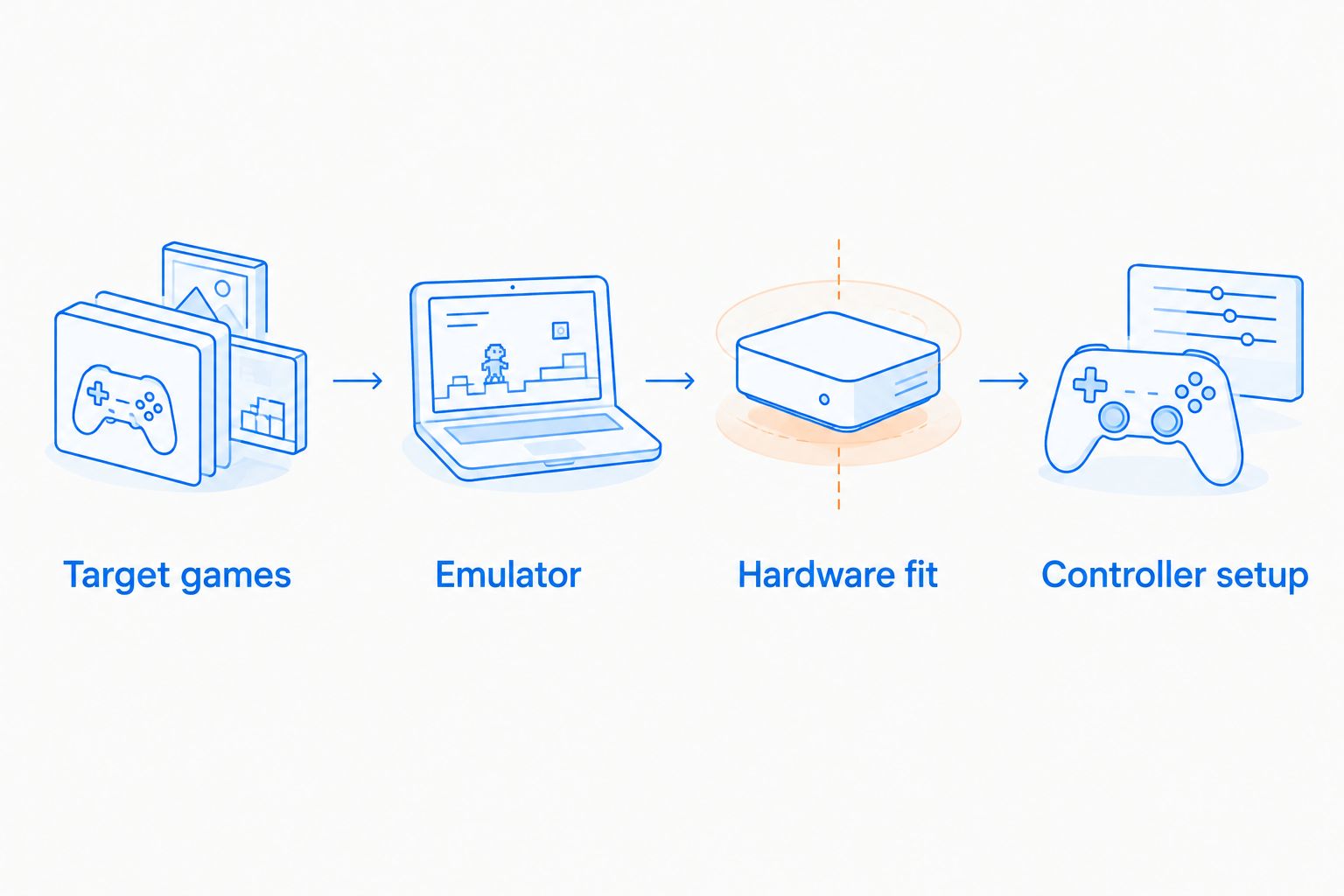
A focused library gives you a better compatibility checklist than a vague plan to emulate everything. Choosing from the best Game Boy Advance games narrows the games you need to investigate; adding other systems expands that research rather than automatically creating a reason to buy a bigger graphics card.
For each target game, record the emulator, any required firmware, controller layout, and known compatibility issues. Obtain software and firmware through lawful means; buying a mini PC does not grant rights to game files.
Keep the first installation simple. Establish normal gameplay before adding visual filters, higher rendering resolutions, or elaborate front-end themes. Change one setting at a time so you can identify what caused a problem.
Separate display output from game rendering
A computer’s display specification and an emulator’s internal rendering resolution describe different things. Triple 4K output support does not promise that every emulated game runs smoothly at a high internal resolution.
Likewise, more RAM does not repair an emulator bug. The Intel N150 Mini PC’s 32GB RAM, the Ultra-Portable Mini PC’s 16GB RAM, and their different storage capacities help describe the machines, not rank their game compatibility.
Use the emulator’s default rendering settings as your starting point. Then adjust resolution, shaders, and synchronization separately while checking the same game section. You get a clearer diagnosis than changing several options together.
Which mini gaming PC should you choose?
Choose the Intel N150 Mini PC as the default classic-retro shortlist pick. Its explicitly listed configuration makes the buying decision easier to audit, provided your target emulator supports the hardware.
Choose the Skytech Blaze4 Mini Gaming PC when modern PC gaming belongs in the same setup. Choose the Ultra-Portable Mini PC when the integrated screen is the reason to buy. Keep the configurable Intel Mini PC on hold until you know exactly which variant you are comparing.
For 2026, the best purchase is the smallest configuration that meets your verified needs—not the machine with the longest specification headline.
FAQ
What's the best mini gaming PC for retro emulation?
The Intel N150 Mini PC is the default classic-retro shortlist pick in this comparison. Its listed 32GB RAM and 1TB SSD identify a clear configuration, but you should confirm your target emulator’s requirements before buying.
Can every mini gaming PC emulate every console?
No mini gaming PC should be treated as an all-console guarantee. Compatibility depends on the emulator, individual game, hardware, and settings.
Do I need a dedicated graphics card for retro emulation?
A dedicated graphics card is not a universal requirement for retro emulation. Check the specific emulator’s requirements and distinguish normal rendering from demanding shaders or increased internal resolution.
Is the Skytech Blaze4 Mini better than the Intel N150 Mini PC?
The Skytech Blaze4 Mini is the stronger use-case match when you also want modern PC gaming and dedicated graphics. It is not automatically the better purchase for a dedicated classic-retro library.
Is the Ultra-Portable Mini PC a handheld console?
The Ultra-Portable Mini PC is listed as a compact computer with a 5.7-inch touchscreen. Built-in game controls and battery operation are not established by the supplied specifications.
Does triple 4K display support mean 4K emulation?
Triple 4K display support does not establish game performance at a 4K internal rendering resolution. Display output and emulator rendering workloads are separate considerations.
Should I choose the largest RAM and SSD configuration?
Choose RAM and SSD capacity against your software requirements and storage needs, not the largest figures in a listing. An up-to specification also requires checking the exact selected variant.
One last thing
Save a working controller profile before experimenting with visual settings. A repeatable setup is easier to troubleshoot than a collection of unrecorded tweaks. Back up emulator settings and save files separately from the game library so a reinstall does not erase your setup work.


