


Best Prebuilt Gaming PC for Beginners in 2026: Ranked
Best overall in this 2026 shortlist: the Element Pro Gaming PC. Best for a first dedicated-graphics setup: the Intel Core i7 Gaming PC with GTX 1660 Super; best for a light-gaming starter: the Lumishore Gaming PC, provided its graphics configuration meets your games’ requirements.
- The Element Pro Gaming PC is the best prebuilt gaming pc for beginners seeking this shortlist’s strongest graphics option.
- Choose the Intel Core i7 Gaming PC with GTX 1660 Super for a dedicated-graphics starter worth checking against your games.
- Choose the Lumishore Gaming PC for light-gaming plans only after confirming its graphics configuration.
- Match your first gaming desktop to your games, monitor, and upgrade needs—not RGB lighting.
Why this matters
Your first gaming desktop should solve a specific problem: running the games you want on the screen you intend to use. A powerful-sounding processor name does not answer that question. Neither does a case full of lights.
Gaming and More’s best prebuilt gaming PC for beginners seeking the strongest listed graphics option is the Element Pro Gaming PC. That verdict compares the configurations below, not every desktop on the market. This 2026 guide separates the choices by use case so you can buy for your actual gaming plans.
What makes the best prebuilt gaming PC for beginners?
Use these criteria before you read the ranking:
- Graphics fit: Match the exact GPU to your games and intended resolution. Integrated graphics and a dedicated graphics card are different buying decisions.
- Processor clarity: Check the complete CPU model, not just “Core i7” or “Ryzen 7.” Those labels cover different processors.
- Memory and storage: Read the installed RAM and SSD capacity. Check how those compare with your games’ published requirements and installation sizes.
- Complete setup: Count the monitor, keyboard, mouse, audio, and internet connection as part of the purchase decision.
- Upgrade details: Confirm the motherboard, power supply, case clearance, and expansion options before planning future changes.
For a beginner, a clear specification sheet beats an impressive headline. If an essential component is unclear, settle that question before ordering rather than treating it as a surprise to solve later.
Best beginner gaming PCs at a glance
| Rank and PC | Best for | Standout listed feature | Key limitation |
|---|---|---|---|
| 1. Element Pro Gaming PC | Strongest graphics option in this shortlist | Ryzen 7 7800X3D and RTX 5070 configuration | More hardware than a light-gaming-only buyer needs to prioritize |
| 2. Intel Core i7 Gaming PC with GTX 1660 Super | First dedicated-graphics setup | GTX 1660 Super, 16GB RAM, and 512GB SSD | Exact Core i7 model needs confirmation; smaller listed SSD than the other picks |
| 3. Lumishore Gaming PC | Light-gaming starter | Ryzen 5 5600GT, 16GB RAM, and 1TB NVMe SSD | No separate graphics card is identified in the supplied configuration |
These are configuration-based recommendations. The listed components do not establish frame rates, operating noise, temperatures, or the quality of assembly. Use game-specific benchmarks for the exact hardware when performance decides the purchase.
1. Element Pro: best beginner gaming PC for graphics headroom
The Element Pro Gaming PC pairs an AMD Ryzen 7 7800X3D with an NVIDIA RTX 5070. Its listed configuration also includes 16GB DDR5 memory and a 1TB NVMe SSD. It is the default pick here when you want a dedicated gaming desktop without making graphics capability your first planned upgrade.
The RTX 5070 is the reason this machine leads the shortlist. A stronger graphics option gives you a different starting point from a system whose listing does not identify a separate GPU. It does not promise a particular frame rate in every game.
Element Pro Gaming PC pros:
- Names both the CPU and dedicated graphics card precisely.
- Includes 16GB DDR5 memory in the listed configuration.
- Provides a 1TB NVMe SSD rather than the smaller listed drive in the Intel alternative.
Element Pro Gaming PC cons:
- Its graphics-first configuration is not a necessary priority for someone buying mainly for lightweight games and everyday tasks.
- Future upgrades still require checks of the installed power supply, motherboard, and available space.
Best for: A beginner who wants to explore a broader game library and is deliberately choosing a stronger dedicated GPU.
For a 2026 purchase, start with the games you expect to play most. Compare their recommended specifications with this exact configuration, then choose your display. Do not buy a demanding monitor first and assume any “gaming PC” will match it.
Verdict: Buy the Element Pro Gaming PC for the strongest listed graphics option in this shortlist.
2. Intel Core i7: best beginner PC for a dedicated-GPU starter
The Intel Core i7 Gaming PC with GTX 1660 Super combines a dedicated NVIDIA graphics card with 16GB RAM and a 512GB SSD. It gives you a clearly named GPU to compare against game requirements. The exact Core i7 processor model is the next detail to confirm.
This is the middle route: a dedicated-graphics desktop without selecting the RTX 5070 configuration above. Treat it as a game-by-game decision, not a promise that every current release will run at your preferred settings.
Intel Core i7 Gaming PC pros:
- Identifies the GTX 1660 Super rather than describing graphics only as “gaming.”
- Lists 16GB RAM for direct comparison with game requirements.
- Includes SSD storage for the operating system and installed games.
Intel Core i7 Gaming PC cons:
- “Core i7” alone does not identify the processor generation or exact model.
- The 512GB SSD has less listed capacity than the 1TB drives in the other ranked configurations.
Best for: A first-time buyer with a defined game list who wants a dedicated GPU and will check its performance before purchasing.
The SSD deserves attention if you dislike uninstalling games. Compare the installation sizes of your favorites with the available drive space, remembering that the operating system and other files also use storage. Do not assume the entire advertised capacity is free for games.
Verdict: Hold until the exact CPU model and your games’ performance requirements are confirmed.
3. Lumishore: best beginner PC for a light-gaming starter
The Lumishore Gaming PC lists an AMD Ryzen 5 5600GT, 16GB RAM, and a 1TB NVMe SSD. Its supplied configuration does not identify a separate graphics card. Choose this route only when your intended games fit the confirmed graphics hardware.
That makes Lumishore a different type of recommendation, not a smaller version of the Element Pro. You are prioritizing a starter desktop configuration and storage capacity rather than a named dedicated GPU.
Lumishore Gaming PC pros:
- Names the Ryzen 5 5600GT processor precisely.
- Includes 16GB RAM in the listed configuration.
- Provides a 1TB NVMe SSD for games, applications, and personal files.
Lumishore Gaming PC cons:
- No separate graphics card is identified in the supplied configuration.
- Adding a dedicated GPU later requires compatibility checks; do not assume the necessary power connections and clearance exist.
Best for: A casual gamer whose selected games suit the confirmed graphics configuration and who also needs an everyday desktop.
For this 2026 shortlist, Lumishore is the conditional starter choice. Check the graphics configuration and compare it with your games before deciding. Extra storage is useful, but it does not replace graphics capability.
Verdict: Hold until the graphics configuration matches your actual game list.
Match the computer to the way you play
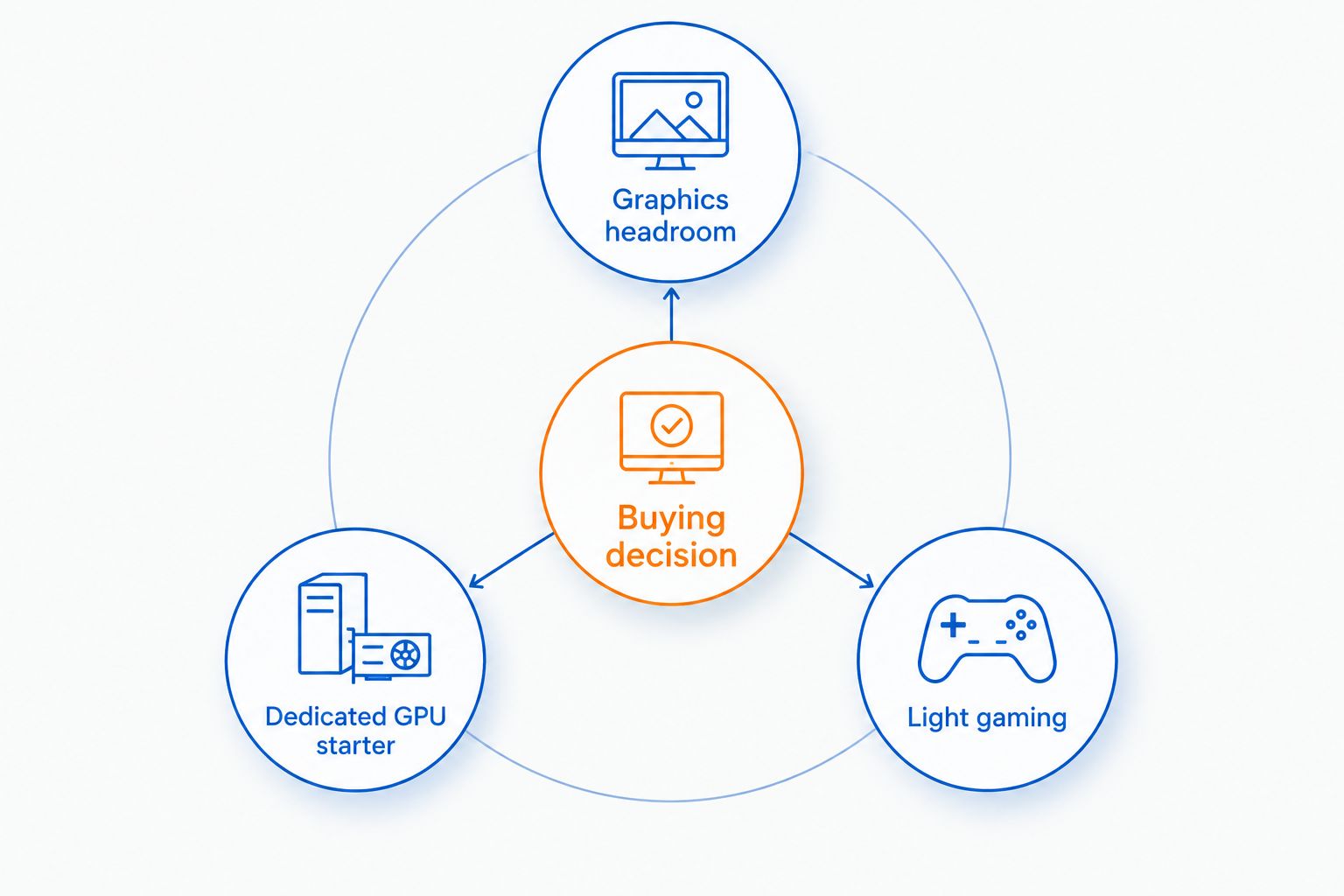
The buying decision becomes easier when you describe what you want to do instead of asking for a PC that is “good at gaming.” Pick the route below that matches your plans, then check the exact configuration against those plans.
- Graphics headroom: Start with the Element Pro Gaming PC when a stronger dedicated GPU is the priority.
- Dedicated GPU starter: Assess the Intel Core i7 Gaming PC with GTX 1660 Super against a specific game list.
- Light gaming: Consider the Lumishore Gaming PC only after confirming that its graphics hardware fits your games.
For gift shopping, ask the recipient for their game list and monitor details. That question is more useful than asking which case looks best. Avoid choosing an entire desktop around a favorite lighting color.
Product details to compare
These Gaming and More gaming PC listings represent the graphics-first and light-gaming routes. Keep their different purposes in mind when comparing the specifications.


Check these details before ordering
A prebuilt saves you from selecting and assembling every component yourself. You still need to check what arrives and how it connects to your existing equipment.
Confirm the exact configuration
Read the selected variant, not just the product headline. Record the CPU, GPU, installed memory, SSD capacity, operating system, and included accessories. Ask for clarification wherever a component has only a broad family name.
Check the monitor connection
Compare the monitor’s inputs with the desktop’s available outputs. On a dedicated-GPU desktop, connect the gaming monitor to the graphics card’s display outputs. A motherboard display port is not a substitute for using the installed graphics card.
Check the internet connection
Confirm whether the specific desktop includes Wi-Fi or whether you will use Ethernet. Do not treat wireless connectivity as automatic. Decide where the tower will sit before working out cable routing.
Check the upgrade plan
Ask about memory slots, storage connections, the power supply, and graphics-card clearance. Those details determine which changes are practical. A desktop case alone does not prove that every future component will fit.
Check the complete desk setup
Verify whether a keyboard, mouse, monitor, and audio equipment are included. Keep the tower’s vents clear when positioning it. Finish the equipment list before placing the order, rather than discovering a missing connection on setup day.
How the ranking works
This ranking prioritizes graphics fit, exact component identification, listed memory and storage, and beginner buying clarity. The Element Pro takes the default position because its listed Ryzen 7 7800X3D and RTX 5070 configuration supplies this shortlist’s strongest graphics option.
The Intel Core i7 alternative occupies the dedicated-GPU starter slot. Lumishore occupies the conditional light-gaming slot. Neither earns a recommendation based on case styling, processor branding alone, or an assumed future upgrade.
The 2026 ranking does not assign benchmark scores or infer support quality from specifications. Use this guide to choose a buying route; use exact-hardware evidence to confirm game performance.
Which beginner gaming PC should you choose?
Choose the Element Pro Gaming PC if you want the default recommendation and have deliberately prioritized graphics capability. It is the clearest match here for a beginner who wants a stronger dedicated-GPU starting point.
Choose the Intel Core i7 Gaming PC with GTX 1660 Super when your selected games fit that GPU and the confirmed CPU. Choose the Lumishore Gaming PC when light gaming is the goal and its confirmed graphics hardware meets those requirements.
Gaming and More sells gaming gear alongside desktops, but build your equipment list around function. Get the computer and display match right before adding decorative extras.
FAQ
What’s the best prebuilt gaming PC for beginners in 2026?
The Element Pro Gaming PC is the default recommendation in this shortlist for beginners prioritizing graphics capability. Its listed configuration pairs a Ryzen 7 7800X3D with an RTX 5070, 16GB DDR5 memory, and a 1TB NVMe SSD.
Is a prebuilt gaming PC easier than building one?
A prebuilt gaming PC removes the need to select and assemble every component yourself. You still need to check its specifications, connect your equipment, and complete software setup.
Is 16GB RAM enough for a beginner gaming PC?
16GB RAM is enough when your games and simultaneous applications fit within that capacity. Check each game’s recommended requirements rather than treating one memory figure as suitable for every workload.
Do beginners need a dedicated graphics card?
Beginners need a dedicated graphics card when their games and performance targets require one. Compare the exact graphics hardware with game requirements instead of deciding from the desktop’s gaming label.
Is the Lumishore Gaming PC a good first desktop?
The Lumishore Gaming PC is a conditional choice for light-gaming beginners. Its listed Ryzen 5 5600GT, 16GB RAM, and 1TB NVMe SSD do not identify a separate graphics card, so confirm the graphics configuration first.
Can I upgrade a prebuilt gaming PC later?
You can upgrade a prebuilt gaming PC when its components and chassis support the change. Check the motherboard, power supply, connectors, cooling, and physical clearance before buying an upgrade.
Should I choose a gaming PC by its processor name?
No—choose a gaming PC by its complete configuration and intended games. The exact CPU and GPU matter more than a broad label such as Core i7 or Ryzen 7.
One last thing
Before you turn on your first dedicated-GPU desktop, check where the display cable is connected. Use the graphics card’s display outputs, not the motherboard’s ports. That small setup detail belongs on your checklist before you start changing game settings.


