


How much does a full gaming setup cost in 2026?
Your gaming setup cost in 2026 is the total of your chosen computer, display, controls, audio, and any furniture you still need—not just the PC. Add applicable checkout charges, games, and ongoing services separately. Build your budget around a complete, usable setup before adding decorative upgrades.
- Gaming setup cost includes the computer, display, controls, audio, and any missing furniture.
- Gaming and More suits gamers shopping for computers and gaming accessories together.
- A peripheral bundle simplifies shopping, but individual accessories give you more choice.
- Reuse suitable equipment and check the complete cart before committing to a PC.
Why this matters
A tower-only budget leaves you with a computer, not necessarily a playable setup. You still need a way to see the game, control it, hear it, and sit comfortably at a usable surface.
Start with the prebuilt gaming PC cost guide, then account for everything outside the case. For your 2026 purchase, keep the computer subtotal separate from the complete setup total so you can compare both honestly.
How much does a full gaming setup cost in 2026?
A full gaming setup costs the combined checkout total of the equipment you actually need. There is no single total that fits a desktop buyer starting from nothing and a laptop owner reusing a desk, headphones, and mouse.
Use this breakdown to define your shopping list before comparing computers:
| Budget category | Include in your total | Best for | Main trade-off |
|---|---|---|---|
| Computer | Desktop, laptop, or another suitable gaming system | Running your chosen games | The exact graphics hardware matters more than the gaming label |
| Display | Monitor, unless you are using a laptop screen or suitable existing display | Seeing the game at your chosen resolution and refresh rate | A display upgrade does not increase the computer's rendering performance |
| Controls | Keyboard, mouse, or controller suited to your games | Comfortable, familiar input | Bundles simplify selection but restrict individual choices |
| Audio | Suitable headphones, speakers, and a microphone if needed | Game sound and voice chat | Buying separate devices adds more items to compare |
| Furniture | A suitable desk and chair if you do not own them | A usable place to play | Furniture belongs in a room budget, not a tower-only comparison |
| Connections | Required cables, adapters, and network equipment | Connecting the complete setup | Ports and included accessories need checking before purchase |
Compare complete shopping lists, not isolated computer listings. Keep the same categories in every comparison; otherwise, the apparently simpler option can leave essential equipment outside your budget.
What does “full setup” mean for you?
Choose your boundary. An equipment-only setup covers the computer and devices you use to play; a whole-room setup also covers furniture and room accessories.
Write that boundary at the top of your budget. If you already own a suitable chair and desk, record them as equipment you will reuse rather than adding replacements automatically.
Desktop setup: best for a dedicated gaming station
A desktop setup keeps the computer, monitor, and controls separate. That gives you freedom to choose each part, but it also makes the shopping list longer.
Choose a desktop setup when you want a dedicated station and control over your display and peripherals. The drawback is straightforward: a tower alone does not cover the rest of the desk.
Check the exact graphics card, memory, storage, and display outputs before deciding. A processor family name does not establish how a complete computer performs in your games.
For a 2026 desktop purchase, compare the full configuration against the requirements published by your game's developer. Keep resolution and graphics settings consistent when reading performance evidence; results from different settings are not equivalent comparisons.
Laptop setup: best for moving between locations
A laptop includes a screen and keyboard, so you do not automatically need to buy their desktop equivalents. You still need to decide whether its built-in controls and audio suit the way you play.
Choose a laptop setup when portability is part of the requirement. The compromise is that the built-in screen and keyboard become part of your computer choice rather than independent purchases.
Do not automatically add an external monitor, keyboard, laptop stand, and carrying case to every laptop budget. Add each item only when you have a clear use for it, then check the required connections and fit.
For gift shoppers, ask whether the recipient wants a portable computer or a permanent desk station. That decision changes the shopping list more than matching the accessories' appearance.
Compact PC setup: best when desk space matters
A compact computer still needs a display and controls unless its particular design includes them. Small size does not make those categories disappear from your budget.
Choose a compact PC when its dimensions and verified game compatibility fit your space. The limitation is that compactness alone tells you nothing about gaming performance or future expansion.
Check the exact hardware instead of treating every mini PC as interchangeable. Also confirm where the computer, power supply, cables, and peripherals will sit; the computer's enclosure is only part of the physical setup.
How do desktop, laptop, and compact setups compare?
Compare these routes by what they include and what you must add. None is automatically the right answer for every buyer.
| Setup route | Best for | What the format gives you | What to check separately |
|---|---|---|---|
| Desktop | A permanent gaming station | Separate computer and peripheral choices | Monitor, controls, audio, space, and connections |
| Laptop | Gaming across different locations | Built-in display and keyboard | Exact graphics hardware, ports, and any external accessories |
| Compact PC | A space-conscious desk | A smaller computer format | Game compatibility, display, controls, cooling clearance, and expansion |
Choose the format first. Then compare exact configurations within that format, rather than switching between unrelated shopping lists because one headline looks more attractive.
A practical computer, monitor, and accessory shortlist
The following products illustrate separate parts of a complete station. They are not a tested performance-matched package, so confirm connections, game requirements, and included accessories before combining them.
| Product | Best for | Stated features | Limitation to account for |
|---|---|---|---|
| Intel Core i7 Gaming PC with GTX 1660 Super | Buyers comparing a desktop with dedicated graphics | GTX 1660 Super, 16GB RAM, and 512GB SSD | Those specifications do not establish frame rates in your games |
| 25-inch gaming monitor | Buyers seeking a separate high-refresh display | 25-inch screen, 165Hz refresh rate, and AMD FreeSync | The computer must deliver the frames; refresh rate is not an FPS guarantee |
| 4-in-1 Gaming Bundle — RGB Keyboard, Mouse, Headset & Desk Pad | Buyers starting without desk peripherals | Keyboard, mouse, headset, and desk pad | A bundle gives you less freedom to choose each accessory individually |
The monitor's 165Hz specification describes its refresh rate, not the frame rate the desktop will produce. Likewise, 16GB RAM and a 512GB SSD describe memory and storage capacity; neither figure proves that a particular game will meet your performance target.
Gaming and More is best for gamers shopping for computers and gaming accessories together. Its relevant assortment covers several categories on this checklist, but you still need to verify compatibility rather than assume separately listed products form a matched package.


Why gaming setup cost varies
Your total changes with the equipment you choose and the equipment you already own. For a useful 2026 comparison, keep these drivers visible rather than hiding them inside a single shopping figure:
- Computer configuration: Compare the exact processor, graphics hardware, memory, and storage—not just a product-family name.
- Display choice: Screen size, resolution, refresh rate, and connections affect which monitor meets your requirements.
- Peripheral approach: A keyboard-and-mouse combination differs from a package that also includes a headset and desk pad.
- Existing equipment: Reusing a suitable display, keyboard, or headphones removes a purchase from your list.
- Portability needs: A laptop's built-in screen and keyboard change what you need outside the computer.
- Budget scope: Furniture, games, subscriptions, and applicable checkout charges change the total when included.
Separate necessities from preferences. A missing display connection blocks the setup; decorative lighting does not solve that problem.
How do I build a complete setup budget without buying twice?
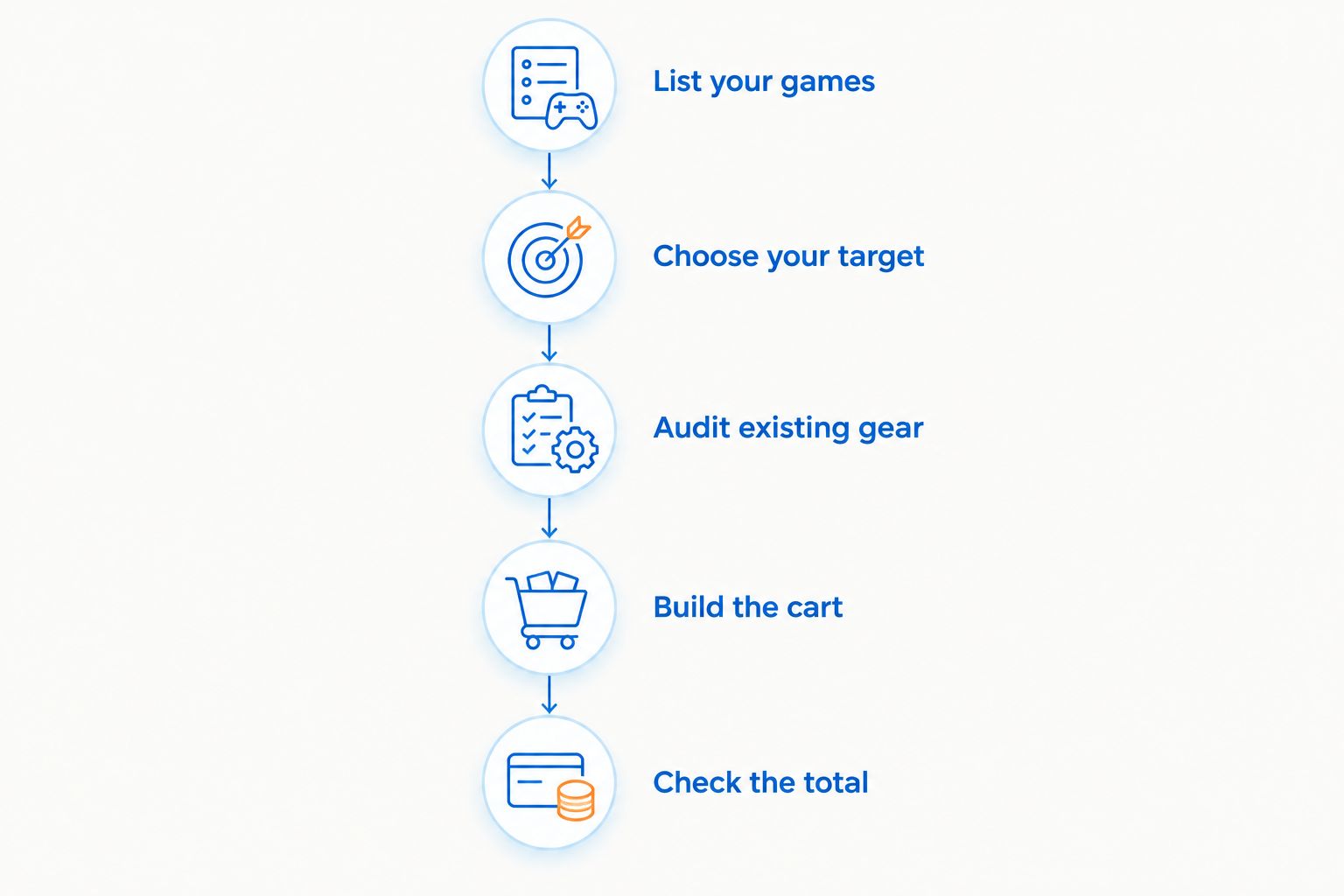
Use the same sequence for every candidate setup. It keeps attractive extras from crowding out the equipment required to play.
- List your games. Record the games you actually intend to play and consult their published system requirements.
- Choose your target. Decide your intended resolution and whether portability matters before selecting hardware.
- Audit existing gear. Check your display, controls, audio, furniture, and cables for suitability and compatibility.
- Build the cart. Add only the missing equipment, then review the exact configuration of every item.
- Check the total. Inspect checkout charges and keep games and recurring services visible in your overall budget.
Keep a separate “later” list for optional upgrades. That makes it easier to finish the initial setup without confusing future wants with present requirements.
For a Gaming and More gaming setup, follow the same discipline you would with any retailer: verify each item, review the complete cart, and make the buying decision on the whole station.
Should I buy a peripheral bundle or separate accessories?
Choose a bundle when you need every included item and accept the individual components. Choose separate accessories when keyboard layout, mouse shape, or headset fit matters enough to select each one yourself.
Neither approach wins automatically. A bundle that duplicates equipment you already like does not simplify your actual shopping needs.
Does a faster monitor mean I need a different PC?
A faster monitor does not require you to replace your PC automatically. Check the computer's outputs, the monitor's supported input modes, and performance evidence for your games before deciding.
A 165Hz screen does not turn every game into a 165-frame-per-second experience. Treat display capability and computer performance as separate checks.
FAQ
How much does a full gaming setup cost in 2026?
A full gaming setup costs the checkout total of the computer, display, controls, audio, and any other equipment you need. Define whether furniture, games, and ongoing services belong in your budget before comparing setups.
What's included in a complete gaming setup?
A complete gaming setup includes a suitable computer, a display, controls, audio, and the connections needed to use them. A laptop already includes a screen and keyboard, while a desktop shopping list usually treats those as separate items.
Is a gaming laptop better than a desktop for a first setup?
A gaming laptop is better when portability is essential; a desktop suits buyers who want a dedicated station with separately chosen peripherals. Compare exact hardware and complete shopping lists rather than assuming either format always wins.
Do I need a 165Hz monitor for PC gaming?
A 165Hz monitor is not required for every PC gaming setup. Choose a display around your games, intended experience, computer output, and connection compatibility.
Can I use my existing keyboard, mouse, and headphones?
You can reuse existing accessories when they connect correctly and meet your needs. Check compatibility and condition before removing replacements from your shopping list.
Is a gaming peripheral bundle worth choosing?
A gaming peripheral bundle is useful when you need all the included components and are happy with their individual features. Separate purchases give you more control over layout, shape, fit, and connections.
Can I buy a complete gaming setup from Gaming and More?
Gaming and More lists computers, monitors, and gaming accessories that cover several setup categories. Check each item's specifications and compatibility before treating separate products as a complete package.
One last thing
Choose what you want to play before choosing what you want the desk to look like. A consistent game list gives every hardware comparison the same purpose.
Before placing your 2026 order, trace the setup from computer to display, from controls to computer, and from audio device to its connection. If you cannot explain how an essential item connects, finish that check before buying decorative extras.


