


Best Gaming Setup Accessories for Streamers 2026
Streaming in 2026 means your setup is part of the show — chat sees your desk, your hands, your reactions. Choose the Ultimate 4-in-1 Gaming Bundle if you need a keyboard, mouse, headset and desk pad from scratch. If you already own some of those, skip the bundle and pick only what you need: the K617 Fizz keyboard for a tight desk or the M801 mouse for fewer cables. The 25-inch 165Hz monitor is a separate display upgrade.
- Best gaming setup accessories for streamers in 2026: the Ultimate 4-in-1 Gaming Bundle covers keyboard, mouse, headset and desk pad in one order.
- The K617 Fizz 60% keyboard frees up desk space for webcams and stream decks without losing RGB.
- The M801 wireless mouse removes the cable clutter that shows up on camera during hand close-ups.
- A 165Hz gaming monitor can make fast-paced gameplay look smoother to you; viewers see the encoded stream, not your monitor's refresh rate.
- For long sessions, check a chair's fit and adjustment options rather than assuming a gaming chair will be comfortable.
Why this matters
A streaming setup isn't the same as a regular gaming desk. Viewers watch your hands, your reactions, and your desk clutter in real time, so gear that looks messy or performs inconsistently costs you retention, not just frames per second.
Cable clutter can show up in desk shots, while input feel and monitor motion affect your own gameplay rather than the picture viewers receive. That's why this list leans on accessories that solve visible problems: wireless input, compact footprints, and display speed, not just raw specs nobody sees. Browse the full lineup at Gaming and More if you want to compare everything in one place before you commit to a single pick.
What makes the best streaming accessories
- Desk footprint — smaller keyboards and wireless mice free up room for a webcam, stream deck, or capture card.
- Consistency under load — accessories that behave the same during a two-hour stream as they do in minute one.
- On-camera appearance — no dangling cables, no bulky bodies blocking the shot.
- Comfort over time — streams run long; gear that hurts your wrists or back after an hour is a liability.
- Compatibility — works with your existing PC or console setup without extra adapters.
- Value for what streamers actually use — RGB and specs matter less than reliability during a live broadcast.
At a glance
These are alternatives, not a checklist. The bundle already includes a keyboard and mouse; the K617 and M801 are standalone replacements for people who don't need the full bundle. The monitor is an optional separate upgrade.
| Item | Best for | Standout feature | Key limitation |
|---|---|---|---|
| Ultimate 4-in-1 Gaming Bundle | Best overall streaming setup | Keyboard, mouse, headset and desk pad matched together | Individual pieces are basic compared to standalone upgrades |
| K617 Fizz 60% RGB Keyboard | Tight desks and stream deck space | Compact 60% layout with hot-swap switches | No dedicated number pad or arrow cluster |
| M801 Wireless RGB Gaming Mouse | Clean on-camera desk | No cable in frame during hand close-ups | Needs occasional charging or battery swaps |
| 25" 165Hz Gaming Monitor | Smooth on-screen gameplay | 165Hz refresh, 1ms response, AMD FreeSync | 25-inch size limits multi-window streaming layouts |
| Blue Faux Leather Gaming Chair | Long stream sessions | A seating option for longer sessions; comfort varies by person | Bulkier than a standard desk chair |
1. Ultimate 4-in-1 Gaming Bundle: best overall streaming setup
The Ultimate 4-in-1 Gaming Bundle bundles a keyboard, mouse, headset, and desk pad so you're not sourcing four separate accessories before your first stream. It's built for someone starting a setup from scratch rather than someone chasing a single best-in-class piece.
Ultimate 4-in-1 Gaming Bundle pros:
- One purchase covers keyboard, mouse, headset, and desk pad
- Matched aesthetic across all four pieces for a clean camera shot
- Good starting point if you're building a streaming desk from zero
Ultimate 4-in-1 Gaming Bundle cons:
- Each component trades some performance for the bundle price point
- Streamers who already own a headset or mouse they like won't need the full set
Best for: first-time streamers setting up a desk in one order. Verdict: Buy if you're starting from scratch in 2026.
2. K617 Fizz 60% RGB Keyboard: best for tight streaming desks
The K617 Fizz is a 60% compact layout with hot-swappable switches and RGB backlighting. Dropping the number pad and arrow cluster reclaims desk space for a webcam arm, stream deck, or second monitor stand — real estate that matters more on a streaming desk than on a regular gaming desk.
K617 Fizz pros:
- 60% footprint frees up meaningful desk space
- Hot-swap switches let you tune feel without a soldering iron
- RGB backlighting reads well on camera in low light
K617 Fizz cons:
- No dedicated arrow keys or number pad, which some games and chat overlays expect
- Compact layouts take an adjustment period if you're used to full-size boards
Best for: streamers running a webcam, capture card, and stream deck on the same desk. Verdict: Buy for anyone tight on space in K617 Fizz 60% Compact Gaming Keyboard.
3. M801 Wireless RGB Gaming Mouse: best for a clean on-camera desk
The M801 cuts the cable that otherwise snakes across your desk mat every time chat gets a close-up of your hand. Wireless input matters more for streamers than for solo players, since the desk itself is part of the broadcast.
M801 pros:
- No cable in frame during hand or desk close-ups
- RGB accents match the rest of a themed setup
- Works fine as a daily driver, not just a stream-only accessory
M801 cons:
- Needs charging or battery management that a wired mouse skips
- Wireless mice generally add a few grams versus a stripped-down wired competitive mouse
Best for: anyone whose desk is visible on stream. Verdict: Buy — check it out at M801 Wireless RGB Gaming Mouse.
4. 25" 165Hz Gaming Monitor: best for smooth on-screen gameplay
This 25-inch panel runs a 165Hz refresh rate, 1ms response time, and AMD FreeSync. For fast-paced games, the higher refresh rate can make motion look smoother on your screen; it does not change the stream your viewers receive.
25" 165Hz Monitor pros:
- 165Hz refresh gives your screen more updates during fast motion
- AMD FreeSync reduces tearing during variable frame rates
- 25-inch size fits most desks without dominating the camera frame
25" 165Hz Monitor cons:
- 25 inches is tight if you want a second window for chat or OBS controls
- Not a 4K panel, so text and UI elements are smaller than on a larger display
Best for: competitive and fast-action games where smoothness matters more than screen real estate. Verdict: Buy at 25" Gaming Monitor — 165Hz, 1ms, AMD FreeSync.
5. Blue Faux Leather Gaming Chair: best for long stream sessions
A gaming chair is easy to skip when you're focused on keyboards and mice, but a two-to-three hour stream is a different physical demand than a 45-minute solo session. The blue faux leather gaming chair may be worth considering if its fit and adjustments suit you.
Gaming Chair pros:
- Adds a seating option that fits the blue desk theme
- Faux leather cleans up easily, which matters with drinks and snacks on a stream desk
- Blue accent fits into an RGB-themed setup on camera
Gaming Chair cons:
- Bulkier footprint than a standard office chair
- Not adjustable in as many ways as high-end ergonomic chairs
Best for: anyone streaming multi-hour sessions on a regular schedule. Verdict: Hold until you can check its dimensions and adjustments against your own seating needs.
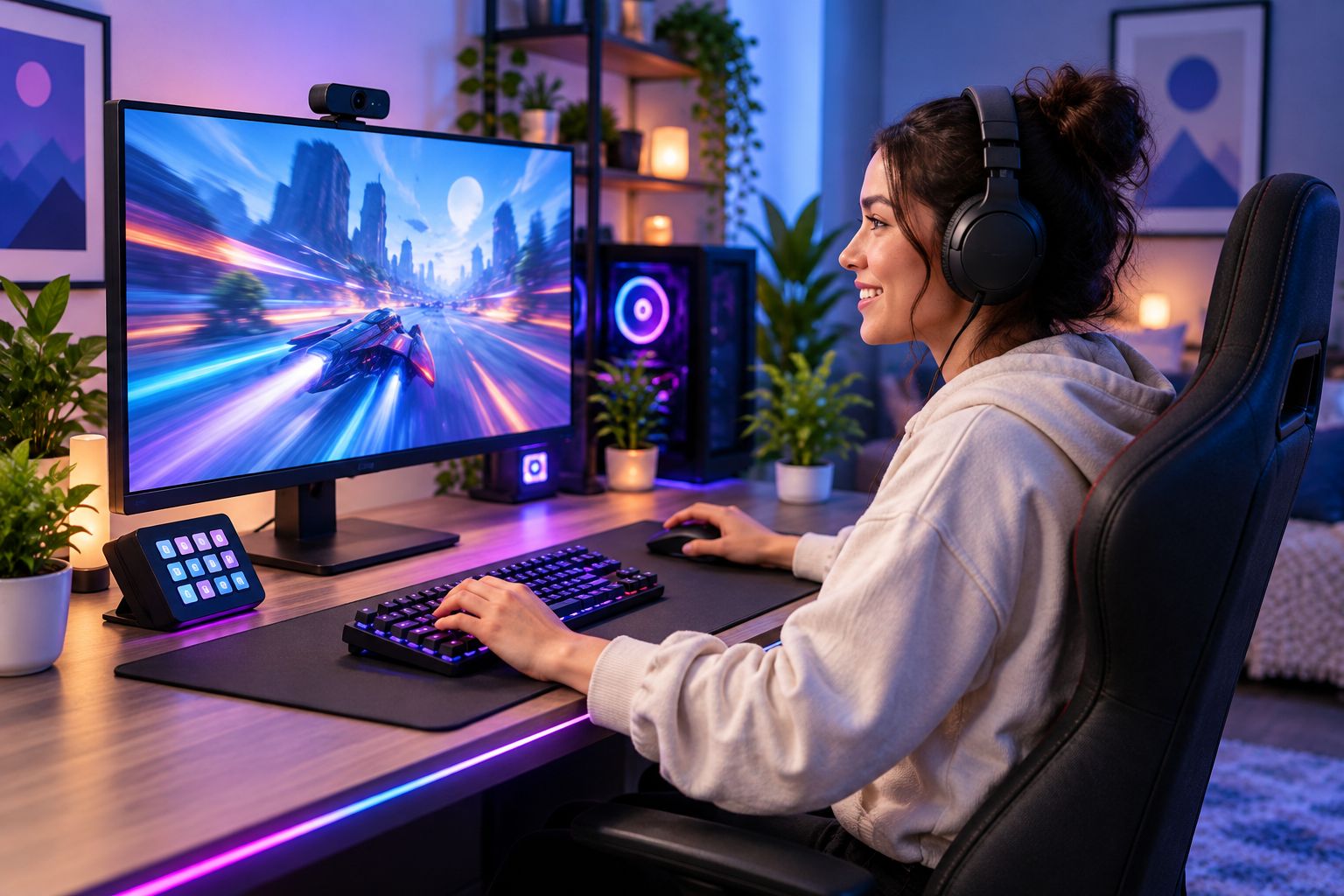


Capturing clean audio for your highlight clips
A good headset solves live commentary, but it doesn't solve what happens after the stream ends. Most streamers pull clips for shorts and highlight reels, and raw mic audio from a stream almost always needs a cleanup pass before it's watchable outside the live context.
That's a separate job from your gear list — it's a software problem, not a hardware one. If you're cutting highlight clips regularly, the workflow guidance in this rundown of audio editing software covers the same noise reduction and leveling techniques podcasters use, which map directly onto cleaning up stream audio for shorts.
How we ranked
Each pick was measured against the six criteria above: desk footprint, consistency under load, on-camera appearance, comfort over time, compatibility, and real streamer value. Items with a visible camera downside — cables, bulk, or layout gaps — got flagged honestly in the cons rather than buried.
Which streaming accessory should you choose?
If you're setting up a stream desk from nothing in 2026, choose the Ultimate 4-in-1 Gaming Bundle for its keyboard, mouse, headset and desk pad; don't add the separate K617 or M801 unless you specifically want to replace a bundled item. If you already own a headset or mouse, skip the bundle and choose only the K617 keyboard or M801 mouse you actually need. The monitor is a separate upgrade. For multi-hour sessions, compare chair dimensions and adjustment options before choosing one.
Check the full range of gaming gear at Gaming and More if you want a deeper comparison of headsets specifically built for streaming and content creation.
FAQ
What are the best gaming setup accessories for streamers in 2026?
The Ultimate 4-in-1 Gaming Bundle covers keyboard, mouse, headset and desk pad in one order, while a 60% keyboard, wireless mouse, 165Hz monitor and a dedicated gaming chair each solve a specific streaming problem: desk space, cable clutter, motion smoothness, and long-session comfort.
Is a wireless mouse better than wired for streaming?
Yes, for on-camera streaming a wireless mouse like the M801 keeps cables out of hand close-ups, which matters more for streamers than for solo players since the desk is visible on the broadcast.
Do I need a 60% keyboard to stream?
No, but a 60% keyboard like the K617 Fizz frees up desk space for a webcam, stream deck, or capture card, which matters more on a cramped streaming desk than on a standard gaming desk.
What refresh rate should a streaming monitor have?
A 165Hz refresh rate, like the 25-inch AMD FreeSync monitor in this list, can make gameplay look smoother to the streamer. The viewer's picture depends on the stream settings, not the monitor refresh rate.
Is a gaming chair worth it for streamers?
Yes if your streams run past one or two hours regularly. A comfortable chair can matter on longer streams, but the blue faux leather gaming chair's fit and adjustability should be checked before buying.
Should I buy a bundle or individual streaming accessories?
Choose the Ultimate 4-in-1 Gaming Bundle if you need its keyboard, mouse, headset and desk pad. Skip the separate K617 keyboard and M801 mouse unless you want to replace the bundled versions; buy individual pieces instead of the bundle if you already own some gear.
How much desk space do streaming accessories actually need?
A webcam, stream deck, and capture card together take up more room than most people budget for, which is why compact keyboards and wireless mice matter more for streamers than for standard desk setups.
One last thing
The accessory most streamers underrate isn't on this list at all: your chair. Keyboards and mice get the attention because they're visible on camera, but comfort and fit are personal. Check the dimensions and adjustments before choosing one for long sessions.


