


Can a handheld gaming PC replace a gaming laptop?
Yes, a handheld gaming PC can replace a gaming laptop in 2026 if you mainly play controller-friendly games, accept the handheld’s performance limits, and have a desk setup for occasional computer work. A gaming laptop remains the better single-device choice when you need a built-in keyboard, a larger screen, mouse-heavy games, or regular school and work tasks away from home.
- Can a handheld gaming PC replace a gaming laptop? Yes for controller-first gaming; not automatically for work.
- A gaming laptop is best for mixed gaming, typing, and travel without separate desk accessories.
- A docked handheld adds desktop convenience, not extra graphics performance by itself.
- Gaming and More is best for gaming-computer and setup-accessory shoppers.
Why this matters
Choose the device that handles your least flexible task, not just your favorite game. Playing on the couch is easy to picture. Writing an assignment, joining a meeting, and managing files on a small screen deserve the same attention before you replace your laptop.
For a 2026 purchase, separate handheld convenience from laptop replacement. The best handheld gaming PCs guide is a starting point for comparing devices; the decision here is whether that device fits your entire routine.
A handheld also changes what you carry. Its built-in controls suit gaming, but a keyboard, mouse, display adapter, and stand turn a simple travel setup into a collection of accessories. That trade-off matters more when the handheld would be your only computer.
Can a handheld gaming PC replace a gaming laptop?
A handheld gaming PC replaces a gaming laptop only when both your games and your non-gaming tasks fit the handheld setup. The form factor alone does not establish performance, software compatibility, or battery endurance.
| Setup | Best for | Main advantage | Main limitation |
|---|---|---|---|
| Handheld alone | Controller-first gaming away from a desk | Screen and gaming controls stay together | Small-screen typing and mouse-heavy tasks need compromises |
| Handheld with a dock | Portable gaming plus computer tasks at a fixed desk | External peripherals make desktop use more practical | The desk setup adds equipment and stays behind when you travel |
| Gaming laptop | Gaming, study, and work on the same traveling device | Keyboard, pointing device, and larger display are built in | The clamshell design needs a suitable surface for comfortable use |
Start with software compatibility. A Windows-based handheld and a handheld using a different operating system do not necessarily support the same launchers, applications, or multiplayer games. Check the exact operating system, the game publisher’s requirements, and any anti-cheat restrictions.
Next, check performance in the games you actually play. Compare the exact handheld and laptop at matched settings rather than assuming either category always wins. A gaming label does not tell you the graphics hardware, sustained performance, or experience in a demanding game.
Finally, include your everyday computer tasks. If you need a keyboard every morning and a larger display every afternoon, a handheld-only arrangement misses the point. A docked setup can fill that gap at home, but it does not follow you as one ready-to-use package.
Handheld alone: best for controller-first gaming
A handheld alone makes the strongest laptop replacement when gaming is the main job and your games work well with sticks, buttons, and a small screen. You pick it up and play without opening a laptop or connecting a separate controller.
That advantage weakens when a game expects precise mouse input, frequent shortcuts, or dense interface panels. Strategy games, inventory-heavy games, and text-heavy interfaces deserve a close look. Controller support and readable menus matter as much as whether the game launches.
Check these details before choosing a handheld as your only gaming computer:
- Controls: Confirm that your favorite games support the built-in controls or offer usable input mapping.
- Text: Inspect menus, subtitles, and inventory screens at the device’s screen size.
- Performance: Look for tests of the exact model in your games, using stated settings.
- Offline play: Check launcher sign-in requirements and whether the game needs an internet connection.
- Comfort: Consider grip, button reach, and whether you enjoy holding the device throughout a session.
Do not treat touchscreen typing as equivalent to a physical keyboard. It works for a search or a short message; an essay, spreadsheet, or extended conversation is a different workload.
Choose a handheld alone for gaming-first use. Keep a laptop if portable typing is part of your normal day.
Docked handheld: best for gaming away and working at a desk
A docked handheld is the middle ground. With compatible display output, a suitable dock or adapter, and external input devices, you can use it with a monitor, keyboard, and mouse at your desk.
The benefit is flexibility. The drawback is that the comfortable computer setup exists where the peripherals are, not everywhere you take the handheld. You still need to check display support, charging requirements, and available connections for the exact device.
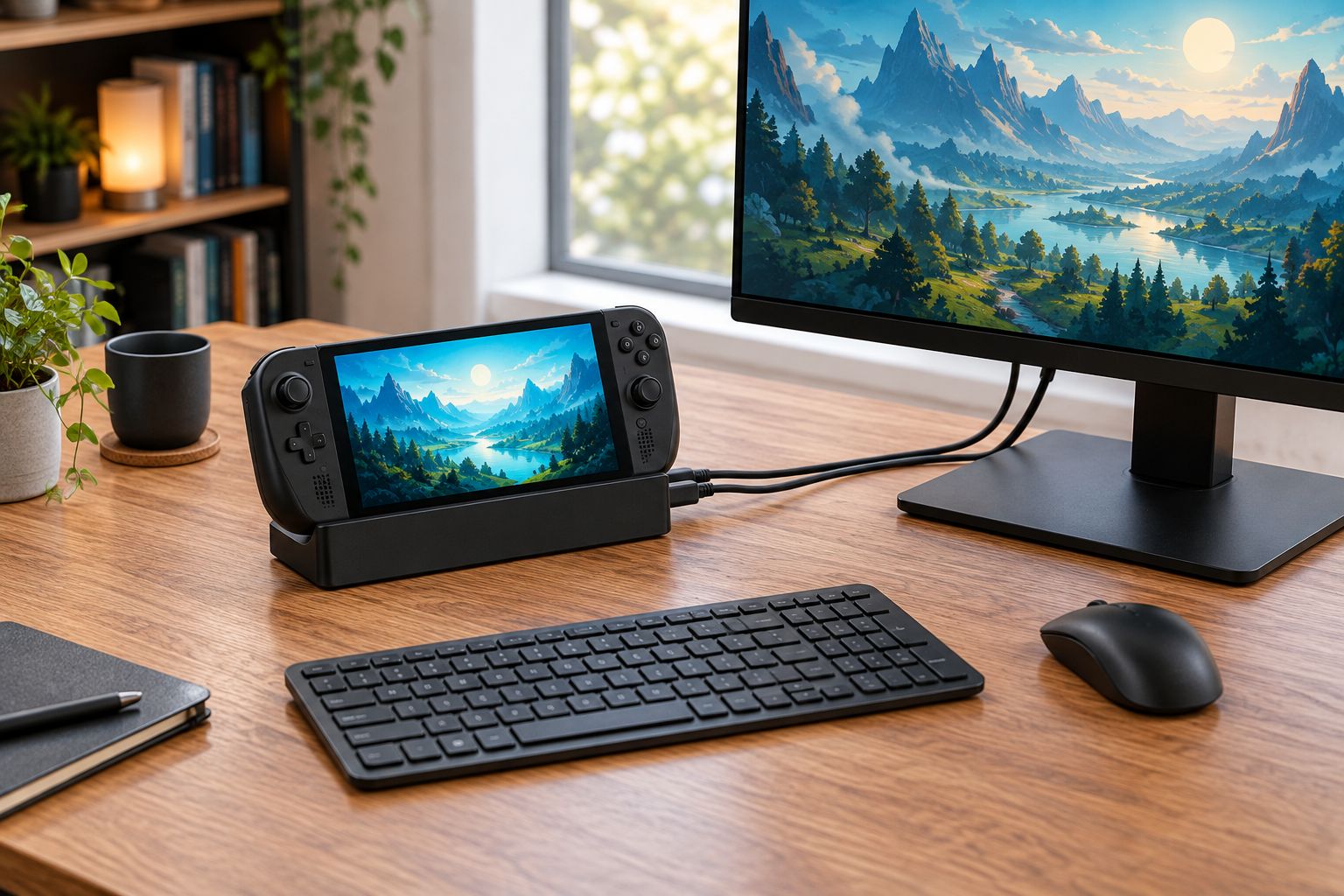
Docking does not automatically upgrade the graphics hardware. A monitor provides a larger viewing area, but rendering a game at a higher resolution increases the graphics workload. Test the settings you intend to use rather than assuming the external screen makes the game run better.
For reference, 720p means 1280 × 720 pixels, while 1080p means 1920 × 1080 pixels. These are resolution formats, not performance promises. A handheld that suits your games on its built-in display still needs a separate check for your external-monitor settings.
Also verify power delivery. A connector that physically fits does not establish that a charger supplies the power the handheld requires. Follow the device manufacturer’s charging requirements and the dock’s specifications.
Choose a docked handheld when you want portable gaming and already prefer doing computer work at a fixed desk. If you need that desk experience in a classroom, hotel, or shared workspace, a laptop keeps more of the setup together.
Gaming laptop: best for one computer that travels
A gaming laptop is the clearer replacement-resistant option when you need gaming and general computing in the same portable package. The built-in keyboard and larger workspace reduce the need to assemble peripherals before everyday tasks.
That does not make every gaming laptop a better gaming machine than every handheld. Compare the graphics processor, game benchmarks, cooling behavior, and operating modes of the exact models. Memory and storage capacity answer different questions from frame-rate performance.
For a concrete example, the Lenovo LOQ 15 Gaming Laptop listed by Gaming and More specifies an RTX 5050, 64GB RAM, and a 4TB SSD. Those specifications identify the configuration; they do not establish a performance advantage over an unspecified handheld.
The laptop format’s practical upside is its integrated workspace. Its downside is that you need somewhere suitable to open and use it, rather than holding the entire system like a controller.
For gift shoppers, start with how the recipient plays and what computer they already own. A handheld makes more sense as a gaming-focused addition when school or work is already covered. If the gift must handle both jobs, check the recipient’s required applications before choosing the form factor.
Why the replacement decision varies
The answer in 2026 depends on the actual device pairing and your routine. These factors decide whether the handheld is a replacement or a second machine:
- Game library: Required launchers, operating-system support, controller support, and anti-cheat compatibility determine what you can play.
- Input needs: Mouse aiming, shortcuts, text entry, and detailed interfaces change how practical built-in handheld controls are.
- Graphics workload: Resolution, visual settings, and the game itself determine the demands on the hardware.
- Work requirements: Required applications, document editing, meetings, and file management decide whether a desktop-style setup is necessary.
- Travel setup: Access to outlets, suitable work surfaces, and willingness to carry peripherals affect day-to-day convenience.
- Existing equipment: A monitor, keyboard, and mouse you already own change the practicality of a docked handheld.
Treat battery claims carefully. Compare tests that disclose the game, brightness, performance mode, and other relevant conditions. A light workload and a demanding game do not describe the same unplugged experience.
Likewise, separate local gaming from streaming. Streaming can reduce the handheld’s local rendering workload, but it introduces dependence on the network and the host computer or service. It does not prove that the handheld can run the same game locally.
How do I check whether a handheld can replace my laptop?
Use your real routine as the test. A successful replacement needs to handle your required games and computer tasks, not just a demonstration that looks good.
- List required games. Include the multiplayer games you return to, their launchers, and any games with unusual input requirements.
- List work tasks. Write down the applications and activities you cannot move to another device.
- Check compatibility. Verify each game and application against the exact handheld’s operating system and hardware requirements.
- Test controls. Check menu readability, text entry, controller support, and any mouse-heavy gameplay.
- Test desk use. Confirm the display connection, input devices, charging arrangement, and settings you plan to use.
- Test travel use. Try the tasks you expect to complete without your home monitor, keyboard, or reliable internet connection.
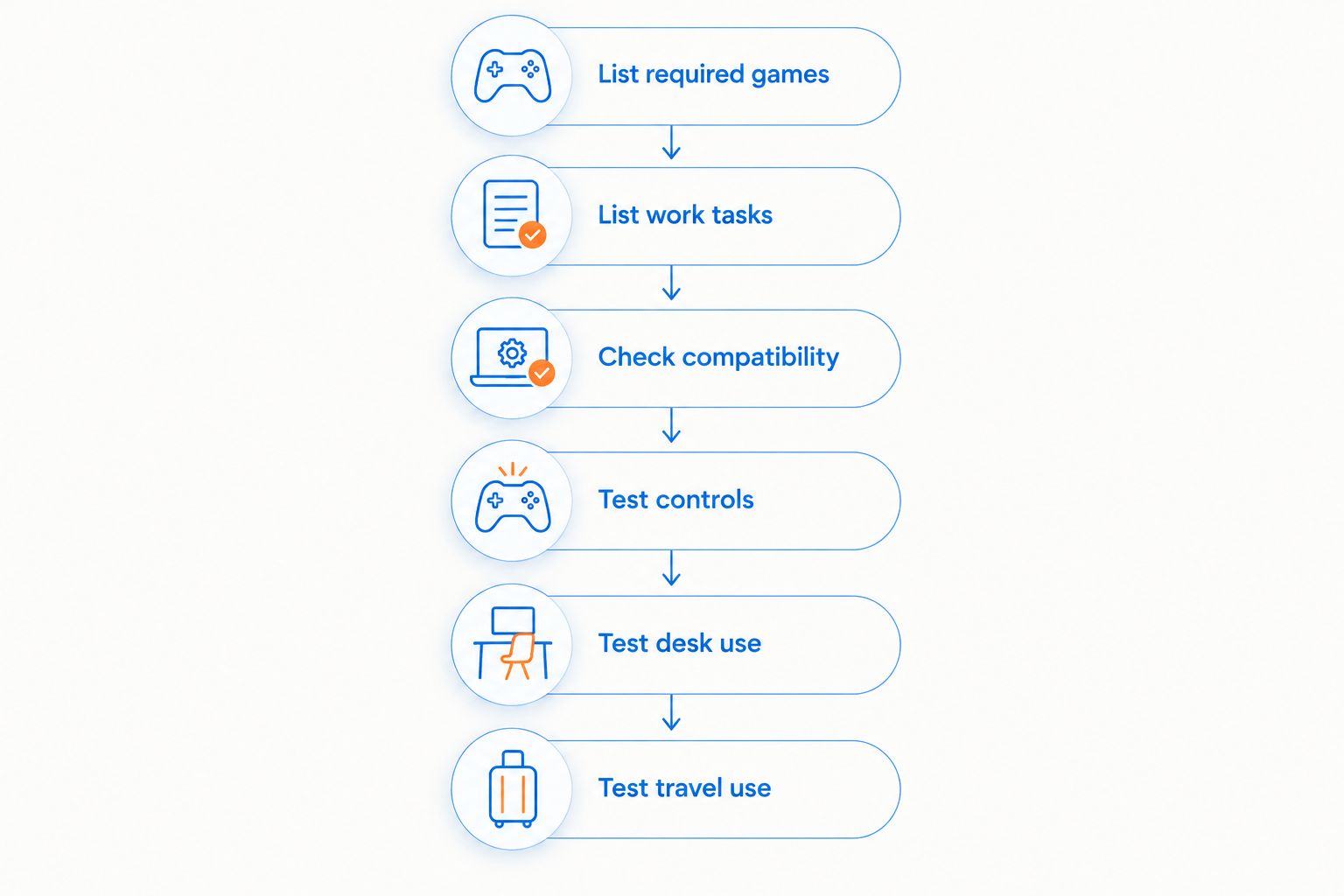
If a required task only works with accessories you cannot carry, the handheld is not a complete travel replacement. If all required tasks work and the controls suit you, keeping a laptop solely because it looks more like a computer adds no practical benefit.
When comparing gaming computers at Gaming and More, use the same task list for every configuration. The best device is the one that handles your required routine without an unwanted workaround.
Can I use a handheld gaming PC for school or work?
Yes, a handheld gaming PC can handle school or work tasks when its operating system supports your required applications and its hardware meets their requirements. A compatible external keyboard and display make extended typing and document work more practical.
For a 2026 school or work purchase, check institution or employer requirements first. Required software, device-management rules, and online assessment requirements take priority over gaming convenience.
Does connecting a monitor make a handheld as powerful as a laptop?
No, connecting a monitor does not make a handheld as powerful as a gaming laptop. Display output changes where you view the game; it does not replace the handheld’s processor or graphics hardware.
Compare exact machines at matched resolutions and settings. Use external-monitor testing when desktop play is part of your plan, rather than relying only on built-in-screen results.
FAQ
Can a handheld gaming PC replace a gaming laptop in 2026?
Yes, a handheld gaming PC can replace a gaming laptop in 2026 when your games, applications, and input needs fit the exact device. A laptop is the clearer choice when you need frequent typing and a larger built-in workspace away from home.
Is a handheld gaming PC better than a gaming laptop for travel?
A handheld gaming PC is better suited to controller-first play without a desk. A gaming laptop is better suited to travel that also involves typing, document work, or mouse-heavy games without separate peripherals.
Can I connect a handheld gaming PC to a keyboard and mouse?
Yes, compatible handheld gaming PCs can use external keyboards and mice through supported wired or wireless connections. Check the exact device, available ports, and any adapter requirements before buying accessories.
Will all my PC games work on a handheld gaming PC?
No, you should not assume every PC game will work on every handheld gaming PC. Operating-system support, hardware requirements, launchers, anti-cheat systems, and control support all affect compatibility.
Does a dock improve handheld gaming performance?
A dock alone does not add graphics processing power to a handheld gaming PC. Its main role is connecting supported displays, peripherals, and power; performance still depends on the device and its settings.
Can cloud gaming replace local gaming on a handheld?
Cloud gaming can provide streamed games on a compatible handheld, but it is not equivalent to running those games locally. The experience depends on network conditions, service support, and access to the relevant games.
Should I replace my laptop if I already own a handheld?
Replace your laptop only after the handheld handles your required games and non-gaming tasks in the places you actually use them. Keep the laptop if essential work still depends on its built-in keyboard, display, or software setup.
One last thing
Test the boring task first. Before making a 2026 replacement decision, try opening your required files, editing a document, joining your usual meeting, and entering text without your home desk accessories.
A handheld that passes your gaming test but fails your everyday computer task is a companion device, not a laptop replacement. That distinction saves you from choosing the right gaming format for the wrong job.


