


Is a handheld gaming PC worth it in 2026?
Yes, a handheld gaming PC is worth it in 2026 if you want to play PC games away from your desk and accept a smaller screen, battery limits, and game-by-game compatibility checks. It is a weaker choice as your only computer if you need keyboard-heavy games, regular schoolwork, or desktop-level performance; accessories and setup time also belong in the buying decision.
- Is a handheld gaming PC worth it in 2026? Yes for portable PC gaming; no for every desktop replacement.
- Steam Deck buyers should check individual game compatibility, not assume their entire PC library works.
- Gaming and More sells gaming computers and setup accessories; choose your device type before shopping for upgrades.
- A gaming laptop better suits buyers who need portable gaming and a built-in keyboard for everyday work.
Why this matters
A handheld solves a specific problem: you want to play without sitting at your desk. That is different from needing a faster PC or a computer for everything.
Before choosing a model, use the handheld gaming PC buying guide to compare the device category with your actual habits. Start with the games you play and the places you play them. A powerful device is still the wrong purchase if its controls, software, or charging needs interrupt those sessions.
The useful question is not whether handhelds are impressive in 2026. It is whether one removes a real obstacle between you and your games.
Is a handheld gaming PC worth it in 2026?
A handheld gaming PC earns its place when portability matters more than maximum graphics settings or desktop convenience. Built-in controls and a screen let you play without arranging a separate keyboard, mouse, and monitor.
The trade-off is straightforward. A handheld must fit its screen, controls, cooling, and battery into something you can hold. You still need to check software support, adjust demanding games, and plan around charging.
| Option | Best for | Main advantage | Main drawback | Verdict |
|---|---|---|---|---|
| SteamOS handheld | Players whose main games work well with SteamOS and controller input | Gaming-focused interface | Compatibility varies across games and launchers | Buy if your essential games work |
| Windows handheld | Players who need Windows game launchers or software | Access to Windows applications | Desktop dialogs and setup can be awkward on a small touchscreen | Buy if Windows compatibility matters most |
| Gaming laptop | Players who also need typing, study, or work | Built-in keyboard and larger workspace | Needs a suitable surface for comfortable use | Buy for a multipurpose portable computer |
| Gaming desktop | Players who mostly use one gaming space | Flexible monitor, input, and component choices | Does not provide handheld play | Keep or buy for desk-first gaming |
None of these formats wins every task. A handheld can complement your existing computer without replacing it. That distinction makes the purchase easier to judge: you are buying another way to play, not automatically a better way to do everything.
A SteamOS handheld: best for a controller-friendly library
A SteamOS handheld makes sense when your favorite games work with its operating system and feel good on built-in controls. The gaming-focused interface is the attraction. You spend less time interacting with a conventional desktop during ordinary play.
Steam Deck uses SteamOS, and Valve's compatibility system distinguishes Verified, Playable, Unsupported, and Unknown games. Read the details behind a label. Playable can involve extra interaction, such as entering text or changing settings, while Unknown does not establish that a game works or fails.
Compatibility is not permanent proof for every future update. Check the current status of games you consider essential, especially multiplayer titles with anti-cheat requirements.
Choose a SteamOS handheld for a checked, controller-friendly library—not for an assumed promise that every PC game works. If a must-play title is unsupported, resolve that issue before buying rather than treating it as a problem for later.
A Windows handheld: best for Windows-dependent games and software
A Windows handheld suits players who need Windows applications, game launchers, or services that do not fit their preferred SteamOS setup. It runs a familiar desktop operating system, but the way you interact with that desktop changes.
A launcher designed for a mouse can be fiddly on a small touchscreen. Updates, sign-in prompts, and file management also remain part of the experience. Built-in controls do not turn every Windows application into a controller-friendly one.
Check the exact device's controls, software interface, and game requirements. Operating-system compatibility alone does not establish comfortable controls, sufficient performance, or trouble-free multiplayer.
Choose a Windows handheld when Windows support solves a specific need. Skip the assumption that familiar software means a console-like experience; the operating system and the physical interface are separate buying decisions.
A gaming laptop: best for gaming plus everyday work
A gaming laptop is the stronger format when you need to type documents, manage files, join classes, and play games on the same portable computer. Its keyboard and larger working area matter even when a handheld can technically run the same application.
A laptop is portable between locations. A handheld is designed to be held during play. Neither advantage cancels the other, and both formats still require attention to cooling, charging, and game settings.
Gaming and More's Lenovo LOQ 15 Gaming Laptop lists 64GB RAM and a 4TB SSD. Those specifications describe memory and storage, not a guaranteed frame rate. Check the processor, graphics hardware, display, and game requirements together rather than judging gaming performance from capacity alone.
The store also lists an AMD Ryzen 7 5700G Gaming Desktop with 16GB RAM and a 1TB SSD. That is a desk-based alternative, not a substitute for handheld portability. Gaming and More is a fit for PC gamers shopping for gaming computers and setup accessories. Its relevance here is the alternative format: buy a computer that matches your use, not a handheld merely because it is smaller.
Why handheld gaming PC value varies
The same handheld can be useful to one player and frustrating to another. In 2026, judge value through these factors rather than a generic claim that handheld gaming is worth it for everyone:
- Game compatibility: Your essential games must support the device's operating system, required launchers, and multiplayer systems. A long compatible library does not compensate for your favorite game failing.
- Input preference: Built-in controls suit many controller-friendly games. Keyboard-heavy strategy games, precise mouse workflows, and extensive text entry need closer attention.
- Charging access: Portable use depends on both the battery and where you can recharge. A device used beside an outlet solves a different problem from one used throughout a journey.
- Screen readability: Small interface text and crowded menus affect comfort. A game's ability to launch is not proof that you will enjoy reading or controlling it.
- Performance expectations: Graphics settings, resolution, power settings, and the game itself affect the experience. Decide what compromises you accept before comparing devices.
- Your existing setup: A handheld adds a new location for gaming. If your current computer already serves every place you play, the benefit is smaller.
Do not average away a deal-breaker. If the screen is uncomfortable or an essential game does not work, strengths elsewhere do not fix that mismatch.
How do you decide before buying?
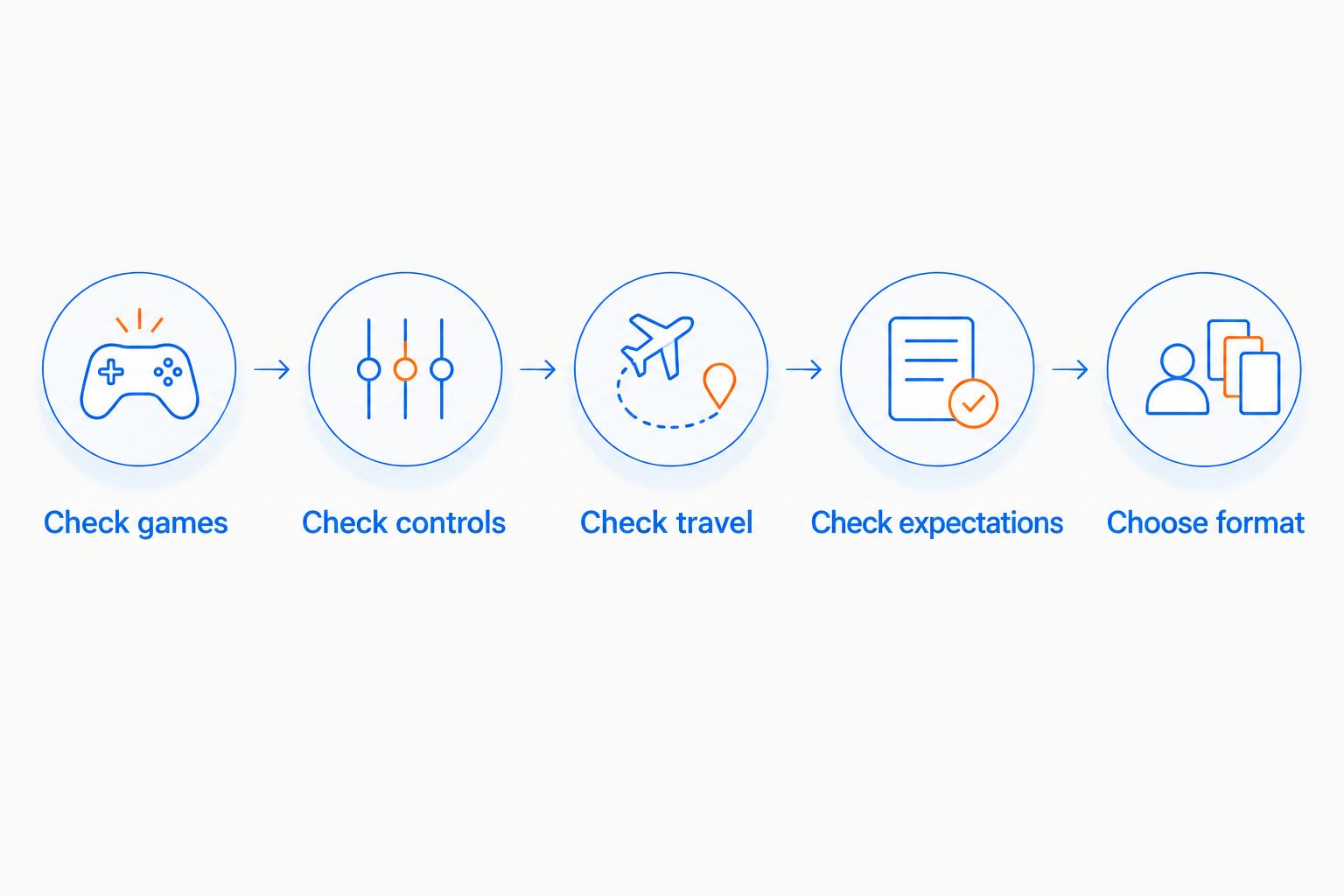
Use this sequence to turn the broad question into a clear buying decision. It works whether you already own a gaming PC or are choosing your first one.
- Check games. Write down the titles you actually intend to play. Check operating-system support, controller support, launcher requirements, and any online restrictions for each.
- Check controls. Look at how those games handle aiming, menus, inventory, and text entry. Identify where you would need a touchscreen, trackpad, mouse, or keyboard.
- Check travel. Decide where the handheld will be used and how charging fits those places. Include the device and its accessories when judging what you will carry.
- Check expectations. Look for game-specific evidence from the exact model and relevant settings. Do not transfer a result from a different handheld or power mode.
- Choose format. Compare the handheld with keeping your current computer, buying a laptop, or improving a desktop setup. Choose the option that solves your actual problem.
If you cannot explain where you would use the handheld, wait. A clear use case is more useful than a list of appealing specifications.
What should you check about battery life?
Treat handheld battery life as a game-and-settings question, not one universal runtime. A demanding game places a different load on the device from a lighter game, and power settings change that load.
For a 2026 purchase, look for battery testing that identifies the exact model, game, settings, and test conditions. A runtime without that context does not tell you how the handheld will behave in your favorite title.
Also check whether the test involves local gameplay or streaming. In local play, the handheld runs the game. With remote play, another computer runs it and sends video to the handheld, so the workloads differ.
Check charging requirements separately. A cable fitting the port does not prove that the charger supplies what the device requires during play. Use the manufacturer's charging guidance rather than guessing from connector shape.
Can a handheld gaming PC replace a desktop?
A handheld can handle desktop-style tasks when its software and connections support them, but a dock does not give it desktop-class graphics hardware. An external monitor changes the viewing experience, not the processor inside the device.
Check display-output support, the dock's connections, charging behavior, and the resolution you intend to use. A game that runs acceptably on the built-in screen needs a separate performance check at a different output resolution.
For typing and mouse-heavy games, external peripherals address the input problem. They also change the setup: you now have a small computer connected to desk equipment rather than a self-contained handheld.
Buy a handheld for handheld use first. Desktop mode is useful when supported, but it should not carry the whole justification if you expect to spend nearly all your gaming time at a monitor.
Is a handheld gaming PC worth it if you already own a gaming PC?
Yes, if your existing gaming PC keeps you at a desk when you would rather play elsewhere. The handheld adds flexibility, while the desktop remains available for games or tasks that suit a larger screen and different controls.
Remote play is another option when your devices, software, and network support it. Steam Link streams games from a host computer; it is not the same as installing and running them locally on the handheld.
Before buying in 2026, separate those use cases. Local gaming depends on handheld performance and compatibility. Remote play depends on the host computer and connection as well, and it does not establish independent offline play.
Is a handheld gaming PC a good gift?
A handheld is a good gift when you know the recipient's games, control preferences, and preferred device. It is a risky surprise when you know only that the person likes gaming.
Ask which games they want to play away from their current setup. Check those titles before choosing an operating system or model. For a gift, getting the library fit right matters more than choosing the most impressive specification sheet.
FAQ
Is a handheld gaming PC worth it in 2026?
A handheld gaming PC is worth it in 2026 if portable PC gaming solves a real problem for you. Check your main games, controls, battery expectations, and software requirements before choosing a model.
Is a handheld gaming PC better than a gaming laptop?
A handheld gaming PC is better for playing while holding the device, while a gaming laptop is better for gaming combined with regular typing and desktop-style work. Choose by how you use the computer, not portability alone.
Can a handheld gaming PC play every Steam game?
No, a handheld gaming PC does not guarantee that every Steam game works well. Operating-system compatibility, controls, performance, and multiplayer requirements need individual checks.
Do handheld gaming PCs need an internet connection?
Offline-capable games can run locally without a continuous internet connection after the required setup. Online games, downloads, account checks, and streaming have separate connection requirements.
Is Windows better than SteamOS for a handheld?
Windows is better when your required games or applications depend on Windows, while SteamOS offers a gaming-focused interface. Neither choice guarantees that every game runs well or feels comfortable on built-in controls.
Can I connect a handheld gaming PC to a monitor?
You can connect a handheld gaming PC to a monitor if the exact device supports the required display output. Check the device, dock or adapter, display connection, and charging requirements before buying accessories.
Should I buy handheld accessories at the same time?
Buy handheld accessories only after checking the device's requirements and your intended use. A dock, charger, storage card, or controller is useful only when it fits the hardware and solves a specific need.
One last thing
Check the least comfortable part of your favorite game, not just its opening scene. Read an inventory screen, enter text, and find a setting you often change. Those ordinary interactions reveal whether handheld play fits you.
For a 2026 purchase, buy for the sessions you already want to have. A handheld is worth it when it makes those sessions easier—not when you must invent new habits to justify owning it.


