


Best wired gaming headsets in 2026
Best overall: HyperX Cloud III Wired. Best for simple analog connections: Razer BlackShark V2 X. Best for desktop audio controls: SteelSeries Arctis Nova Pro Wired. Gaming and More's best wired gaming headsets guide for 2026 matches each pick to a specific setup, with open-back and software-focused alternatives below.
- HyperX Cloud III Wired leads Gaming and More's best wired gaming headsets picks for mixed PC and console setups.
- Razer BlackShark V2 X suits gamers who want a straightforward analog headset without a separate USB controller.
- SteelSeries Arctis Nova Pro Wired suits desktop players who want a separate audio control hub.
- Drop + EPOS PC38X suits quiet rooms; Logitech G PRO X Wired suits PC microphone customization.
For help narrowing the connection and microphone choices first, use the gaming headset buying guide.
Why this matters
A wired headset removes battery management, but the cable alone does not settle the buying decision. Your connection, room noise, microphone needs, and comfort still determine whether the headset fits your setup.
Start with your actual gaming spot. A closed-back headset makes more sense beside a noisy television; an open-back headset makes more sense when you have a quiet room and nobody nearby needs silence. Neither design wins everywhere.
For Gaming and More's wired gaming headset shortlist, the useful question is not which model has the longest feature list. It is which model solves your problem without adding controls or software you do not need.
What makes the best wired gaming headsets in 2026?
- Connection fit: Check the exact connector against your PC, controller, or console. A matching plug does not guarantee every software feature works.
- Comfort: Judge headband pressure, ear clearance, pad material, and glasses fit. Driver size does not answer these questions.
- Microphone practicality: Choose between a removable microphone and a permanently attached boom. Make sure mute controls are easy to reach.
- Room fit: Closed-back cups contain sound better than an open-back design, while open-back cups deliberately let sound pass through.
- Useful controls: Decide whether you want simple inline controls or a separate desktop hub before choosing a headset.
- Repairability: Check whether the microphone, pads, and cable can be replaced individually. A removable microphone does not imply a removable cable.
Best wired gaming headsets at a glance
These are use-case recommendations, not a measured sound-quality leaderboard. The table separates the exact wired models so you do not accidentally compare a wireless version with a similarly named analog headset.
| Headset | Best for | Standout feature | Key limitation |
|---|---|---|---|
| HyperX Cloud III Wired | Mixed PC and controller use | Analog and USB connection options; detachable microphone | Fixed headset cable |
| Razer BlackShark V2 X | Simple analog setups | Direct 3.5 mm connection | Attached microphone and cable |
| SteelSeries Arctis Nova Pro Wired | Desktop audio control | GameDAC Gen 2 control hub | More desk hardware; platform-specific versions |
| Drop + EPOS PC38X | Quiet-room gaming | Open-back earcups | Sound leakage and little room-noise isolation |
| Logitech G PRO X Wired | PC microphone customization | BLUE VO!CE processing through compatible PC software | Software features do not follow the analog connection |
1. HyperX Cloud III Wired: best for mixed PC and console setups
Best for: Players moving between a PC and a controller headset jack.
HyperX Cloud III Wired combines a closed-back design with a detachable boom microphone and analog or USB connection options. Its 53 mm drivers are a published hardware specification, not proof that it beats smaller-driver headsets.
The connection flexibility makes HyperX Cloud III Wired the default recommendation here. You can choose the connection that fits your device rather than buying specifically around a desktop control box. Check the required adapter and exact platform instructions before connecting.
HyperX Cloud III Wired pros:
- Analog and USB options suit different gaming setups.
- The detachable microphone comes off when you only need headphones.
- On-headset volume and mute controls keep basic adjustments close.
HyperX Cloud III Wired cons:
- The headset cable is fixed rather than detachable.
- Closed-back construction does not provide the room awareness of an open-back headset.
- USB processing features should not be assumed to work through a controller's analog jack.
Choose HyperX Cloud III Wired when your priority is one straightforward headset across supported devices. Skip the assumption that every connection unlocks identical features: basic audio compatibility and optional processing are separate questions.
Verdict: Buy HyperX Cloud III Wired for a flexible default without a separate desktop hub.
2. Razer BlackShark V2 X: best for simple analog setups
Best for: Gamers who want to plug into a compatible headset jack and play.
Razer BlackShark V2 X uses a 3.5 mm analog connection and an attached boom microphone. This recommendation refers to the analog BlackShark V2 X, not the separately named USB model.
The appeal is the direct connection. You do not need a dedicated USB audio controller for basic headphone and microphone operation, although a desktop with separate audio jacks needs the appropriate splitter. Check the box contents instead of assuming an adapter is included.
Razer BlackShark V2 X pros:
- Direct analog operation keeps the connection simple.
- Physical volume and mute controls cover everyday adjustments.
- Its 50 mm drivers and closed-back design are clearly identified in Razer's specifications.
Razer BlackShark V2 X cons:
- The microphone is attached rather than removable.
- The cable is attached, limiting straightforward cable replacement.
- PC surround software is separate from basic analog compatibility.
Razer BlackShark V2 X makes sense when you prefer fewer components between the headset and your device. It is less suitable if you want to remove the microphone for everyday listening or replace the lead independently after damage.
For a gift, confirm that the recipient has a compatible headset jack. A familiar gaming logo does not resolve a connection mismatch.
Verdict: Buy Razer BlackShark V2 X for uncomplicated analog gaming; skip it if detachable parts are essential.
3. SteelSeries Arctis Nova Pro Wired: best for desktop audio control
Best for: Desk-based players who want controls outside the headset.
SteelSeries Arctis Nova Pro Wired pairs the headset with a GameDAC Gen 2 desktop control unit. The hub gives you a physical place to manage audio rather than reaching for an operating-system menu during play.
This is a setup choice as much as a headset choice. The separate unit earns its place when you actually use desktop controls, but it adds hardware and cable routing. Do not confuse this model with Arctis Nova Pro Wireless.
SteelSeries Arctis Nova Pro Wired pros:
- The GameDAC provides a dedicated desktop control point.
- A retractable microphone stays attached while moving out of the way.
- The detachable headset cable supports a different repair approach from fixed-cable designs.
SteelSeries Arctis Nova Pro Wired cons:
- The control hub takes desk space and adds connections.
- Xbox support depends on choosing the appropriate version.
- SteelSeries Sonar features are PC software features, not universal console functions.
Choose SteelSeries Arctis Nova Pro Wired because you want the control hub, not because a hub automatically guarantees better game audio. Confirm the platform version against SteelSeries' compatibility documentation before committing to the setup.
Verdict: Buy SteelSeries Arctis Nova Pro Wired for desktop controls; skip it for a minimal controller-only setup.
4. Drop + EPOS PC38X: best for quiet-room gaming
Best for: Players who deliberately want an open-back headset.
Drop + EPOS PC38X uses open-back earcups and a boom microphone with flip-to-mute operation. The open construction lets sound pass between your listening space and the room.
That trade-off defines the recommendation. Drop + EPOS PC38X belongs on a quiet-room shortlist, not on a list for blocking roommates, television audio, or nearby conversation. Open-back does not mean universally better.
Drop + EPOS PC38X pros:
- Open-back construction suits listeners who dislike being acoustically sealed off.
- Lifting the microphone provides a physical mute action.
- The detachable cable is separate from the headset body.
Drop + EPOS PC38X cons:
- Sound leaks outward and can disturb someone nearby.
- The design provides little isolation from room noise.
- The microphone is not removable like the Cloud III's microphone.
Choose Drop + EPOS PC38X only after considering who shares your room. A quiet home office and a living room with someone watching television call for different headset designs, even when you play exactly the same games.
Verdict: Buy Drop + EPOS PC38X for a quiet room; skip it when isolation matters.
5. Logitech G PRO X Wired: best for PC microphone customization
Best for: PC gamers who want software controls for their headset microphone.
Logitech G PRO X Wired includes a USB sound card and supports BLUE VO!CE microphone processing through Logitech G HUB. This recommendation covers the wired G PRO X, not the wireless models sharing the family name.
The software connection is the reason to choose Logitech G PRO X Wired here. Analog use does not carry the USB sound card's processing with it, so a controller-only buyer should not treat the PC feature list as console functionality.
Logitech G PRO X Wired pros:
- BLUE VO!CE provides microphone-processing controls on a compatible PC setup.
- The microphone is detachable.
- Detachable cables separate cable damage from the headset itself.
Logitech G PRO X Wired cons:
- Microphone processing requires the supported USB and software setup.
- Extra settings add configuration work compared with basic analog use.
- Software processing does not remove the need for sensible microphone placement.
Start with a natural microphone recording before adjusting effects. Processing should address a specific problem, not become a substitute for placing the boom correctly and checking your input level.
Verdict: Buy Logitech G PRO X Wired for PC microphone controls; skip it if you will never use G HUB.
Match the connection before you buy
For a 2026 setup, begin with the device you actually use, not the headset's feature badge. Follow this sequence before ordering any of the recommendations.
- Check the port. Identify whether your device has a combined headset jack, separate headphone and microphone jacks, or a supported USB audio connection.
- Match the version. Check the full model name, wired designation, and platform edition against the manufacturer's documentation.
- Check microphone input. Confirm that the chosen connection carries voice as well as headphone audio.
- Route the cable. Leave enough slack to turn your head without pulling against the connector or controller.
- Test voice. Record speech, check mute operation, and listen for rubbing or keyboard pickup before changing effects.
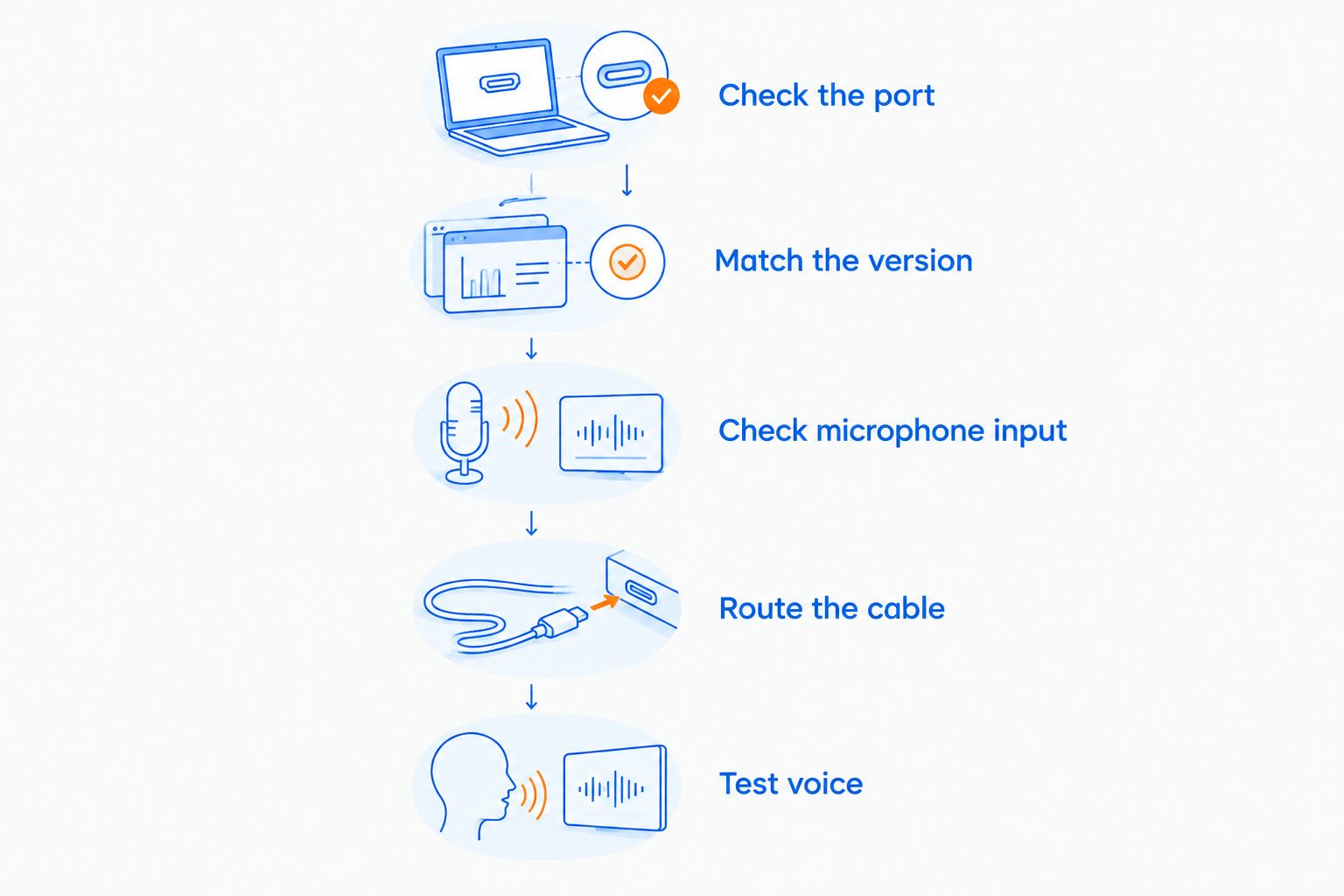
A 3.5 mm plug is not a complete compatibility statement. The socket must support the functions you need, and optional USB processing remains separate from analog operation.
How we ranked the 2026 shortlist
The ranking prioritizes connection fit, practical controls, microphone configuration, room suitability, and replaceable components. HyperX Cloud III Wired takes the default slot because its connection options cover different setup types without requiring a desktop hub.
The factual basis is the manufacturers' model specifications and support documentation: HyperX for Cloud III Wired connections, Razer for analog BlackShark V2 X hardware, SteelSeries for GameDAC and platform versions, Drop for PC38X construction, and Logitech for G PRO X software support. These are hardware and compatibility references, not a 2026 comparative listening test.
No measured microphone scores, comfort scores, or competitive-performance claims determine this order. Use the use-case labels to choose; do not treat fifth place as fifth-best sound.
Which wired gaming headset should you choose?
Gaming and More's wired gaming headset default is HyperX Cloud III Wired for players moving between PC and controller connections. Its detachable microphone and connection options make the buying decision straightforward.
Choose Razer BlackShark V2 X for simple analog use, SteelSeries Arctis Nova Pro Wired for desktop controls, Drop + EPOS PC38X for an open-back quiet-room setup, or Logitech G PRO X Wired for PC microphone processing. Each alternative earns its place by solving a different problem.
For 2026, keep the decision in that order: platform first, room second, microphone needs third. Optional effects come after those basics.
FAQ
What's the best wired gaming headset for most players?
HyperX Cloud III Wired is the default recommendation for players who want analog and USB connection options plus a detachable microphone. Check the exact platform instructions before choosing your connection.
Is a wired gaming headset better than a wireless headset?
A wired gaming headset is better suited to players who want to avoid charging and keep a physical audio connection. Wireless is the better fit when freedom to move matters more than keeping a cable attached.
Can I use the same wired headset on PC and console?
You can use one wired headset across PC and console when both support its connection and microphone wiring. Optional PC software features do not automatically work through a console controller.
Which wired gaming headset is best for a quiet room?
Drop + EPOS PC38X is the quiet-room recommendation because its open-back design intentionally lets sound pass through the earcups. Choose a closed-back alternative when nearby noise or sound leakage is a problem.
Do bigger headset drivers mean better gaming audio?
Bigger drivers do not by themselves establish better gaming audio. Driver design, tuning, earcup construction, fit, and the source signal also affect what you hear.
Does a wired headset need surround sound for competitive games?
A wired headset does not need a surround-sound feature to reproduce a game's stereo output. Start with the game's recommended headphone settings and avoid stacking several spatial-processing systems.
Why does my wired headset play sound but the microphone does not work?
The microphone connection or input selection needs checking when headphone audio works but voice does not. Confirm the port type, any required splitter, the mute switch, and the selected recording device.
One last thing
Check the socket before replacing a working headset. A desktop's separate headphone and microphone sockets need a different connection arrangement from a combined controller headset jack.
That small wiring detail can explain why you hear the game but your squad cannot hear you. Fix the signal path first; choose a new headset when its design actually solves a problem your current one cannot.


