


GamingAndMore vs CyberPowerPC: which is better in 2026
Choose Gaming and More if you want to shop ready-configured computers alongside gaming accessories and everyday tech; choose CyberPowerPC if you want to configure a gaming desktop around specific components. This 2026 comparison separates setup shopping from custom-PC shopping, then explains how to compare the actual machines before you buy.
- GamingAndMore vs CyberPowerPC comes down to ready-configured setup shopping versus custom gaming-PC configuration.
- Gaming and More suits buyers shopping gaming computers, accessories, and everyday tech together.
- CyberPowerPC suits desktop buyers who want component choices through a system configurator.
- Neither seller wins gaming performance automatically; compare the exact GPU, CPU, cooling, and memory.
Why this matters
A gaming store and a custom-PC builder solve different buying problems. If you already know which graphics card, motherboard, and cooling arrangement you want, configuration control matters. If you need a computer plus the gear around it, browsing finished products across categories serves a different purpose.
Choose the buying process first, then choose the computer. Reversing that order makes it easy to mistake a convenient shopping experience for better hardware, or a longer component menu for a better purchase.
For a 2026 purchase, write down your games, display resolution, desk space, and upgrade priorities before comparing sellers. Those requirements give you something concrete to judge beyond product names and case lighting.
At a glance
| Dimension | Gaming and More | CyberPowerPC |
|---|---|---|
| Best for | Buyers shopping computers and setup accessories together | Buyers configuring a gaming desktop |
| Product selection | Curated computers, peripherals, storage, and everyday tech | Gaming-PC-focused shopping and custom systems |
| Component control | Selection between listed product configurations | Component selection through configurable systems |
| Standout feature | Cross-category setup shopping | Custom-PC configuration workflow |
| Gaming performance | Depends on the exact machine | Depends on the exact machine |
| Upgrade planning | Check the motherboard, case, power supply, and cooling | Check the motherboard, case, power supply, and cooling |
| Decision effort | Start with a finished product and verify its details | Start with a system and evaluate component choices |
| Pricing model | Product-listing-based purchasing | Configuration-based purchasing for custom systems |
The table compares buying approaches, not benchmark results. A retailer’s wider catalog does not make its computers faster, and a builder’s component choices do not guarantee that every configuration makes sense for your games.
Gaming and More suits whole-setup shopping
Best for: first-time setup buyers, casual gamers, and gift shoppers. The catalog includes gaming desktops, laptops, monitors, mice, keyboards, storage, and other everyday tech. That breadth matters when your shopping list extends beyond the tower.
You can compare a desktop against a laptop, then consider the screen and controls you need around it. For example, the supplied catalog includes a monitor listed at 165Hz and a compact keyboard described as a 60% layout. These are separate setup decisions, not proof that either accessory fits every buyer.
The trade-off is that category breadth does not answer detailed hardware questions. You still need to inspect each computer’s graphics, connections, internal components, and configuration before deciding whether it matches your games.
For a gift, start with what the recipient already owns. A replacement mouse and a first gaming desktop require very different levels of compatibility checking, even when you buy them from the same store.
A listed desktop is a starting point, not a performance verdict
The Element Pro Gaming PC is a concrete configuration to investigate. Its supplied listing names AMD Ryzen 7 and RTX 5070 hardware, while its URL identifies 16GB DDR5 memory and 1TB NVMe storage.
Best for: desktop shoppers who want to evaluate an already-listed configuration. Check the full component breakdown before treating the headline CPU and GPU as a complete specification. The motherboard, power supply, cooling, and memory arrangement still affect the purchase decision.
CyberPowerPC wins when component control is the priority
Best for: PC buyers who want to select components within a custom system. CyberPowerPC’s custom-PC configurators make component selection part of the buying process. That is the more direct route when choosing the internals is central to your purchase.
The advantage is control. You can evaluate the configuration as a system rather than searching only for a finished listing that happens to match your preferred parts.
The disadvantage is responsibility. A configurator gives you choices, but you still need to decide whether each change serves your workload. Adding memory does not replace a suitable graphics card, and selecting a more expensive CPU does not resolve an unsuitable display connection.
In 2026, use configuration options to meet a written requirement rather than to accumulate upgrades. Record the exact selected parts before checkout so that you can compare the finished build against another complete machine.
Ready configurations reduce browsing; custom builds increase control
The retailer wins for buyers who prefer choosing among finished listings; CyberPowerPC wins for buyers who want to shape the build. These are genuine advantages for different people, not competing claims about frame rates.
- Setup shopping: Start with the computer and accessories you need, then check compatibility across the shopping list.
- Component control: Start with the internal parts you require, then evaluate the complete configured system.
- Ready configurations: Compare finished product specifications without making every component selection yourself.
- Custom builds: Make component decisions deliberately and inspect the resulting specification as a whole.
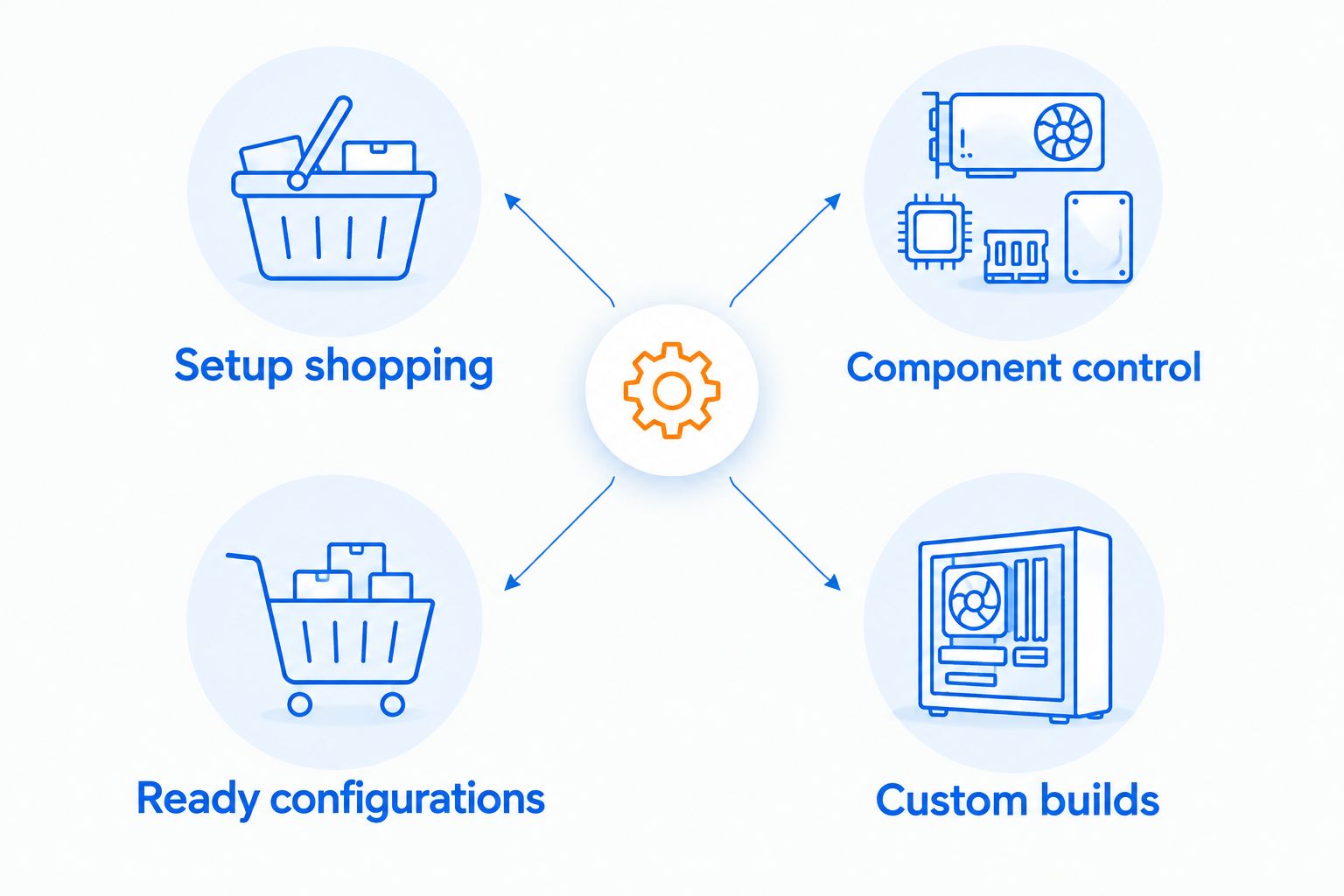
Neither path removes the need to read specifications. The practical difference is where you spend your effort: finding a suitable finished product or selecting the parts inside a system.
A ready-configured computer is not inherently basic. A customized computer is not inherently well balanced. Judge the finished specification, not the amount of work involved in ordering it.
Neither seller wins gaming performance by name
Performance is a machine-level comparison, not a store-level comparison. Compare the exact graphics card and processor first, then examine memory, cooling, and the games you intend to play.
A CPU family label alone is not enough. An Intel Core i7 or AMD Ryzen 7 name does not identify the complete processor, just as the word gaming does not establish a graphics configuration.
Use this checklist for each shortlisted computer:
- Graphics: Identify the exact GPU and whether graphics are integrated or dedicated.
- Processor: Record the complete CPU model, not just its family.
- Memory: Check capacity, memory type, and the installed module arrangement.
- Storage: Separate drive capacity from the type of drive installed.
- Cooling: Identify the CPU cooler and case airflow arrangement.
- Evidence: Look for independent tests using comparable hardware, games, resolution, and settings.
Do not turn storage or display specifications into performance promises. A 1TB SSD describes storage capacity; it does not tell you the frame rate. A 165Hz monitor describes its refresh capability, not the output every computer will achieve.
For 2026 gaming, compare tests that reflect your actual games and settings. A result from a different graphics preset is not a like-for-like answer.
Upgradeability is a tie until you inspect the internals
Neither buying model guarantees easy upgrades. A desktop’s upgrade path depends on its socket, motherboard support, power supply, case clearance, cooling, and available connections.
A computer that looks spacious from the outside still needs internal measurements. Graphics-card length, cooler height, and radiator placement can determine whether a future part fits.
Ask the same questions of both sellers:
- What is the exact motherboard model?
- Which memory slots are occupied?
- What power supply and connectors are installed?
- What storage connections remain usable?
- What case and cooling clearances apply?
CyberPowerPC’s configuration workflow is useful when it exposes the parts you want to assess. A ready-configured listing is useful when its specifications answer those same questions clearly. Treat documented components as the advantage—not the seller’s name.
If you expect to replace the graphics card later, investigate the power supply and physical fit before buying the original machine. Waiting until upgrade day turns a straightforward component purchase into a compatibility problem.
Decision effort favors different kinds of buyers
Finished listings suit buyers who want a shortlist; configurators suit buyers who want deliberate component selection. The right process is the one that helps you make a complete decision without guessing.
A first-time buyer can begin with a finished desktop, confirm its specifications, and compare another finished desktop. That approach keeps the comparison focused, provided the listings contain the information needed.
An experienced buyer can begin with a required component set and inspect a configurable system against it. The extra choices are useful when they correspond to real preferences about cooling, connectivity, storage, or future changes.
Both processes have a failure mode. Finished-product shopping encourages overreliance on headline specifications; configuration shopping encourages changes without a clear reason. Counter both with a written list of requirements and a saved final specification.
Pricing: compare the complete purchase, not the headline
The retailer’s model centers on listed products. CyberPowerPC’s custom-system model centers on the configuration you select, so compare the completed specification rather than the starting system.
A finished listing simplifies the comparison; a configurable system lets you change what you are comparing. Neither model establishes better value on its own.
For a fair 2026 comparison, put the following beside each other:
- The exact CPU and GPU.
- Installed memory and storage.
- Motherboard, power supply, and cooling.
- Operating-system inclusion and required accessories.
- Delivery terms for your destination.
- Written return conditions and warranty coverage.
Keep the tower comparison separate from the setup comparison. If one shopping list includes a monitor, keyboard, and mouse while the other includes only a computer, the totals answer different questions.
For international orders, check destination-specific terms before committing. Worldwide shipping is part of the retailer’s stated offering, but it does not replace checking the conditions applicable to your order.
Final verdict: choose the shopping model that fits your task
Choose Gaming and More if you are building a complete setup
Winner for the setup shopper. Choose this route when you want to compare listed computers alongside monitors, peripherals, storage, and everyday tech. It also fits gift shoppers who know the recipient’s requirements and want to browse relevant categories together.
The limitation is clear: a broad catalog does not replace detailed component information. Confirm the exact machine before buying, especially when future upgrades matter.
Choose CyberPowerPC if you want to configure a desktop
Winner for the component-focused desktop buyer. Choose this route when you want to make internal hardware choices through a custom-PC configuration process.
The limitation is equally clear: additional choices require additional judgment. Evaluate the finished system against your games, display, and upgrade plan instead of assuming customization guarantees a better result.
One-glance scorecard
| Dimension | Winner |
|---|---|
| Whole-setup shopping | The retailer’s cross-category approach |
| Custom desktop component selection | CyberPowerPC |
| Standout shopping feature | Setup breadth or configuration control, according to your task |
| Gaming performance | No seller-level winner; compare exact machines |
| Upgradeability | Tie until component details are checked |
| Decision effort | Finished listings for shortlist buyers; CyberPowerPC for configuration buyers |
| Pricing model | No automatic winner; compare complete purchases |
FAQ
Is Gaming and More better than CyberPowerPC?
Gaming and More is the better fit for shopping listed computers alongside setup accessories; CyberPowerPC is the better fit for configuring a custom gaming desktop. Compare the exact machines separately before deciding which purchase suits your games.
Which should I choose for a custom gaming PC?
Choose CyberPowerPC when selecting internal components through a system configurator is your priority. Review the complete selected specification rather than judging the system by its starting configuration.
Which seller has faster gaming computers?
Neither seller wins gaming performance across its name alone. Compare the exact GPU, CPU, memory arrangement, and cooling using relevant independent game tests.
Can I upgrade a prebuilt gaming PC later?
You can upgrade a prebuilt desktop when its components, physical clearances, power supply, and motherboard support the change. Check the exact machine before buying rather than assuming every desktop has the same upgrade path.
Should I buy a gaming PC and monitor together?
Buy them together when their capabilities and connections match your requirements. A monitor’s refresh rate does not guarantee that the selected computer will produce matching frame rates in your games.
How should I compare the cost of two gaming PCs?
Compare complete systems with the exact selected components and equivalent included accessories. Read delivery, return, and warranty terms separately so that different purchase conditions do not disappear behind a headline comparison.
What should a first-time gaming PC buyer check first?
Start with your games, intended display resolution, and whether you need a complete setup or only a computer. Then identify the exact GPU and CPU before evaluating storage, memory, cooling, and upgrade options.
One last thing
Your existing monitor belongs on the PC shortlist. Write down its resolution, refresh rate, and input connections before choosing a tower. A computer and a display can each look suitable in isolation while failing to match the setup you actually want.
Save the finished computer specification alongside that display information. It gives you a useful reference for checkout, troubleshooting, and future upgrades—not just another product name to remember.


