


Is a mini gaming PC quieter than a full tower PC?
No—a mini gaming PC is not automatically quieter than a full tower PC. A low-power mini PC can make less noise during light tasks, but a well-cooled tower can run quieter during demanding games because it has more room for heatsinks and larger fans. Choose by cooling design and noise under your actual gaming load, not by case size.
- Is a mini gaming PC quieter than a full tower PC? Not automatically; cooling design and gaming load decide.
- A full tower offers more cooling space, but powerful components and aggressive fan settings can erase that advantage.
- Gaming and More lists compact PCs and gaming desktops; compare hardware before treating them as noise alternatives.
- Match game settings, frame rate and listening distance before comparing PC fan noise.
Is a mini gaming PC quieter than a full tower PC?
Neither size wins by default. The useful comparison is between complete systems doing the same job, not between an empty small case and an empty large one.
A compact computer running a light game is a different proposition from a compact system driving demanding graphics. Likewise, a tower with restricted ventilation is not a quiet-PC recommendation simply because it is large.
| PC type | Best for | Noise advantage | Trade-off |
|---|---|---|---|
| Low-power mini PC | Everyday computing and games suited to its hardware | Lower component power reduces the heat cooling must remove | Limited gaming performance can make the comparison unfair |
| Compact gaming PC | Gaming where desk space matters | Can combine a smaller footprint with dedicated graphics | Cooler space and ventilation need close attention |
| Full tower PC | Builds prioritizing cooling flexibility | More room for large heatsinks, fans and component spacing | Size does not prevent loud fans, pumps or graphics cards |
At Gaming and More, compare the processor and graphics configuration before comparing the enclosure. A compact office-style PC and a dedicated gaming desktop are not interchangeable just because both run games.
Why this matters
A PC can sound unobtrusive while browsing and become distracting once a game loads. If you buy for a shared bedroom, an open microphone or late-night gaming, that change matters more than the noise you hear on the desktop.
For a 2026 purchase, ask a specific question: how does this exact configuration sound while running the games and settings you use? A quiet idle demonstration does not answer it.
Your listening position matters, too. A small computer beside your keyboard puts its cooling system close to your ears; a tower farther away changes the comparison even before you consider the hardware.
Low-power mini PCs: best for lighter workloads
A low-power mini PC makes sense when you want everyday computing, streaming and games that fit its graphics capabilities. Its potential noise advantage comes from generating less heat—not from being miniature.
Choose a low-power mini PC for an appropriate workload, not as a silent substitute for a dedicated gaming desktop. Integrated graphics, power limits and cooling design all affect the result.
Check the exact games you expect to play. Meeting a game's launch requirements is different from delivering the resolution, settings and frame rate you want without sustained cooling noise.
Memory and storage specifications do not settle this question. A listing with 32GB RAM and a 1TB SSD tells you about capacity; it does not establish gaming performance or acoustic behavior.
Compact gaming PCs: best for saving desk space
A compact gaming PC with dedicated graphics targets a different buyer. You get a smaller enclosure without necessarily choosing an everyday-computing configuration, but the processor and graphics card still need to shed heat.
The enclosure must give those components a workable path for incoming and outgoing air. A compact design with sensible cooling deserves consideration; a small chassis alone deserves no quietness claim.
Choose a compact gaming PC when space matters and its load-noise behavior meets your needs. Confirm how the exact graphics card, CPU cooler and case fans behave together rather than borrowing conclusions from another configuration with a similar name.
Full tower PCs: best for cooling flexibility
A full tower gives a builder more room to work with. Larger heatsinks, component spacing and additional fan positions provide options for moving heat without relying on a cramped cooling arrangement.
That is an opportunity, not a guarantee. A high-power graphics card, an aggressive fan curve or a noisy liquid-cooling pump can remain audible inside a large enclosure.
Choose a full tower when cooling flexibility matters more than footprint. For noise-focused buying in 2026, favor evidence about the assembled system over promises based on enclosure size or fan count.
Why PC noise varies
These factors explain why two similarly sized computers can sound very different:
- Heat output: The CPU and GPU turn electrical power into heat. More heat increases the cooling system's workload.
- Cooling space: Heatsink size, fan dimensions and clearance affect how the system moves heat into the surrounding air.
- Airflow: Restricted intakes, blocked exhausts and dust buildup interfere with cooling. Extra case volume does not fix a blocked vent.
- Fan control: Fan curves determine how quickly fans respond to temperature changes. Repeated speed changes can be distracting even without a constant loud roar.
- Workload: Game settings, frame-rate limits and background tasks change component load. An idle comparison misses these differences.
- Placement: Distance, nearby surfaces and desk vibration change what reaches your ears. The same PC can sound different after you move it.
A larger fan can move air at a lower rotational speed than a smaller fan moving comparable airflow, but that does not make every large-fan system quieter. Fan quality, restrictions and the amount of heat being removed still matter.
How do you compare gaming PC noise fairly?
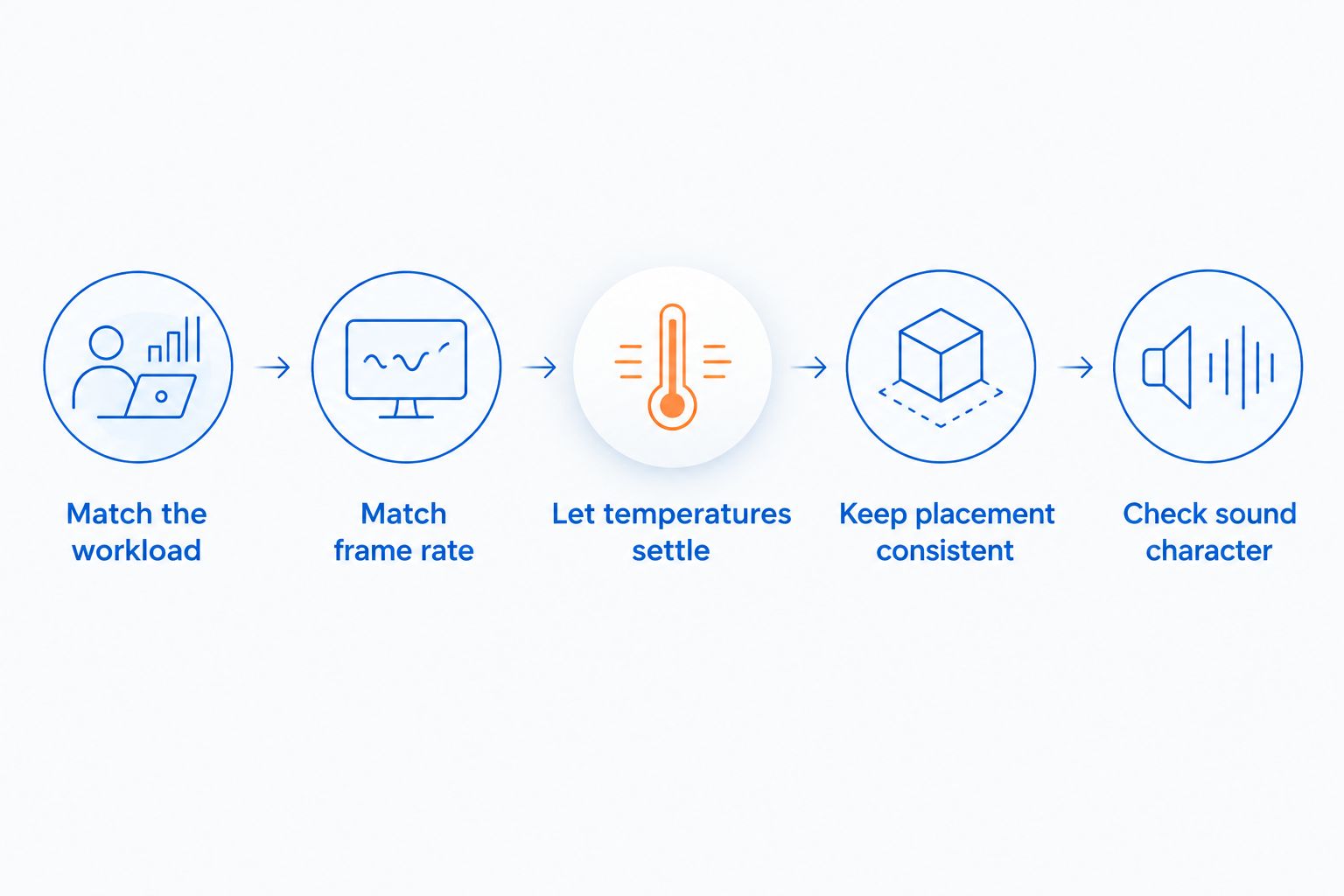
Use a repeatable process rather than comparing unrelated recordings. For your 2026 shortlist, keep the workload and listening conditions consistent before drawing conclusions.
- Match the workload. Use the same game, scene, resolution and graphics settings. Include background software you normally run.
- Match the frame rate. Compare at the performance level you actually want. An uncapped system doing more rendering work is not an equal comparison.
- Let temperatures settle. Listen after the game has been running steadily, not only during launch or a loading screen.
- Keep placement consistent. Use the same listening distance and keep ventilation unobstructed. Record where each computer sits.
- Check sound character. Listen for steady airflow, whining, rattling and repeated fan-speed changes—not just overall loudness.
If a review reports sound levels in dBA, check the measurement distance and background noise. Numbers from different rooms or test methods do not become directly comparable just because they share a unit.
Phone recordings help reveal rattles and changing fan tones, but automatic microphone gain can distort loudness comparisons. Treat them as evidence of sound character, not a substitute for controlled measurements.
Which compact PC should you investigate first?
Gaming and More is best for gamers comparing compact PCs and desktop gaming hardware, not for choosing a quiet PC by size alone. Start with the hardware category that fits your games, then investigate its cooling behavior.
The Intel N150 Mini PC listing specifies 32GB RAM, a 1TB SSD and triple 4K display support. Best for: buyers investigating a compact everyday computer. Display-output support does not establish demanding-game performance at that resolution, and those capacity figures do not establish quietness.
The Skytech Blaze4 Mini Gaming PC listing specifies an RTX 5060 Ti. Best for: buyers investigating compact dedicated-graphics gaming. That makes it a different hardware proposition from the N150 system, but the GPU name does not tell you how loud the assembled PC sounds.
| Listed system | Best for | Relevant strength | Limitation for this decision |
|---|---|---|---|
| Intel N150 Mini PC | Compact everyday-computing buyers | Listed 32GB RAM and 1TB SSD | Capacity and display support do not establish gaming acoustics |
| Skytech Blaze4 Mini Gaming PC | Compact dedicated-graphics buyers | Listed RTX 5060 Ti | Graphics hardware alone does not establish system noise |
Use these as starting points for investigation, not a quietness ranking. Ask about the exact configuration and look for sustained gaming-noise evidence before treating either computer as the quieter choice.


Can room treatment make a noisy gaming PC quiet?
Room treatment and PC cooling solve different problems. Understanding how acoustic panels affect noise starts with separating sound absorption from sound isolation: reducing reflected sound does not stop a computer from producing fan noise.
For your 2026 setup, address the source first. Keep vents clear, investigate rattles and use appropriate workload settings before expecting wall treatment to compensate for a loud cooling system beside your head.
Do not wrap the enclosure in fabric or push it into a closed cabinet to hide the sound. Blocking ventilation works against the cooling system and can increase the temperature it must manage.
Where should you put a mini gaming PC?
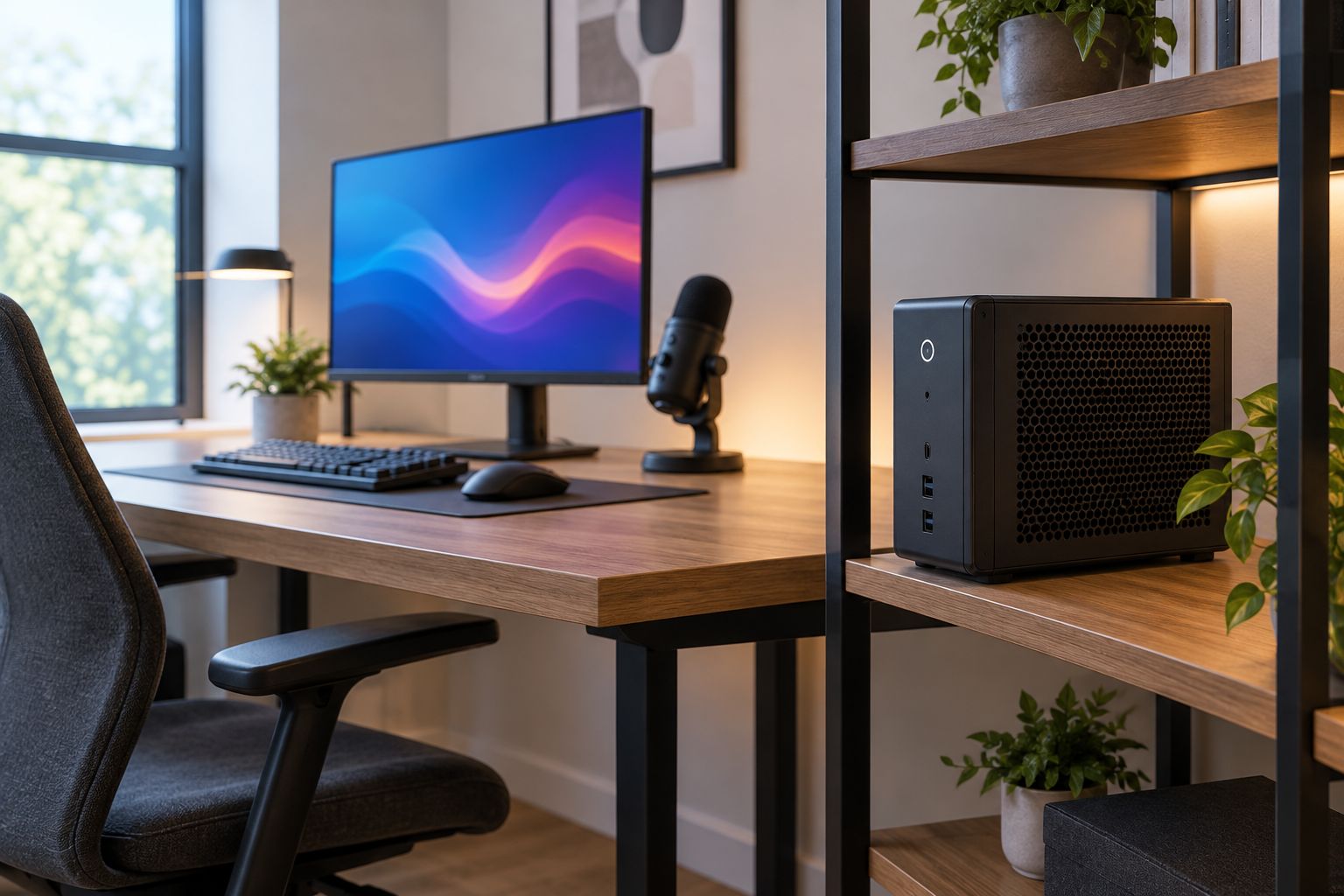
Place the PC on a stable surface with its intake and exhaust paths open. Follow the manufacturer's orientation and clearance instructions rather than assuming every mini PC can sit behind a monitor or stand vertically.
Move it away from your microphone and ears when the layout allows. Keep it accessible enough to inspect vents and connections; hiding it should not mean forgetting how it cools itself.
If a panel buzzes against the desk, investigate that contact separately from fan noise. A loose panel or vibrating surface calls for a different fix than a fan responding to GPU temperature.
Does a full tower need more fans to be quieter?
More fans do not automatically mean less noise. Additional fans help only when they improve airflow enough to justify the sound they add.
Look at intake restrictions, exhaust paths and fan control together. A tower packed with fast-spinning fans can be more distracting than a smaller system with a well-matched cooling arrangement.
Can limiting frame rate reduce PC fan noise?
A frame-rate limit can reduce rendering work when a game would otherwise run above that limit. If that lowers GPU power and temperature, the cooling system can respond with lower fan speeds.
Keep expectations tied to the workload. A demanding game already running below the limit will not gain the same benefit, and a frame cap does not fix a rattling fan or blocked intake.
Is a fanless mini PC better for silent gaming?
A fanless PC removes fan noise, but the absence of fans does not establish suitable gaming performance. Passive cooling still has to dissipate component heat.
For gaming, start with the games and performance you require. Then assess whether the specific fanless configuration meets those requirements under sustained use.
FAQ
Is a mini gaming PC quieter than a full tower PC while gaming?
A mini gaming PC is not inherently quieter than a full tower PC while gaming. Compare complete systems under the same game, settings, frame-rate target and listening conditions.
What's the best PC size for a quiet bedroom setup?
The best choice is the system with suitable gaming performance and verified low load noise, not a particular case size. Placement and unobstructed ventilation also affect what you hear.
Does more RAM make a mini gaming PC quieter?
More RAM is not a quietness specification. CPU and GPU load, cooling design and fan control are more relevant to sustained gaming noise.
Are larger PC fans always quieter?
Larger fans are not always quieter. Fan speed, airflow restrictions, design and the amount of cooling required determine the result.
Can a mini PC be quiet when browsing but loud in games?
Yes, a mini PC can be quiet during browsing and louder during games. Gaming increases component workload and heat, which can trigger higher fan speeds.
Should I put my gaming PC in a cabinet to reduce noise?
Do not use a closed cabinet that restricts the PC's ventilation. Keep the manufacturer's required clearances and preserve open intake and exhaust paths.
Will acoustic panels stop my gaming PC's fan noise?
Acoustic panels do not stop the PC from generating fan noise. Sound absorption addresses room reflections, while cooling changes and placement address the source more directly.
One last thing
A steady airflow sound and a repeatedly surging fan are different buying experiences. Listen for changes as well as loudness; a short idle clip hides the behavior that can distract you during a long session.
For a 2026 purchase, make sustained gaming behavior the deciding evidence. Choose the smallest PC that meets your performance and noise requirements—not the smallest PC and hope the noise works out.


