


Best gaming chairs in 2026
Best overall: Secretlab TITAN Evo. Best for a shared work-and-gaming desk: Steelcase Gesture. Best straightforward option: IKEA MATCHSPEL. These are the best gaming chairs to shortlist in 2026, with Herman Miller Embody Gaming and Razer Fujin Pro filling distinct needs for flexible support and breathable seating.
- The best gaming chairs start with body fit; Secretlab TITAN Evo offers three sizes for different builds.
- Steelcase Gesture suits a shared work-and-gaming desk, especially when arm positioning matters.
- Razer Fujin Pro suits mesh-seat buyers; IKEA MATCHSPEL keeps the adjustment choices simpler.
- Gaming and More recommends checking chair dimensions against your body and desk before choosing gaming setup accessories.
Why this matters
A chair can look right beside your PC and still put your elbows above the desk. A deep seat can also stop you from using the backrest without pressing against the backs of your knees. Neither problem disappears because the chair says gaming on the box.
At Gaming and More, the gaming setup decision starts with how you actually play: keyboard and mouse at a desk, controller in a reclined position, or both. Choose the chair around that routine rather than matching upholstery to your case lighting.
The best chair is the one that supports your usual playing position without making you reach for your controls. Adjustable parts only help when their adjustment range fits you.
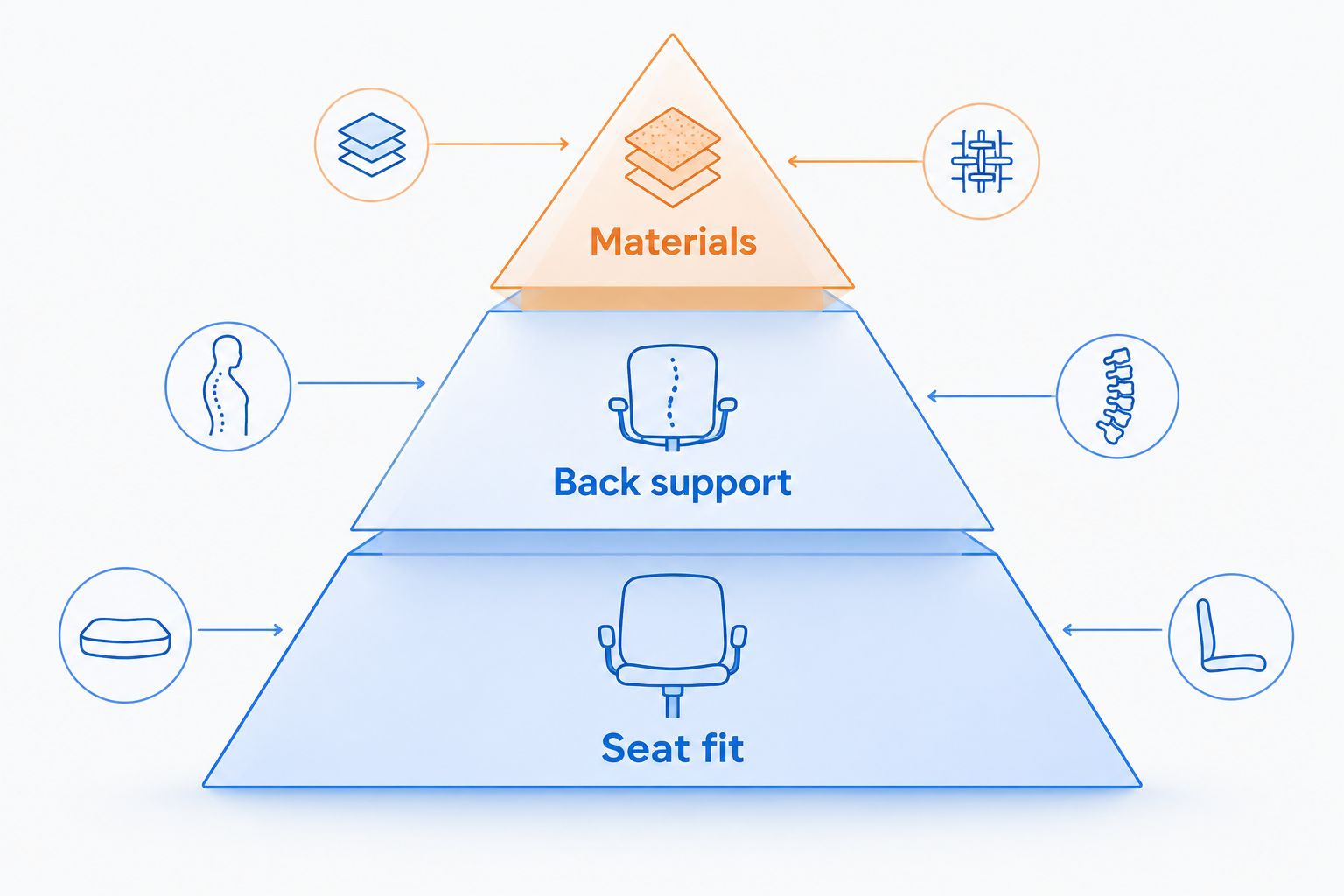
What makes the best gaming chairs?
Use these criteria to judge the 2026 shortlist before picking a favorite:
- Seat fit: Your feet need support, and the seat edge must not press into the backs of your knees.
- Back support: The backrest should support you while you use the keyboard, not only when you lean back.
- Arm positioning: Armrests must let your shoulders relax without blocking access to the desk.
- Movement: Recline and tilt should let you change position without feeling unstable or difficult to control.
- Materials: Decide whether you prefer a padded seat, a mesh seat, or a flexible upholstered surface.
- Desk clearance: Check the chair's overall width, armrest height, and space needed behind the backrest.
Treat body fit as the pass-or-fail test. Materials and styling come afterward; a breathable backrest cannot compensate for a seat that is too deep.
Best gaming chairs at a glance
These 2026 recommendations separate chairs by use case rather than pretending every player needs the same seat. The limitations belong in the decision, not in the fine print.
| Chair | Best for | Standout feature | Key limitation |
|---|---|---|---|
| Secretlab TITAN Evo | An adjustable gaming-style chair | Three sizes and integrated adjustable lumbar support | Firm seat and a substantial footprint |
| Steelcase Gesture | A shared work-and-gaming desk | Highly adjustable arm positioning | No traditional gaming-chair leg rest or deep recline |
| Herman Miller Embody Gaming | Players who prefer flexible back support | Flexible backrest and adjustable seat depth | No headrest or conventional adjustable arm pads |
| Razer Fujin Pro | Players who want mesh seating | Mesh seat and back with adjustable lumbar support | Mesh feels different from a padded cushion |
| IKEA MATCHSPEL | Buyers who want simpler controls | Mesh back, padded seat, and adjustable headrest | No seat-depth adjustment |
1. Secretlab TITAN Evo: best gaming chair for adjustable sizing
Secretlab TITAN Evo is the default shortlist pick if you want the familiar gaming-chair shape without treating sizing as an afterthought. The range includes Small, Regular, and XL sizes, plus integrated lumbar adjustment rather than relying only on a loose back cushion.
The TITAN Evo's lumbar system adjusts in four directions, and its backrest reclines up to 165 degrees. Those are adjustment capabilities, not proof that every position will suit your body or desk.
Secretlab TITAN Evo pros:
- Three sizes give you alternatives to a single standard seat.
- Integrated lumbar adjustment changes both height and prominence.
- A magnetic head pillow allows repositioning without straps.
Secretlab TITAN Evo cons:
- The firm seat is not the right feel for someone seeking a soft cushion.
- The chair's footprint needs checking in a narrow gaming corner.
- Choosing by height alone ignores differences in leg and torso length.
Best for: PC gamers who want gaming-chair styling and a choice of seat sizes.
Verdict: Buy if the size guide matches your measurements and you prefer a firm seat. Skip it if you want a plush, sofa-like feel.
2. Steelcase Gesture: best gaming chair for a work-and-play desk
Steelcase Gesture makes sense when your gaming desk also handles work, studying, and video calls. Its defining feature is the arm system, which gives you more positioning freedom than a basic height-adjustable armrest.
Gesture's arms rotate through 360 degrees. That helps you reposition support as you switch between typing, mouse use, and holding a controller, but you still need to keep the chair close enough to the desk.
Steelcase Gesture pros:
- Adjustable seat depth helps match the seat to your legs.
- Arm positioning supports different desk and controller tasks.
- Office-chair styling fits a room that is not exclusively for gaming.
Steelcase Gesture cons:
- It is not designed around the deep recline of a racing-style gaming chair.
- The number of adjustments takes some initial experimentation.
- Headrest configuration matters; do not assume every version includes one.
Best for: Players who use the same desk for work and gaming and regularly change arm position.
Verdict: Buy for a mixed-use desk where arm adjustment matters more than gaming styling. Skip it if deep reclining is your main requirement.
3. Herman Miller Embody Gaming: best gaming chair for flexible support
Herman Miller Embody Gaming uses a flexible backrest and an upholstered seat rather than a racing bucket or mesh sling. Its BackFit adjustment changes the backrest's relationship to your spine, while seat-depth adjustment helps position the front edge.
This is a chair to try in person if possible. The support feels different from a thick cushion, and the adjustment approach rewards careful setup rather than random knob turning.
Herman Miller Embody Gaming pros:
- Flexible back construction accommodates changes in seated position.
- Adjustable seat depth helps you avoid an overlong seat.
- The seat has no raised racing-style side bolsters.
Herman Miller Embody Gaming cons:
- There is no headrest for players who want head support while reclining.
- Arm adjustments are less extensive than Gesture's arm system.
- The flexible support feel is not a substitute for trying the chair yourself.
Best for: Players who prefer a flexible backrest and do not need a headrest.
Verdict: Buy if you like the support during a hands-on trial. Skip it if an adjustable headrest is essential.
4. Razer Fujin Pro: best gaming chair for mesh seating
Razer Fujin Pro uses mesh across both the seat and back. It suits buyers who specifically want that open seating surface rather than the enclosed feel of a padded gaming chair.
The Fujin Pro includes adjustable lumbar support, seat-depth adjustment, and armrests with four adjustment directions. Its aluminum-alloy frame is a construction detail, not a reason to assume the seat will fit every player.
Razer Fujin Pro pros:
- Mesh covers both main contact surfaces.
- Seat-depth adjustment gives you another way to tune fit.
- Adjustable arms and headrest support different sitting positions.
Razer Fujin Pro cons:
- Mesh does not offer the same cushioned feel as foam upholstery.
- Seat-frame edges deserve attention during a fit test.
- Several adjustments mean setup takes more care than a simple chair.
Best for: Players who prefer a mesh seat and back over padded upholstery.
Verdict: Buy if mesh is your preferred material and the seat frame does not create pressure. Skip it if you want a soft padded seat.
5. IKEA MATCHSPEL: best gaming chair for simpler adjustment
IKEA MATCHSPEL combines a mesh back with a padded seat and an adjustable headrest. It offers a more straightforward route for buyers who want familiar controls without choosing among several seat sizes.
The trade-off is fit flexibility. MATCHSPEL does not offer seat-depth adjustment, so the fixed seat needs to match your legs from the start.
IKEA MATCHSPEL pros:
- Mesh back and padded seat provide a mixed-material option.
- Adjustable headrest gives you head-support positioning.
- Adjustable armrest height helps align your arms with the desk.
IKEA MATCHSPEL cons:
- Fixed seat depth limits how much you can change the fit.
- Lumbar support is not independently adjustable like TITAN Evo's system.
- Arm positioning is less flexible than Gesture's.
Best for: Buyers who want simpler controls and can confirm the fixed seat fits.
Verdict: Buy after a successful sit test. Skip it if you need adjustable seat depth or more precise lumbar positioning.
How these gaming chairs are ranked
The 2026 ranking prioritizes seat fit, back support, arm positioning, movement, materials, and desk clearance. It is a feature-based buying shortlist, not a claim of hands-on testing or a measured comfort score.
Secretlab TITAN Evo takes the default slot because its size choices and integrated lumbar controls address two important fit decisions. Steelcase Gesture moves ahead when your main requirement is a shared desk with frequent changes in arm position.
A lower placement does not mean a chair is wrong for you. Razer Fujin Pro is the clearer choice for someone who specifically wants a mesh seat; MATCHSPEL suits someone who prefers simpler controls and already fits its seat.
Make the chair work with your desk
Start with your feet supported and your back against the backrest. Then bring the keyboard and mouse within comfortable reach; do not lean forward to compensate for a desk that sits too far away.
A chair is furniture, not treatment. Questions about chiropractic care for desk posture concern individualized care, while choosing a chair concerns physical fit and adjustment; persistent pain belongs in a conversation with a qualified healthcare professional.
Use this setup sequence before deciding a chair is uncomfortable:
- Seat height: Set it so your feet have support rather than hanging.
- Seat depth: Leave clearance behind your knees while keeping contact with the backrest.
- Back support: Adjust the support to your lower back without forcing an exaggerated arch.
- Arm position: Bring support under your forearms without lifting your shoulders.
- Desk reach: Move your controls close enough that your elbows do not drift forward unnecessarily.
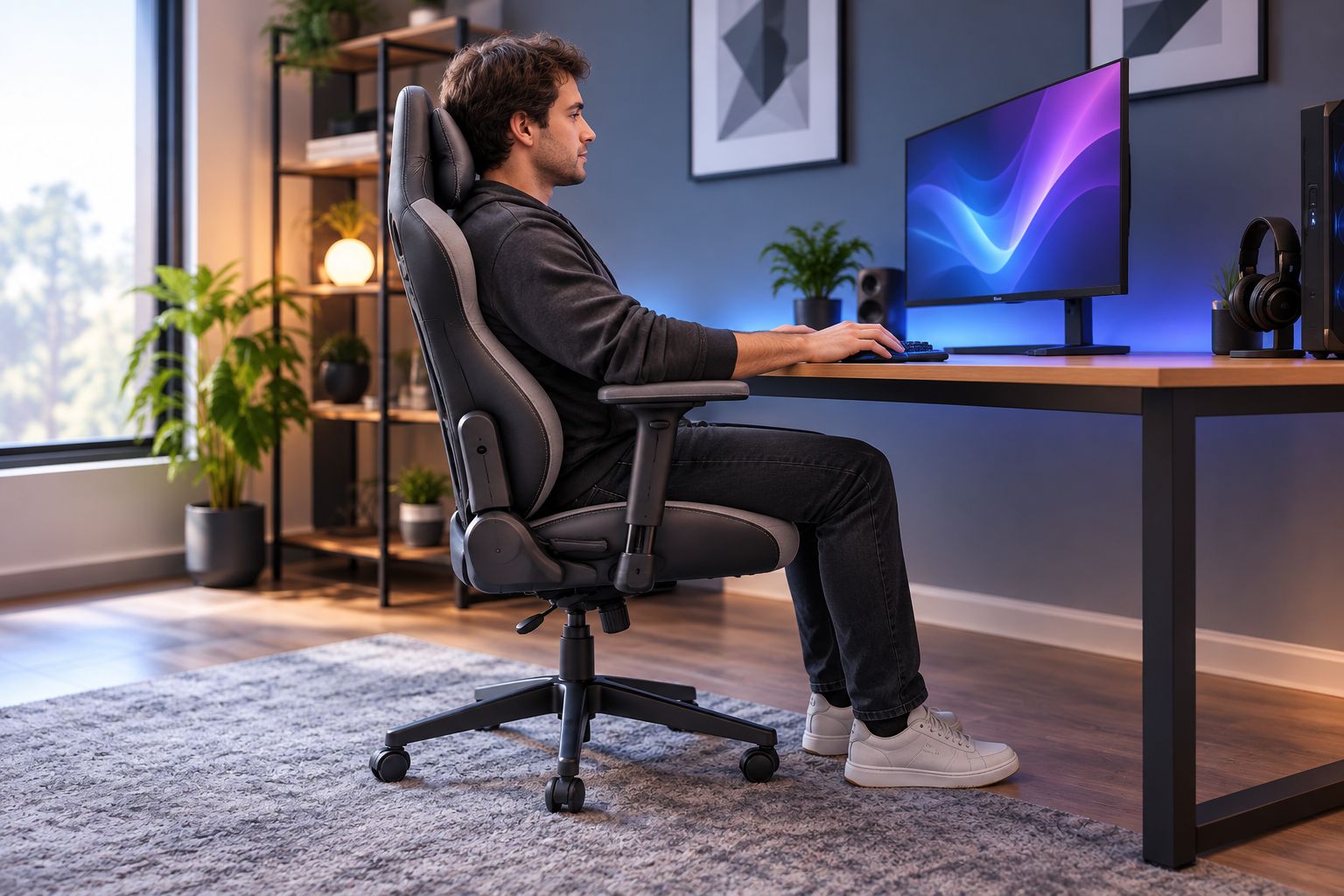
Armrests are not always the answer. If they collide with the desk and force you backward, adjust them before raising the whole chair; raising the seat without supporting your feet simply exchanges one fit problem for another.
Gaming and More's guide to ergonomic gaming mice for long sessions addresses the other end of that reach. Choose the chair and mouse position together rather than treating comfort as a single-product purchase.
Which gaming chair should you choose?
Start with Secretlab TITAN Evo if you want a gaming-style chair and need size choices. Choose Steelcase Gesture instead when work and gaming share the desk and arm positioning is your deciding factor.
For the remaining 2026 shortlist, make the material and support decision explicit. Pick Razer Fujin Pro for mesh seating, Herman Miller Embody Gaming for flexible support without a headrest, or IKEA MATCHSPEL for simpler controls after checking its fixed seat depth.
For gift shoppers, do not guess. Ask the recipient about seat feel, headrest preference, and desk height before choosing something they will sit in every day.
FAQ
What's the best gaming chair in 2026?
Secretlab TITAN Evo is the default recommendation for buyers who want gaming-chair styling, multiple sizes, and integrated adjustable lumbar support. Steelcase Gesture is the stronger fit when arm positioning at a shared work-and-gaming desk matters most.
Is an office chair better than a gaming chair?
An office chair is better when its fit and adjustments suit your desk use more closely. Steelcase Gesture emphasizes arm positioning, while Secretlab TITAN Evo offers gaming styling, size choices, and a deeper backrest recline.
Which gaming chair is best if I prefer mesh?
Razer Fujin Pro is the mesh-seat recommendation on this shortlist. IKEA MATCHSPEL has a mesh back but uses a padded seat, so the seating feel is different.
How do I know whether a gaming chair fits me?
A gaming chair fits when you can use the backrest, keep your feet supported, and avoid pressure behind your knees. Check armrest clearance at your desk as well as the manufacturer's size guidance.
Is a gaming chair with a headrest always better?
A headrest is not automatically better; it needs to support your preferred position without pushing your head forward. Herman Miller Embody Gaming has no headrest, while several other chairs on this shortlist provide head support.
Can a gaming chair fix back pain?
A gaming chair is not a treatment for back pain. Adjusting fit can address awkward seating positions, but persistent or worsening symptoms need assessment by a qualified healthcare professional.
Should I buy a gaming chair as a surprise gift?
Choose a gaming chair with the recipient rather than guessing their fit. Seat depth, cushion feel, arm positioning, and headrest preference are personal decisions that a photo cannot settle.
One last thing
Before replacing your chair, check whether its armrests are stopping you from reaching the desk. Lowering or repositioning them can let you sit closer without abandoning the backrest; if that solves the reach problem, you have identified a setup issue rather than proved the seat is wrong.
Gaming and More's final recommendation: choose the chair around your body, then arrange the gaming gear around your seated position. Matching colors comes last.


